Performing migration rollback using Adeptia Automate APIs in Jenkins
Adeptia allows you to revert the import operation conducted using the import pipeline file, which integrates Adeptia Automate APIs. Reversing the migration of objects is achievable through the use of migration APIs within the rollback pipeline file provided by Adeptia. This section delineates the procedure for establishing a rollback pipeline and subsequently initiating it to execute the rollback operation.
The rollback pipeline necessitates the ID of the Import package, which should be prepared in advance as a prerequisite for the rollback process. For further information on the essential prerequisites for carrying out the rollback operation, refer to this page.
Creating and triggering the rollback pipeline
Follow the steps given below to create the rollback pipeline using the provided rollback pipeline file from Adeptia and activate it to roll back the import operation.
-
Log in to the Jenkins with admin privileges.
-
Select New Item.
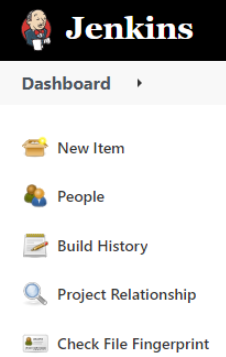
-
Enter a name for the Import pipeline, and then select Pipeline.
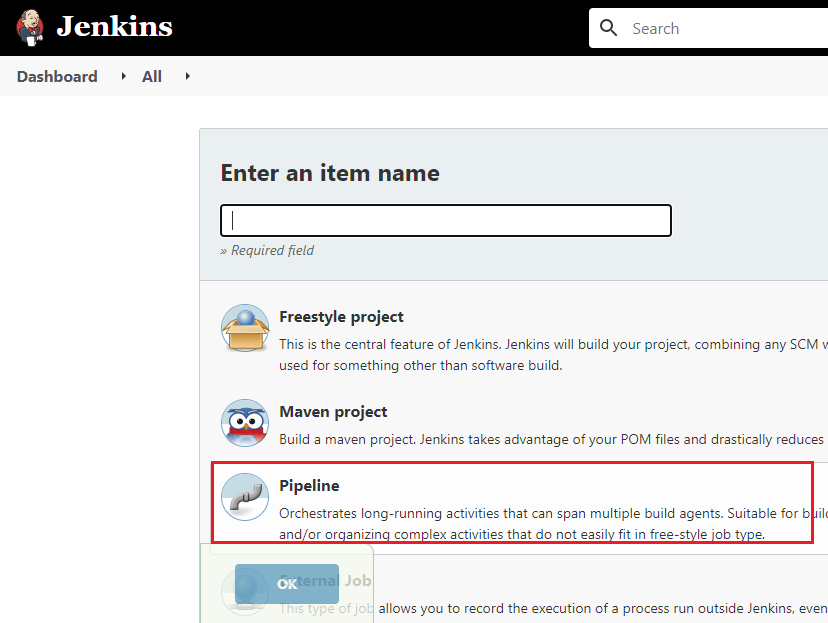
-
Click OK.
-
Copy the content from the provided rollback pipeline file. [+] Rollback Pipeline [-] Hide
Code
//use JsonSlurperClassic because it produces HashMap that could be serialized by pipeline
import groovy.json.JsonSlurperClassic
import jenkins.model.Jenkins

def loginToken
def referenceId
def interval = 30
def timeout= 15
def statusImport

/*
    Get username from credentials id
 */
def getUserName(id) {
	def userName = null
	withCredentials([usernamePassword(credentialsId: id, passwordVariable: 'PASSWORD', usernameVariable: 'USERNAME')]) {
					try {
						userName = USERNAME
						} catch (err) {
								echo "Caught: ${err}. Error in extracting username from "+id+" ."
								error("Caught: ${err}")
								currentBuild.result = 'FAILURE'
							}
	}
	return userName
}

/*
    Get password from credentials id
 */
def getPassword(id) {
	def password = null
	withCredentials([usernamePassword(credentialsId: id, passwordVariable: 'PASSWORD', usernameVariable: 'USERNAME')]) {
					try {
						password = PASSWORD;
						} catch (err) {
								echo "Caught: ${err}. Error in extracting password from "+id+" ."
								error("Caught: ${err}")
								currentBuild.result = 'FAILURE'
							}
	}
	return password
}

/*
    Push files to GitHub repository
 */
def pushToGitHub (GIT_BRANCH, GIT_CREDENTIALS_ID, FILE_PATH) {
    echo "Pushing file ("+FILE_PATH+") to GitHub repo"
                script {
				echo "Pushing file (${WORKSPACE}/"+FILE_PATH+") to GitHub repo"
				withCredentials([gitUsernamePassword(credentialsId: GIT_CREDENTIALS_ID, gitToolName: 'git-tool')]) {
					try {
						def gitUser = getUserName(GIT_CREDENTIALS_ID);
							sh('sleep 10')
							sh('git config --global user.name "'+gitUser+'"')
							sh('git config --global user.email "you@example.com"')
							sh("git add "+FILE_PATH)
							sh('git commit -m "auto commit message" ')
							sh('git push origin HEAD:'+GIT_BRANCH)
						} catch (err) {
								echo "Caught: ${err}. Error in pushing file to Github."
								error("Caught: ${err}")
								currentBuild.result = 'FAILURE'
							}
					}
				}
}

pipeline {
		parameters{
		separator(name: 'separator-ce1a9ef5-cd10-4002-a43f-8ae24d9d0bb3', sectionHeader: '''GitHub Parameters''', sectionHeaderStyle: 'background-color:#eeeee4;font-size:15px;font-weight:normal;text-transform:uppercase;border-color:gray;', separatorStyle: '''font-weight:bold;line-height:1.5em;font-size:1.5em;''')
		string(defaultValue: '', description: 'GitHub credentials ID configured in Jenkins e.g. gitCredential_id', name: 'GIT_CREDENTIALS_ID', trim: true)
		string(defaultValue: '', description: 'GitHub server URL e.g https://github.com/adeptia/migration-defination.git', name: 'GIT_REPO_URL', trim: true)
		string(defaultValue: 'main', description: 'GitHub Branch name e.g. main', name: 'GIT_BRANCH', trim: true)
		string(defaultValue: 'migration.log', description: 'import log file path to upload to GitHub repository. e.g. test/import.log', name: 'IMPORT_LOG_PATH', trim: true)
		separator(name: 'separator-ce1a9ef5-cd10-4002-a43f-8ae24d9d0bb3', sectionHeader: '''Migration Parameters''', sectionHeaderStyle: 'background-color:#eeeee4;font-size:15px;font-weight:normal;text-transform:uppercase;border-color:gray;', separatorStyle: '''font-weight:bold;line-height:1.5em;font-size:1.5em;''')
		string(defaultValue: '', description: 'Application URL. e.g. https://test.api.com', name: 'APPLICATION_URL', trim: true)
		string(defaultValue: 'Application_Credential_id', description: 'Application credentials ID configured in Jenkins e.g. Application_Credential_id', name: 'APPLICATION_CREDENTIALS_ID', trim: true)
		string(defaultValue: '', description: 'Import package ID. e.g. 1235562031212253184', name: 'IMPORT_PACKAGE_ID', trim: true)
		string(defaultValue: 'rollbackzip.zip', description: 'Path of source zip file to download from GitHub repository. in case of rollback operation, it will be rollback zip e.g. test/SA_PF.zip', name: 'SOURCE_ZIP_PATH', trim: true)
		}
    /*
		agent {
        	label 'LinuxAgent'
    }
	*/
	agent any

    stages {
		stage('Initialize git repository') {
            steps {
				echo 'Checkout from GitHub'
				checkout([$class: 'GitSCM', branches: [[name: '*/'+GIT_BRANCH]], extensions: [], userRemoteConfigs: [[credentialsId: GIT_CREDENTIALS_ID, url: GIT_REPO_URL]]])
			}
		}
        stage('Initialize to get user token') {
            steps {
                echo 'Initialize to get user token'
                script {
					withCredentials([gitUsernamePassword(credentialsId: APPLICATION_CREDENTIALS_ID)]) {
                        def response = httpRequest contentType: 'APPLICATION_JSON', httpMode: 'POST',  requestBody: '{"username":\"'+getUserName(APPLICATION_CREDENTIALS_ID)+'\","password":\"'+getPassword(APPLICATION_CREDENTIALS_ID)+'\"}', url: APPLICATION_URL+'/rest/login/user'
						loginToken = new JsonSlurperClassic().parseText(response.content).ACCESS_TOKEN
					}
                }
            }
        }
		stage('API call to Trigger Rollback using pkg ID') {

            steps {
				//hide password field
				wrap([$class: 'MaskPasswordsBuildWrapper', varPasswordPairs: [[password:loginToken]]]) {
				script {
					echo 'API call to Trigger Rollback using pkg ID'
					   def response = sh (
							script: 'curl --location \''+APPLICATION_URL+'/rest/migration/rollback/execute/'+IMPORT_PACKAGE_ID+'\' --header \'ACCESS_TOKEN: '+loginToken+'\' --form \'sourceZipFile=@\"'+WORKSPACE+'/'+SOURCE_ZIP_PATH+'\"\'',
							returnStdout: true
						).trim()
						println("respose: "+response)
						if (response.contains('success'))
						{
						def success = new JsonSlurperClassic().parseText(response).success
    						if (success.equals(true)){
    						    println("Triggered successfully")
    						referenceId = new JsonSlurperClassic().parseText(response).referenceId
    						} else {
    						    catchError(buildResult: 'FAILURE', stageResult: 'FAILURE', catchInterruptions: true){echo "CaughtError: "+response}
    						    sh "exit 1"
    						}
						}
						else if (response.contains('status'))
						{
						def status = new JsonSlurperClassic().parseText(response).status
    						if (status.equalsIgnoreCase("ERROR")){
    						            def message = new JsonSlurperClassic().parseText(response).message
    									catchError(buildResult: 'FAILURE', stageResult: 'FAILURE', catchInterruptions: true){echo "CaughtError: "+message}
    						    sh "exit 1"
    							}
    						}
    					else {
    						    catchError(buildResult: 'FAILURE', stageResult: 'FAILURE', catchInterruptions: true){echo "CaughtError: "+response}
    						    sh "exit 1"
    						}
                }
				}
            }
        }
		stage('Status check using ref ID') {
            steps {
                script {
						echo 'Status check using ref ID'
					    count = 1
						for( int i = 1; i <= timeout; i++ ) {
						def response = httpRequest contentType: 'APPLICATION_JSON', httpMode: 'GET', customHeaders: [[name: 'ACCESS_TOKEN', value: loginToken, maskValue: 'true']], url: APPLICATION_URL+"/rest/migration/status?id="+referenceId
					    statusImport = new JsonSlurperClassic().parseText(response.content).status
						if(statusImport.equalsIgnoreCase('FINISHED'))
							{
							  println('FINISHED')
							  break;
							}
							else {println(statusImport)}
						sleep(interval)
						echo count+" retry in "+interval*count+" seconds. timout:"+timeout
						if ((count)>= timeout ){
									catchError(buildResult: 'SUCCESS', stageResult: 'FAILURE'){echo "Caught: Migration deployment taking more then ideal time. See the migration logs."}
									break;
							}
						count=count+1
						}
                }
            }
        }
		stage("Download migration logs") {
			when {
				expression {
					return statusImport != 'FINISHED';
				}
			}
            steps {
                script {
						echo 'Download log file'
						def response = httpRequest contentType: 'TEXT_PLAIN', httpMode: 'GET', customHeaders: [[name: 'ACCESS_TOKEN', value: loginToken]], url: APPLICATION_URL+"/rest/migration/logs?id="+referenceId, outputFile: IMPORT_LOG_PATH
                }
            }
        }
		stage("Commit log file to GitHub") {
			when {
				expression {
					return statusImport != 'FINISHED';
				}
			}
            steps {
				pushToGitHub (GIT_BRANCH, GIT_CREDENTIALS_ID, IMPORT_LOG_PATH)
			}
		}
    }
 	post('Clean-up') {
			always {
				echo 'Cleanup workspace'
				cleanWs()
			}
			success {
				echo 'Pipeline succeeded!'
			}
			unstable {
				echo 'Pipeline unstable :/'
			}
			failure {
				echo 'Pipeline failed :('
			}
		}
}
javascript:void%280%29 6. In the Pipeline Definition section, paste the copied content and uncheck the Use Groovy Sandbox checkbox.
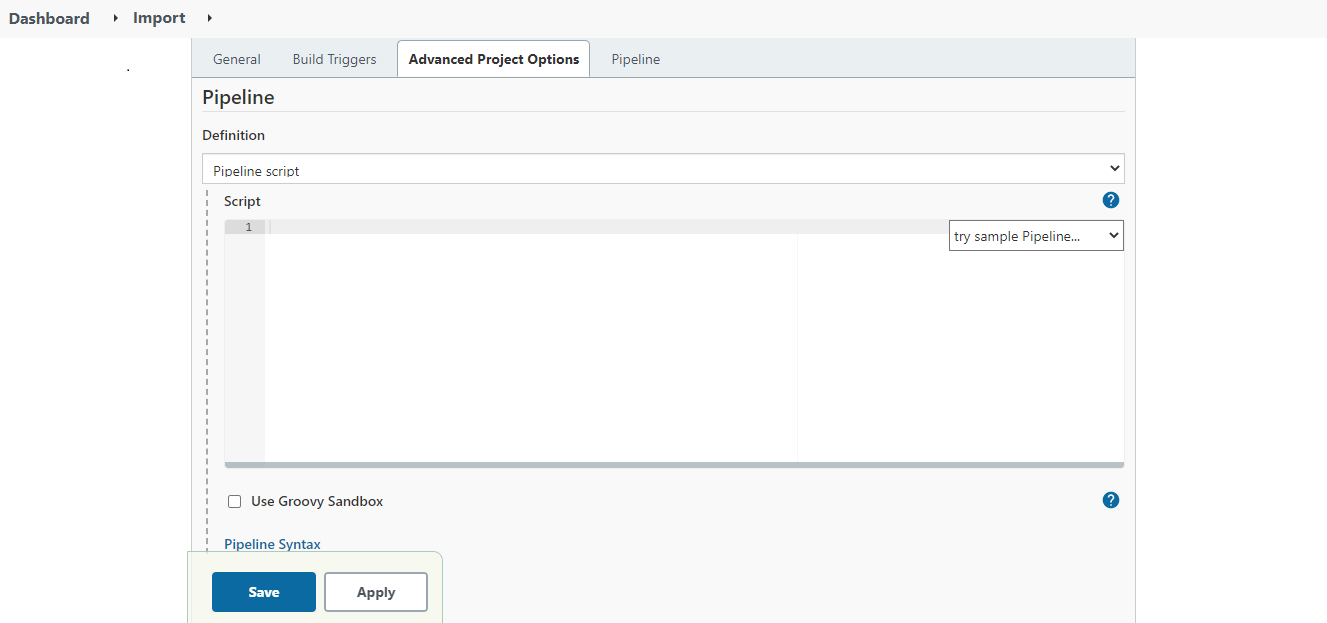
|  | If you are using Jenkins on Windows OS, and have created an agent on Linux OS, you need to do the following in the export pipeline file.
1. Uncomment the following code snippet.
Code
    /*
		agent {
        	label 'LinuxAgent'
    }
	*/
Where,
LinuxAgent is the name of the agent that you have created.
2. Comment the following lines of code.
Code
agent any
| | --- | --- | 7. Click Save. 8. On the screen that follows, click Build Now. As you build the pipeline for the very first time, all the parameters get initialized. 9. Refresh the page. The Build Nowoption now changes to Build with Parameters. 10. Click Build with Parameters.
You will see all the parameters inherited from the rollback pipeline file.
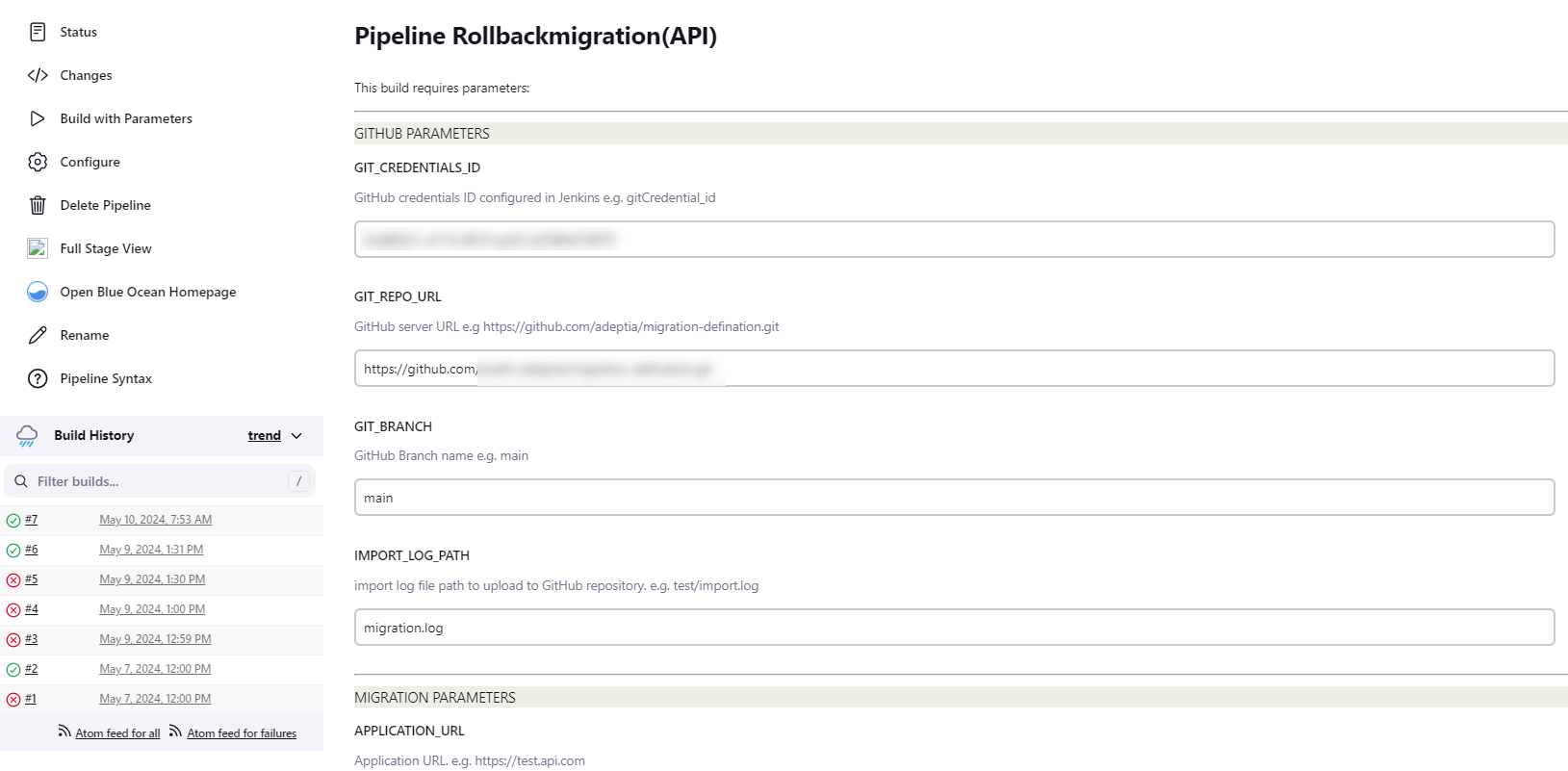 11. Enter the parameter values as per your requirement.
[+] Click here to expand the list of Rollback parameters
[-] Hide
11. Enter the parameter values as per your requirement.
[+] Click here to expand the list of Rollback parameters
[-] Hide
| Parameters | Value | Description |
|---|---|---|
| GIT_CREDENTIALS_ID | <credential ID generated by Jenkins> | Credential ID for GitHub in Jenkins. Refer to the prerequisitesfor more details. |
| GIT_REPO_URL | https://github.com/adeptia/migration-definition.git | URL of the GitHub repository. |
| GIT_BRANCH | main | GitHub branch name. |
| APPLICATION_URL | https://abc.com | Adeptia Automate application URL. |
| APPLICATION_CREDENTIALS_ID | user@abc.com | Adeptia Automate User Id to be used for performing the Import operation. |
| SOURCE_ZIP_PATH | test/rollback.zip | GitHub repository path of the rollback zip that you want to use to perform the Rollback operation. |
| IMPORT_LOG_PATH | test/migration.log | Path in the GitHub repository where the rollback logs file will be placed after the Rollback operation completes. |
| IMPORT_PACKAGE_ID | 1235472230119257845 | Id of the Import package. For more details on viewing the Id of an Import package, refer to this section. |
- Click Build to trigger the pipeline. This rolls back the import operation.