Manage a rule
Adeptia's AI Business Rules facilitates efficient rule management by allowing you to copy, delete, and access detailed information for rules you create.
The page contains the following information:
Copy a rule
When you copy a rule, it replicates the definition JSON file, the rule definition, and associated record identifiers, to another rule.
To copy a rule:
-
Click
 next to the rule you want to copy.
 -
Click
 .
.
This creates a copy of the rule. You can view the copied rule in the Rules panel.
To define and test the copied rule, click  .
.
Delete a rule
You can delete a rule permanently from Adeptia's AI Business Rule.
 | Deleting a rule removes its corresponding reference from any rule set in which it is being used. |
To delete a rule:
- Click next to the rule you want to delete.
- Click
 .
. - Click Confirm, when prompted to proceed.
View rule details
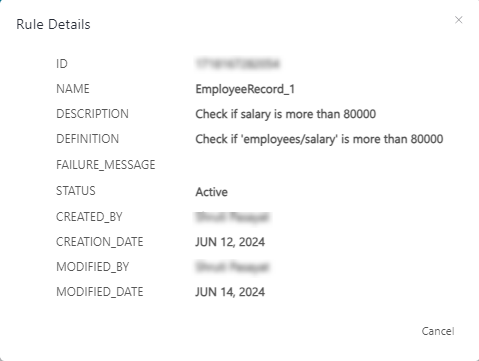
The Details option enables you to access comprehensive information about any rule including name, definition, creation date, etc. It dynamically displays the most current metadata, ensuring you always have accurate and up-to-date details.
To view rule details:
- Click next to the rule for which you want to view the details.
The Rule details screen displays the details of the rule as shown below.