Transaction Tracking
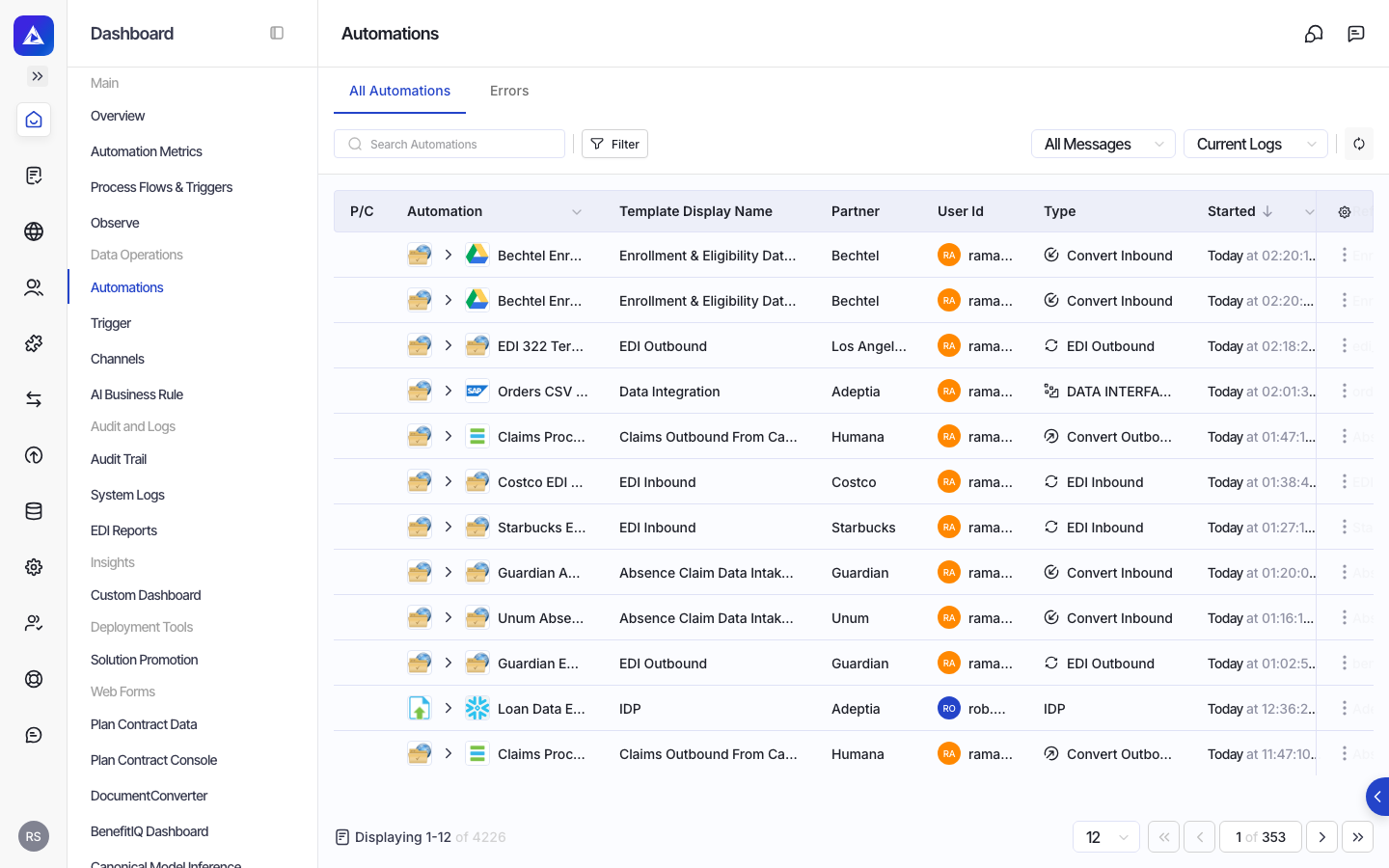
Transactions are the configured automations in your Adeptia environment, combining a process flow with a partner configuration, a trigger, and associated settings to produce execution records you can monitor and investigate.
What a transaction represents
In Adeptia, a transaction is a fully configured automation that combines a process flow (the workflow definition) with a partner configuration, a trigger, and its associated settings. Transactions are the operational units that actually run and produce execution records. Understanding this distinction helps you trace activity back to the right configuration when something needs attention.
What you can see for each transaction
Each transaction surfaces a consistent set of information across your integrations:
| Information area | What it tells you |
|---|---|
| Status | Whether the transaction is active, inactive, or in draft |
| Direction | Whether the flow is one-way, two-way, or multi-step |
| Source and destination | The application category and type at each end of the integration, plus the trigger and action involved |
| Partner | The trading partner associated with the transaction |
| Template | The underlying process flow definition the transaction is built from |
| Pipeline steps | The sequence of activities that make up the automation |
| Settings and variable configuration | Operational parameters, including any document intelligence (IDP) settings such as model, reviewer, validation, and business rules |
| Audit trail | Who created and last modified the transaction, and when |
| Activity history | The most recent and first recorded activity for the transaction |
Searching and filtering transactions
You can locate transactions using several approaches:
- Search by name: Find transactions whose names match a keyword or phrase.
- Filter by status: Narrow the list to active, inactive, or draft transactions.
- Filter by type: Focus on a specific integration category such as EDI or outbound.
- Filter by partner: Show only transactions associated with a particular trading partner.
- Full-text search: Match across transaction name, description, partner name, source and destination application types, template name, contact user, and creator, all in a single pass.
How transactions relate to executions
A transaction is the configuration; an execution is a single run of that configuration. When you investigate a failed or delayed data exchange, you start with the execution record and then trace it back to the transaction that produced it. Transaction IDs appear in execution records, so you can identify which configured automation was responsible.
Partner and company context
Each transaction is associated with both a trading partner and a company. The partner details, including contact information and onboarding status, are available alongside the transaction so you can quickly identify who is involved in a data exchange.
Document intelligence settings
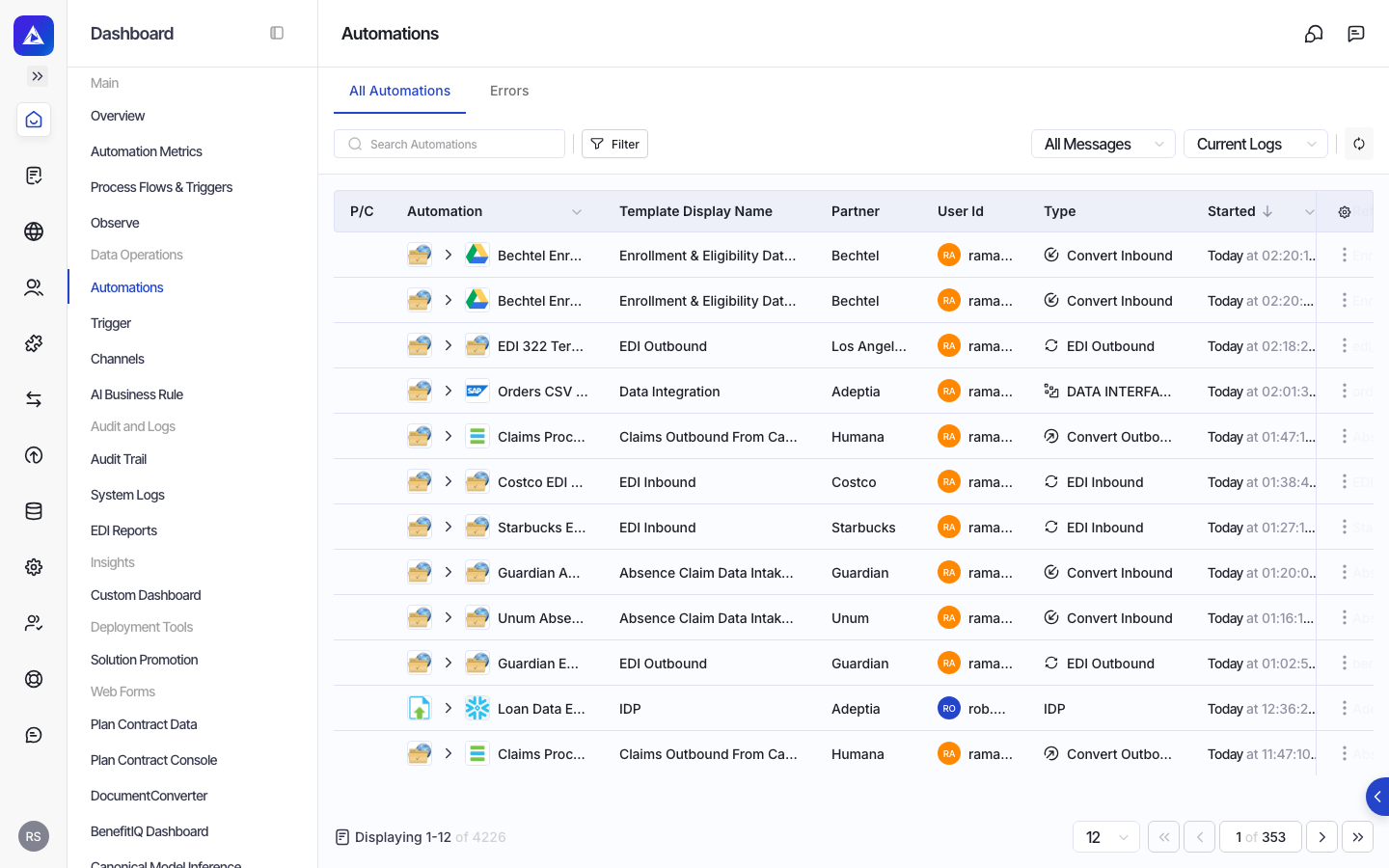
Transactions of the document intelligence type carry additional configuration covering the extraction model, reviewer assignment, validation rules, page handling, and business rule application. These settings are visible within the transaction record, giving you a complete picture of how incoming documents are processed and reviewed.