Prerequisites for using Migration APIs
You can migrate objects from one Adeptia Connect environment to another using the Adeptia Connect migration APIs. Before you perform a migration related operation ensure that you have met the following prerequisites:
-
You have Execute permission on Solution Import and Solution Export activities. For more details on creating a role and assigning permissions to it, refer to this page.
-
You have the required Export package using which you want to perform the Export operation. To create the Export package, follow the steps from 1 through 18 on this page.
-
You have the required Import package using which you want to perform an Import operation. To create the Import package, follow the steps from 1 through 8 on this page.
-
You have the Id of the required Export package or the Import package.
To view the Id of a package, do the following:- Click Account > Tools > Solution Promotion.
- In the left panel, select Export Packages or Import Packages based on the type of operation you want to perform.
- Click More (under ACTION) against the required package.
- Click View.
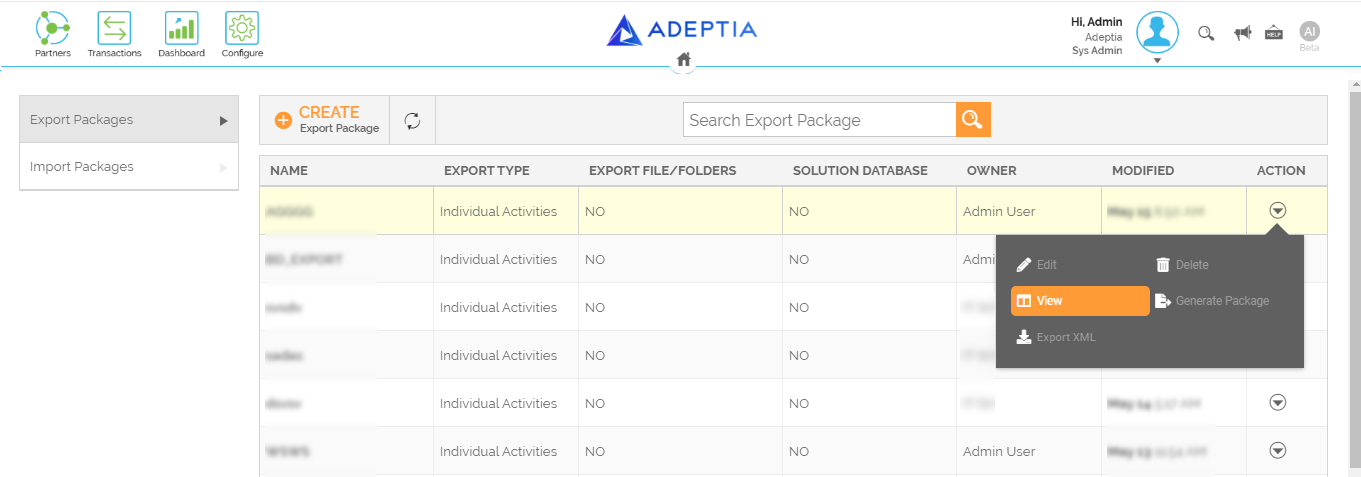 On the View screen, you will be able to see the package Id.
-
You have the JWT token for authentication. To generate the token use the following API:
URL
https://<domain name>/rest/login/user
Request Method
POST
Headers
Content-Type: application/json
Request Body
{"username": "string", "password": "string", "requestFrom": "string"}
Example: {"username": "adeptia", "password": "pass@123", "requestFrom": "web"}
Response
{"tokenExpiresDays":double, "ACCESS_TOKEN":"string"}
Content-Type: application/json