Disabling Basic Authentication for REST API
To disable Basic authentication for the REST API, follow the steps given below:
-
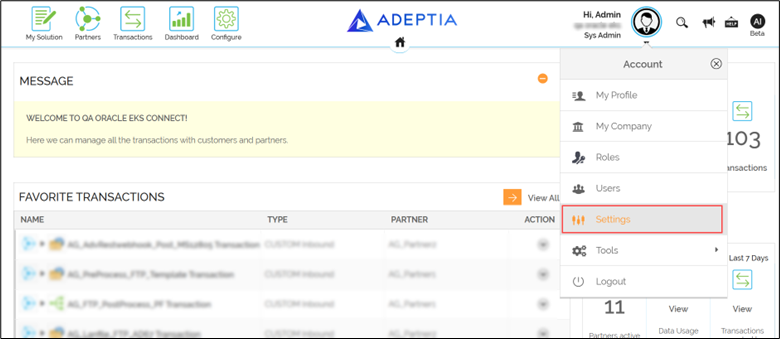
Click Account > Settings.
-
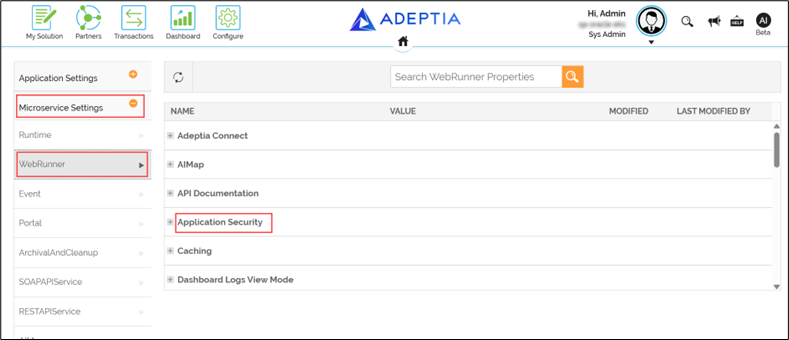
Expand Microservice Settings in the left panel.
-
Select WebRunner.
-
Expand Application Security to view the properties associated with it.
-
Double-click the corresponding VALUE field for the property abpm.api.basic.authentication.enable.
-
Change the value for the property to false and click Update.
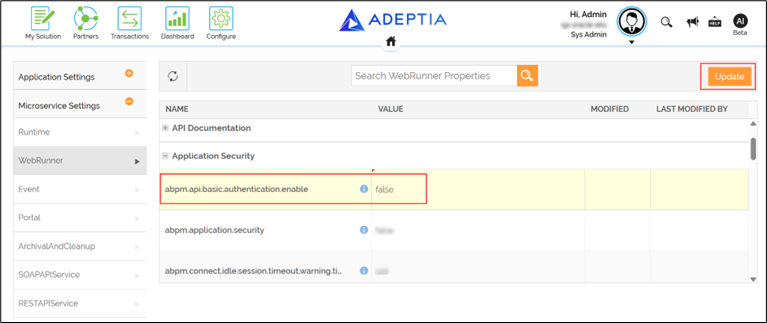
A message 'Properties saved successfully’ is displayed. It may take a few minutes to reflect these changes on every microservice instance'.