Add a new Network
-
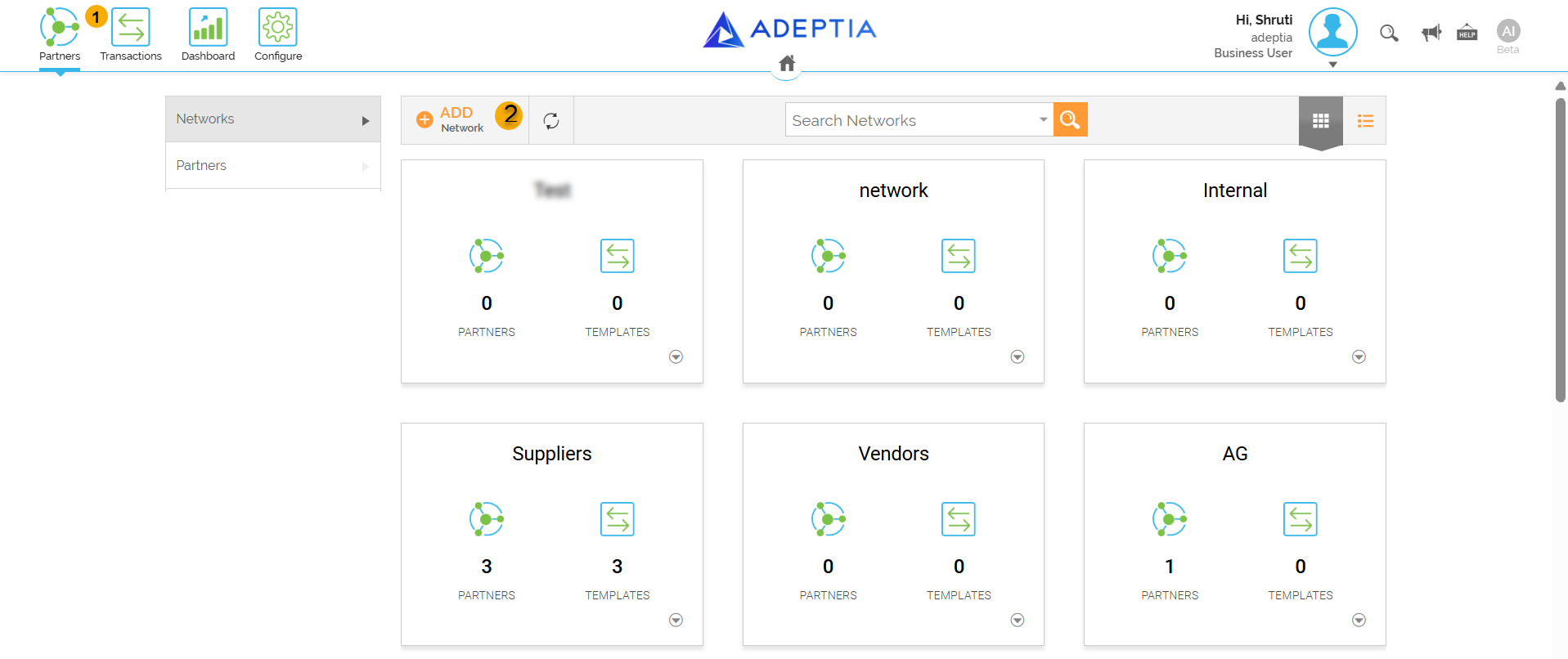
Click on Partners (top left).
-
Click on Add Network.
You will also see pre-existing Networks in this page. -
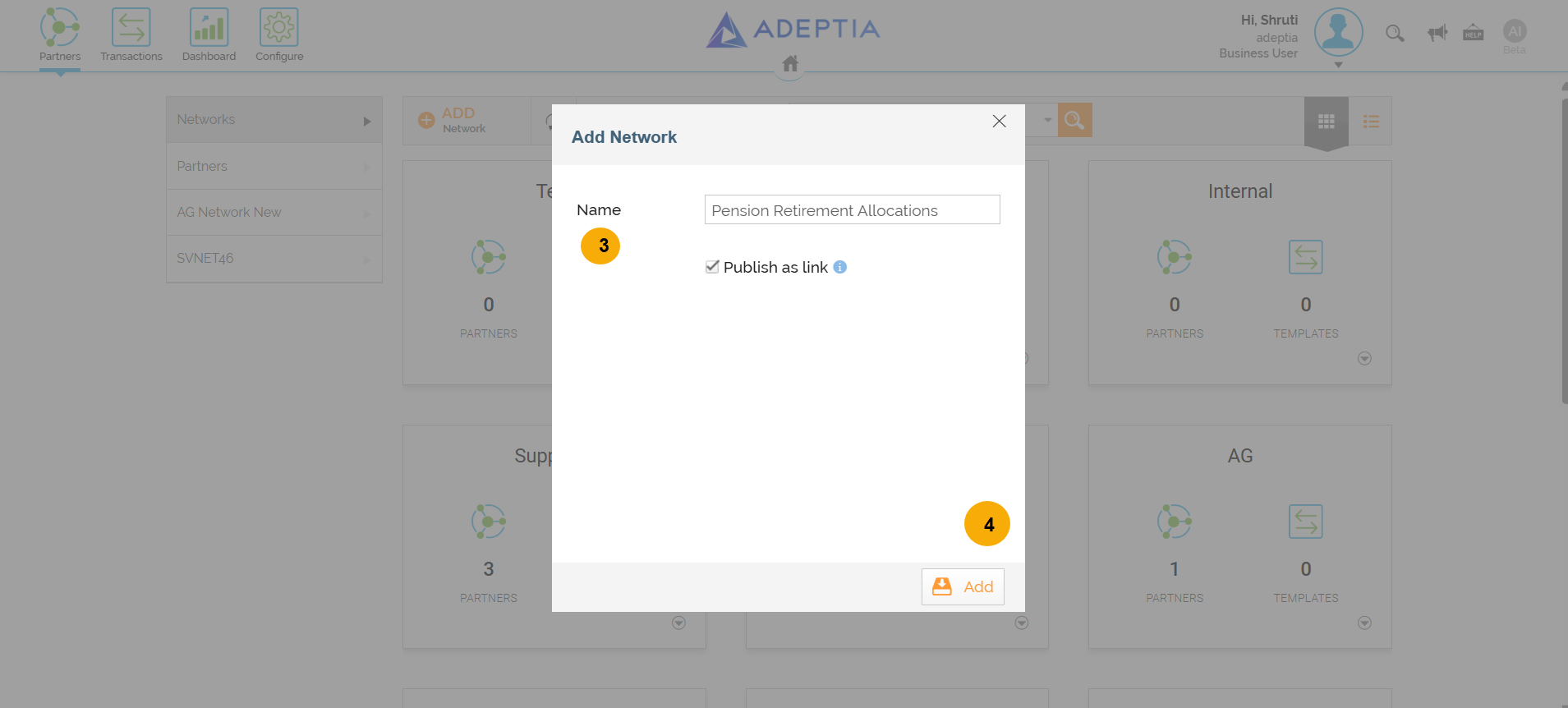
Enter Name of the Network and Publish as link.
-
Click Add.
Trainees should use their First Name, Last Name initials to make their Network unique from the rest.
-
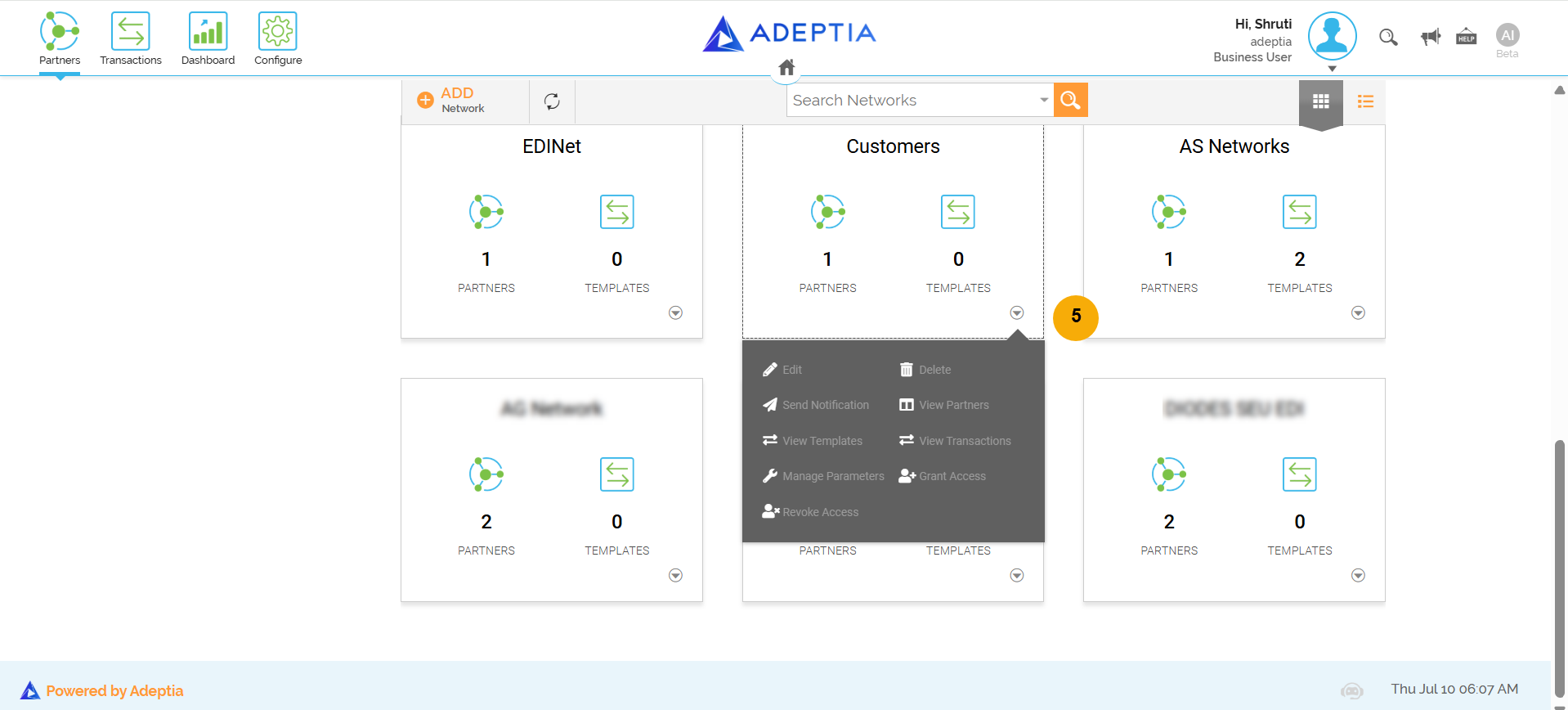
See the new Network listed as a tile and also appearing as a tab in the left hand menu. Click on More to see additional features available to manage this Network.