Viewing a Web Form
You can view the details of a Web Form specified while creating a Web Form. To view Web Form details:
-
Click Configure > Web Forms.
-
On the Web Forms screen, do one of the following:
- Click
 > View.
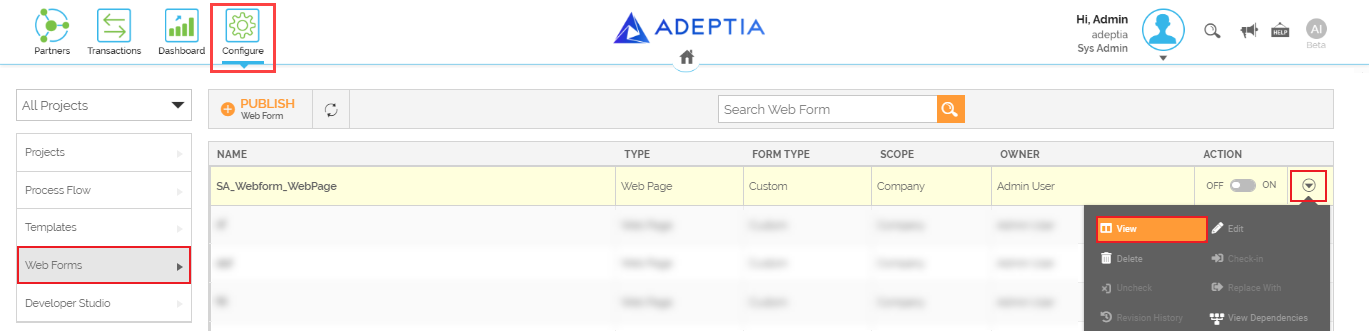
- Click the name of a Web Form to view details.
- Click
-
View the details of a Web Form from the View Web Form window.
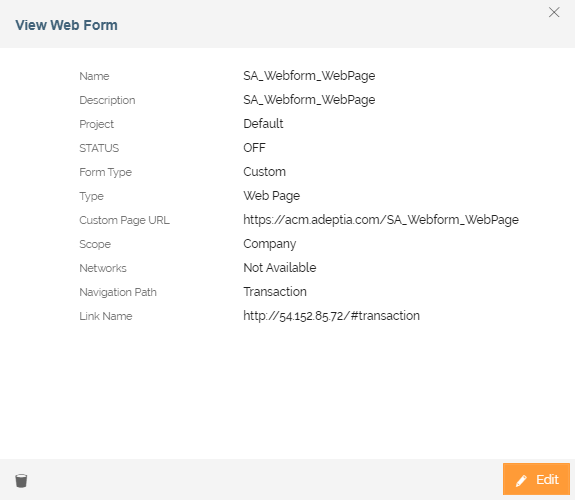
You can also edit and delete the Web Form from the View Web Form window by clicking and
and  buttons respectively.