Clearing the cached properties' values
The application caches the fetched properties' (fields') values locally so as to prevent frequent visits to the Git repository for authentication. You may want to clear the cached values in case you have modified them in Git. You can clear the cache for all or an individual project at any time.
 |
|
Clearing the cached properties' values for all the projects
To clear the Git repository cache for all the projects in one go, follow the steps given below:
-
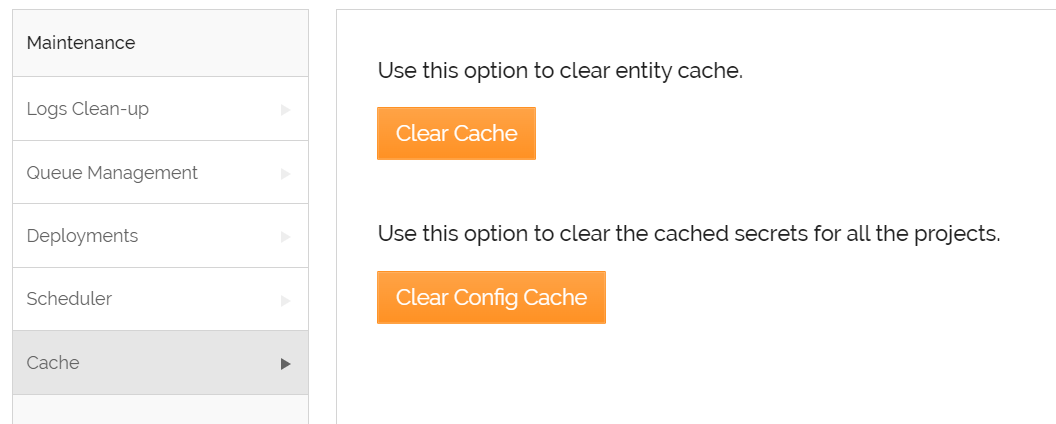
Click Account > Tools > Maintenance.
-
Select Cache.
-
Click Clear Cache.
Clearing the cached properties' values for an individual project
To clear the locally cached properties' (fields') values of the activities belonging to the selected project, follow the steps given below:
-
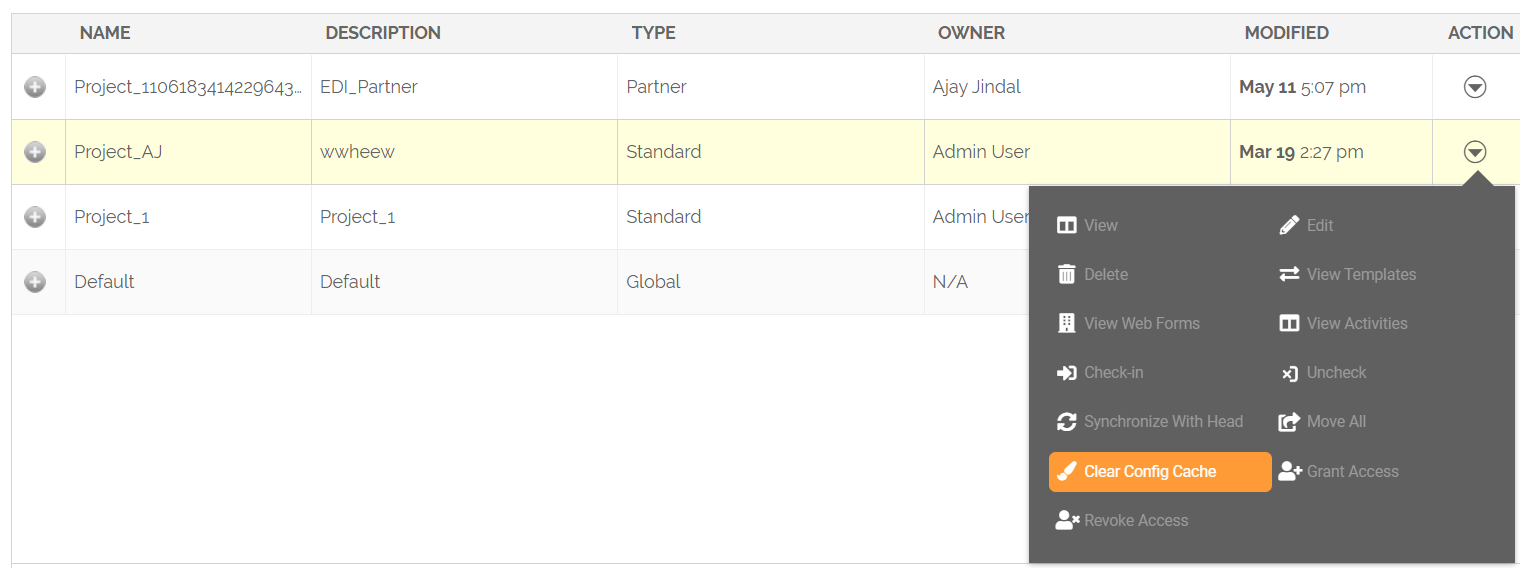
Go to Configure > Projects to view the list of existing projects.
-
Click the More option under the Action column to view the action menu for the project.
-
Click Clear Config Cache.
-
On the Clear Config Cache screen, select Git Repository Cache and then click Clear Cache.
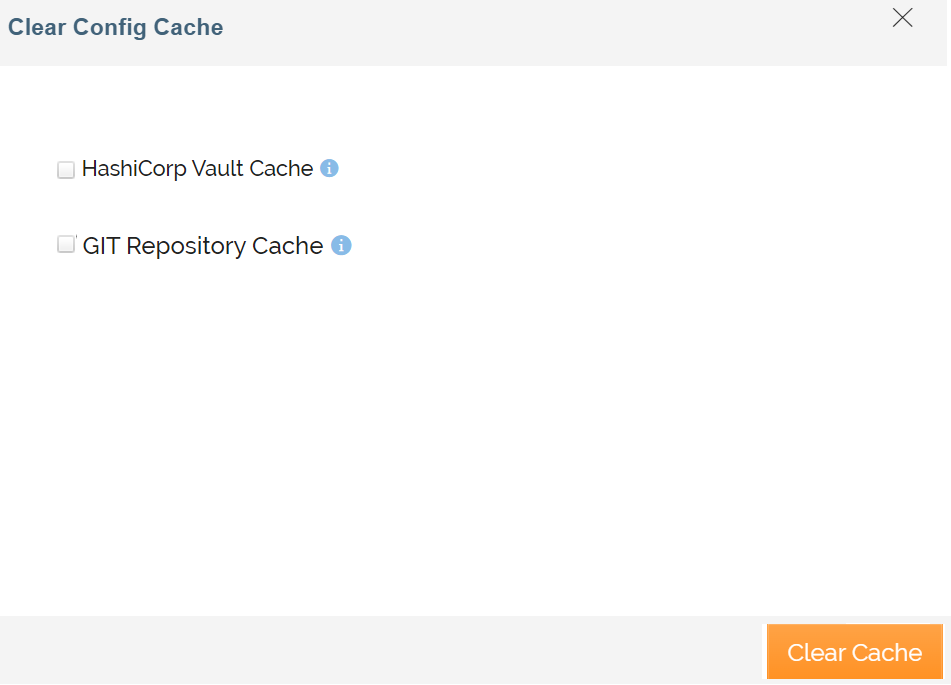
It may take a while to clear the cached entries.