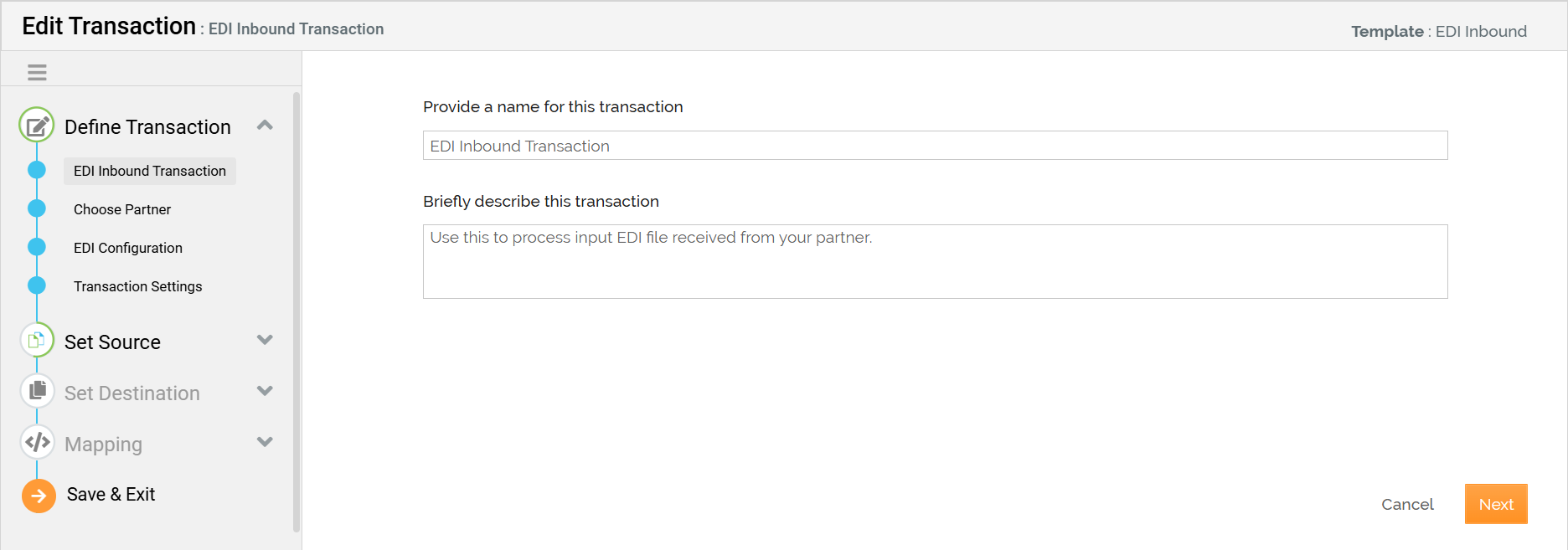
Editing Transaction Details
You can edit the details of a Transaction. This might be necessary in the following situations:
- To change the assigned Partner.
- To change the Source application account or settings.
A Transaction can be edited if it is in the OFF state. For information on how to Turn ON/OFF a Transaction, refer to Activating a Transaction.
To edit the Transaction details:
-
Click Transactions > Transactions.
-
On the Transactions screen, click
 > Edit.
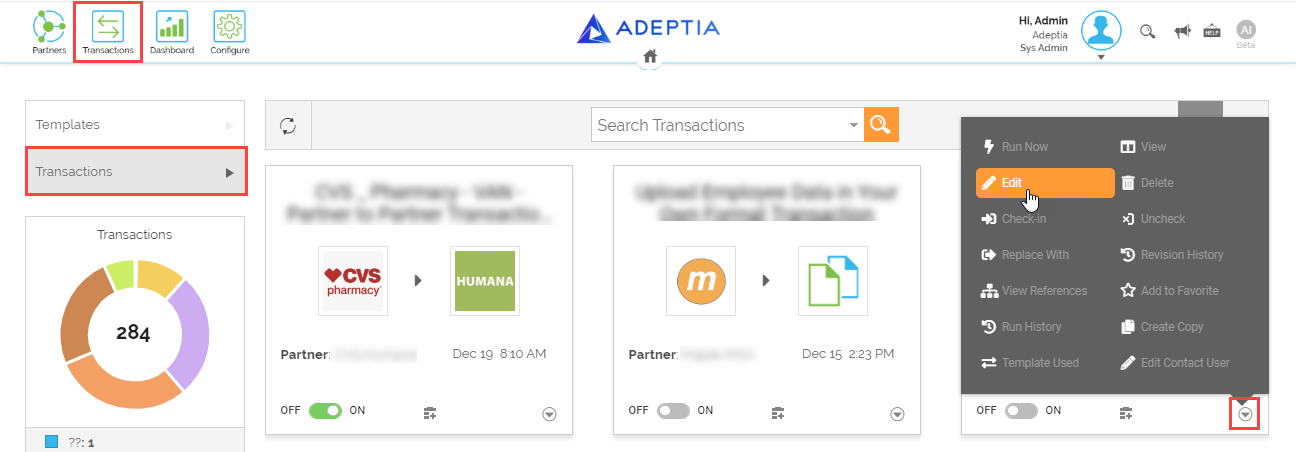

If you attempt to edit the details of a Transaction with the status ON, you will be prompted to turn OFF the Transaction. Turn OFF the Transaction first then edit details. -
Start editing the details of the Transaction from the Edit Transaction screen.