Deleting a Template
Delete a Template to permanently remove it from Adeptia Connect. A Template can be deleted if it is in OFF state.
 | Only a Company administrator and an IT User can delete a Template. |
To delete a Template:
-
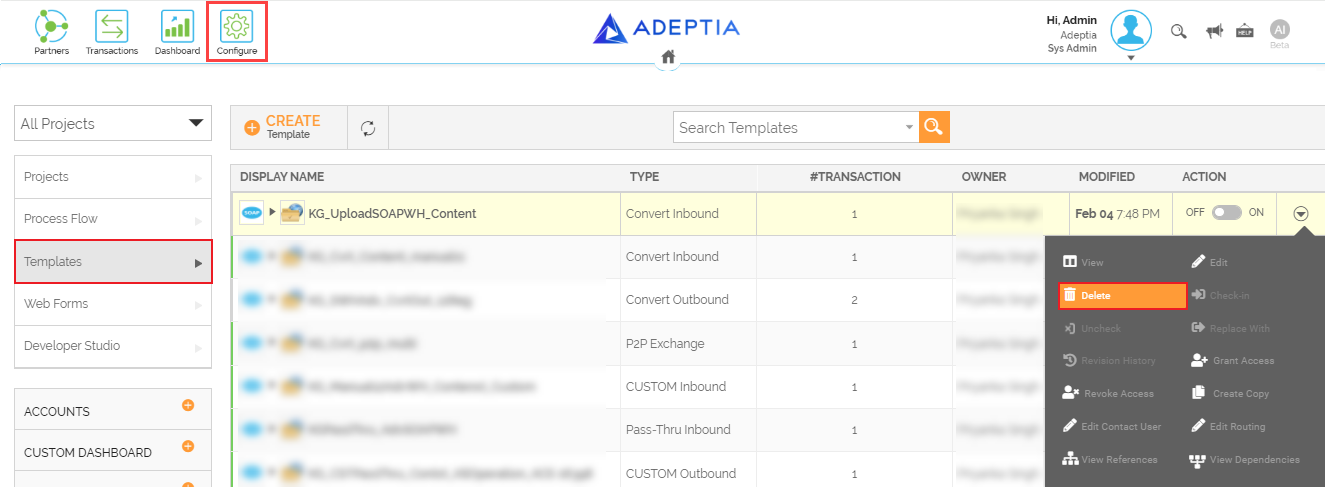
Click Configure > Templates.
-
On the Templates screen, click
 > Delete.
-
Click Yes, delete it, when prompted to confirm.
This deletes a Template.