Adding custom email headers in a Template
You can add custom email headers that you may want to include while you’re at Define Target Location in a Template that has Email as the target.
 | Custom email headers can be defined in all types of Templates. This is, however, an optional step for you. |
Follow the steps below to define custom headers in a Template.
- In the Custom Email Headers**(Optional)** section,
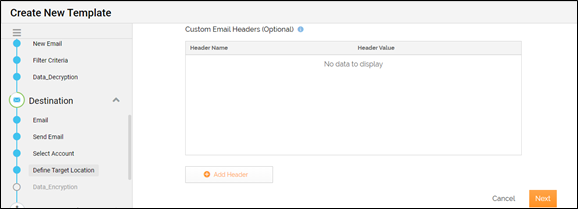
- Click to add a row.
- In the Header Name field, enter the name of the email header.
- In the Header Value field, enter the value for the corresponding email header.
- Complete the fields that follow, and then click Save.