Using API Documentation for REST Webhook Transaction
Adeptia Connect creates the OAS 3.0 standards API documentation for a Transaction based on a Template having REST Webhook as a Source.
Editing the API documentation
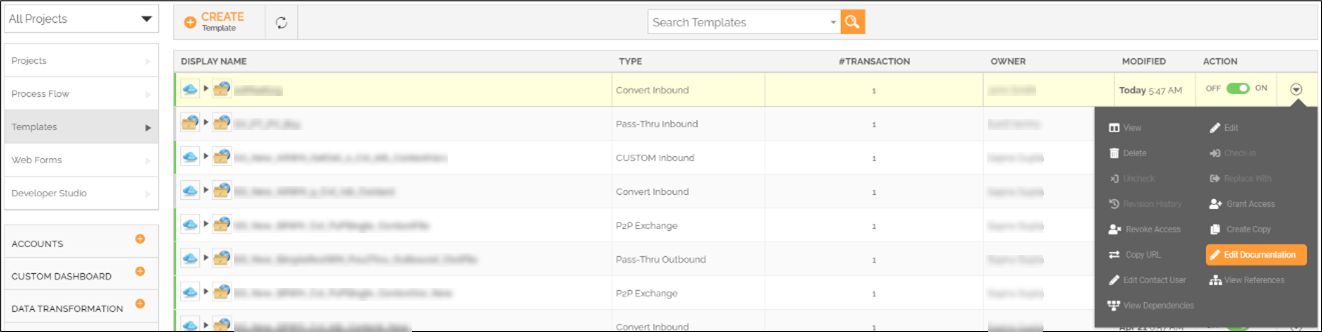
You can edit the API documentation by clicking the respective Template’s More ( ) > Edit Documentation on the template manage page.
Executing the Transaction from API Documentation
You can execute the Transaction (REST Webhook) using its API documentation by following the steps given below.
 | You must activate the Transaction before you execute it using its API documentation. |
- Go to manage transactions page by selecting Transactions and then clicking Transactions on the left panel.
- Click More () on the Transaction that you want to execute.
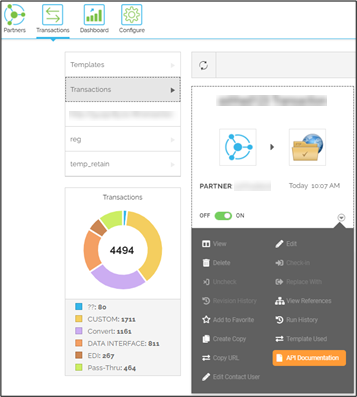
- Click API Documentation.
- On the API Documentation page, click Try it out, and then Execute.
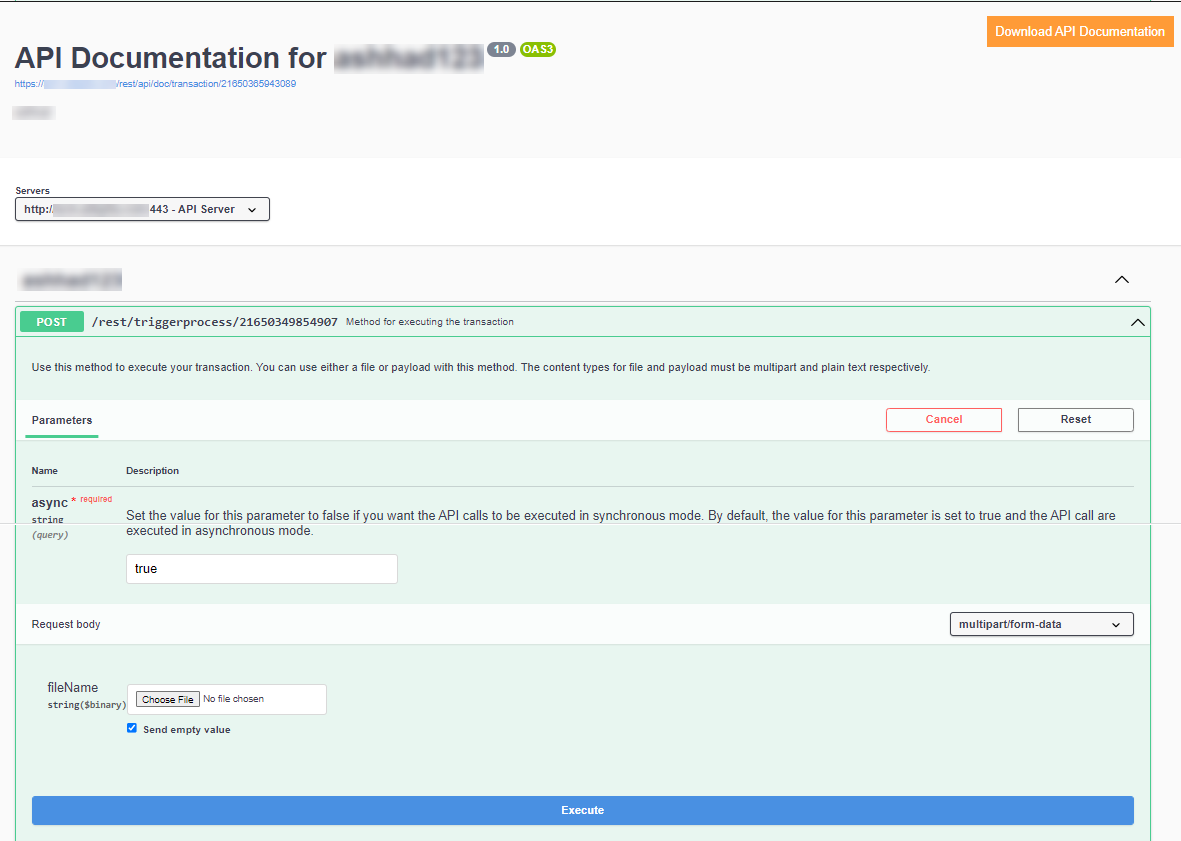
You can also download the API Documentation by clicking Download API Documentation on the API Documentation page.
 |
|