Using Kerberos authentication in a Security Policy
-
On the Adeptia Connect homepage, Click Configure > WEB SERVICES > Security Policy.
-
Click Create Security Policy in case of a new security policy else click an existing security policy to edit it.
-
Accordingly, enter or modify the information. For details refer Security Policy section.
-
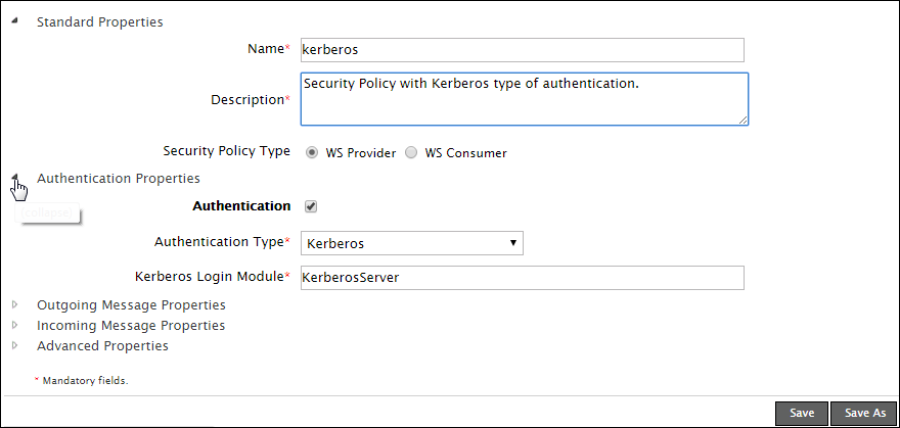
Expand the Authentication Properties and enable the Authentication checkbox.
-
From the Authentication Type drop-down list, choose Kerberos.
-
In the provided textbox, enter the name for your Kerberos Login Module as specified in jaas.config file.
-
Click Save.
This Kerberos authenticated security policy can now be used in your Consumer or Provider activity.
 | Whenever you execute a web service provider activity with Kerberos authentication, the system stores the details of the user who hits the web service in a context variable called RemoteUser. You can see the values of this variable in the context info section of the process flow that is used in web service provider activity. |