Testing Layout Activity
Once you have created a layout, you can verify the layout activity. layout can be tested for both the source and target end. To test a layout you have to supply the source file, and the layout will show you the output file and the error file if any. When a layout is tested, it parses the supplied file as per the structure defined in the layout and generates the output and error files.
The following section uses a Text Layout example to explore the testing functionality for a layout.
Steps to verify text layout:
-
Click Configure > LAYOUTS > Text.
-
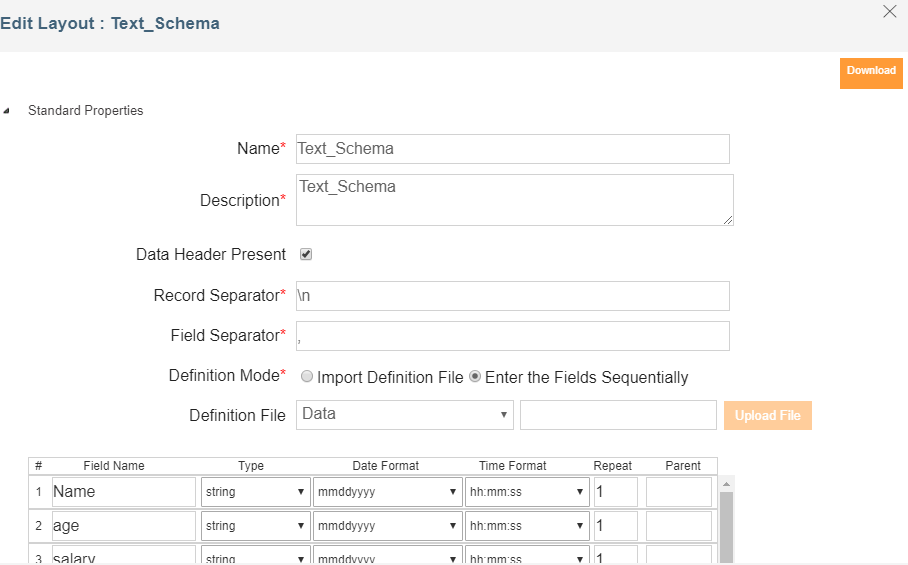
Select the layout activity that you want to test and select the option Edit from the More Actions menu under the Actions column. This displays the Edit Text layout screen.
-
Click the Test button. The Test layout screen is displayed.

-
Select the type of layout to test from the drop-down list of Type. By default, Source is selected.
-
Click Browse button and select the file which you want to test.

The file extension in this field will vary based on the layout you are testing. If you are testing a text layout then, the file will have .txt extension. If you are testing an excel layout then, the extension will be .xls. If you want to test this layout for the target end, select Target from the Type drop-down list. Now the source file will be an xml file that the mapping activity generates. In this case, target file will be the file that the layout generates as an output. For example, if you are testing a Text layout that you are using at the target end then, the target file will be a .txt file. -
Click the Submit button. This tests the specified source file according to the defined layout and gives you the link to the output files generated.
Once you click the Submit button, the files are generated:
Source File: File which you have selected.
Target File: File which is generated by layout as output.
Error File: File that contains erroneous record if any. -
To view the file click on the link of the file you want to view.
You can test all the layouts except for the following layouts:
- Advanced Database
- Database
- XML