Handling misfire event
An event may not be fired at the scheduled time due to multiple reasons. These are outlined as:
- No thread is available
- System is busy
When the event is not fired at the scheduled time, it is considered as a delayed event. The delayed event is fired, when the thread becomes available or the system is not too busy. This delayed event is fired as long as delay is not more than misfire threshold. If delay is more than the misfire threshold, event is considered as a misfired event. The misfire threshold is specified by setting the required value for the following environment variable in the global values.yaml file. the default value of this variable is 60000 (in milliseconds).
- QUARTZ_MISFIRE_THRESHOLD
Setting the Action on Misfire Event property
The process of changing the setting for the Action on Misfire Event property of an event, for example, file event, is explained below.
-
Click Configure > EVENTS > File.
-
On the File Event manage page:
-
Click More menu and then click Edit for the specific event you want to edit.
-
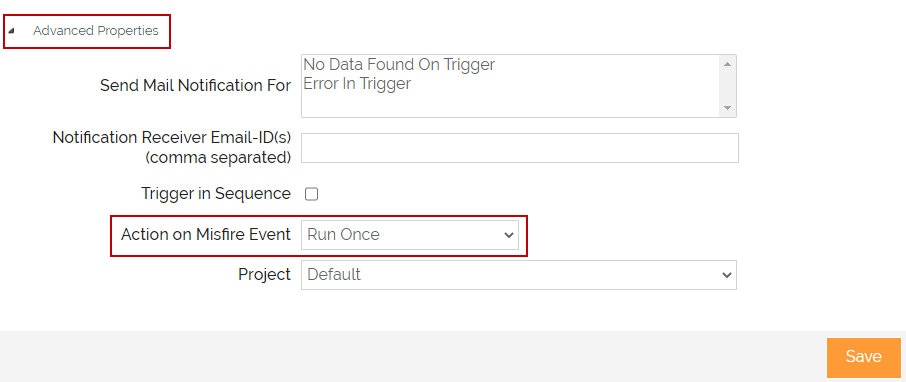
On the Edit File Event page, expand the Advanced Properties.
-
In the Action on Misfire Event field, select the option Run Once to enable handling of misfire of the file event.

The Run Once option will run only one collective instance of all the misfires for a particular event. The Ignore Misfire option will not run a misfired event.
The default value for Action on Misfire Event field is set to Ignore Misfire.
-