Event Registry
You can use Event Registry to bind an Event with a Process Flow.
Follow the steps below to create event registry:
-
Click Configure > EVENTS > Event Registry.
-
Click ****CREATE Event Registry.
-
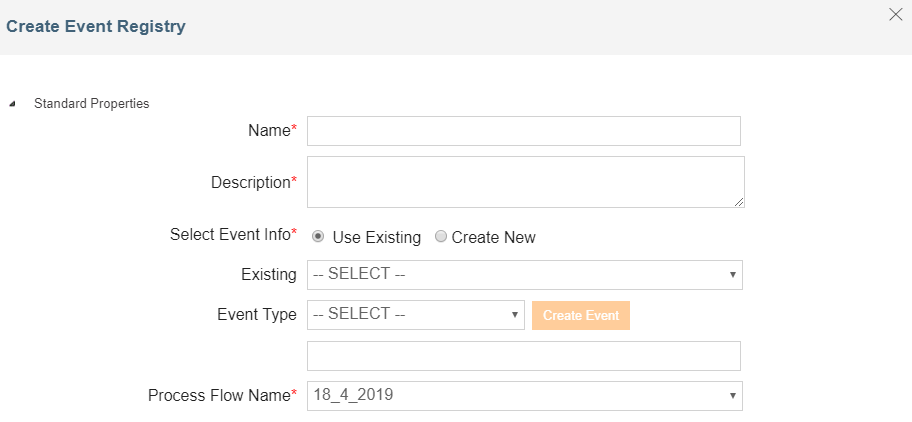
On Create Event Registry window, type the name and description of Event Registry in the Name and Description fields respectively.
-
To define the Event, select one of the following radio button of Select Event Info field:
- Use Existing
- Create New
-
To select an existing event activity, select the Use Existing radio button and then select the event activity from the drop-down list of Existing field.
-
To create a new event activity,
- Select the Create New radio button.
- Select the event type from the drop-down list of Event Type field.
- Click Create Event button to display the Create Event screen of selected Event.
- On Create Event screen, enter the required parameters and click Save to save the event activity and return to Create Event Registry screen.
- The name of the created event will display in the below field.
-
Select the required process flow from the drop-down list of Process Flow Name field.
-
Expand Advanced Properties to view the advanced properties of an Event Registry.
-
Click Save.