Mapping the key with Target Element
Steps to use the Key Function
-
Ensure that the source and destination layout are loaded and all their elements are listed under their respective nodes
-
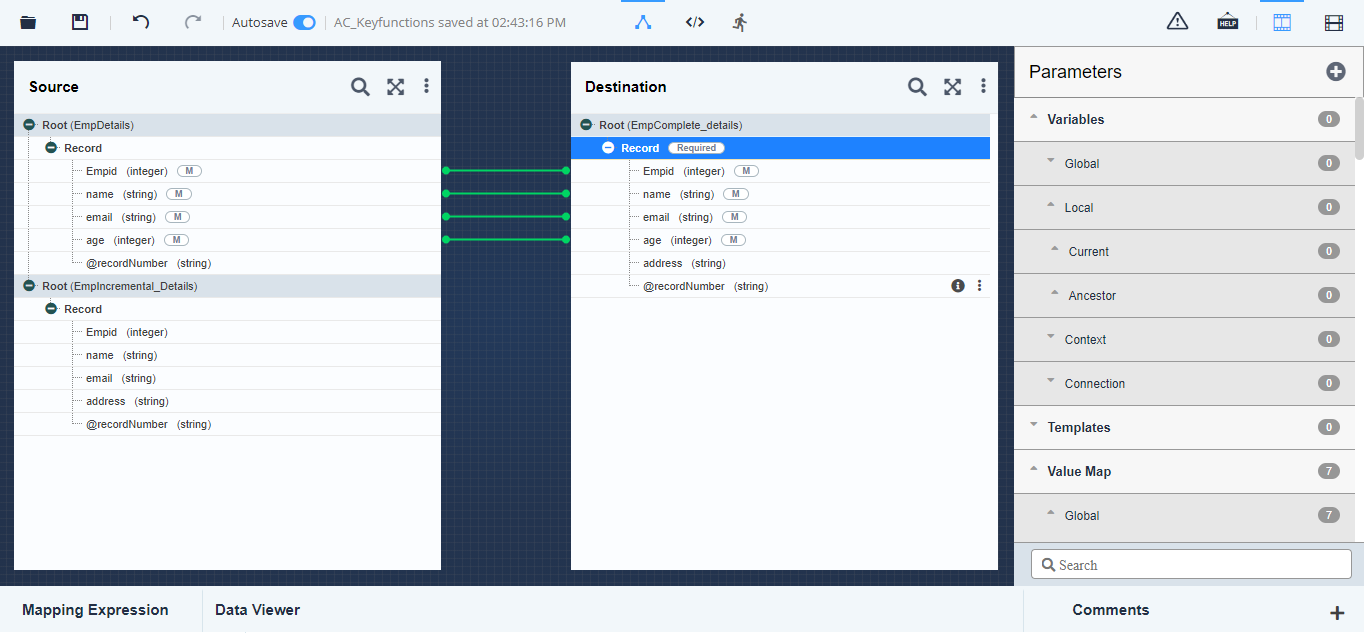
Map source and target elements as displayed in figure below
-
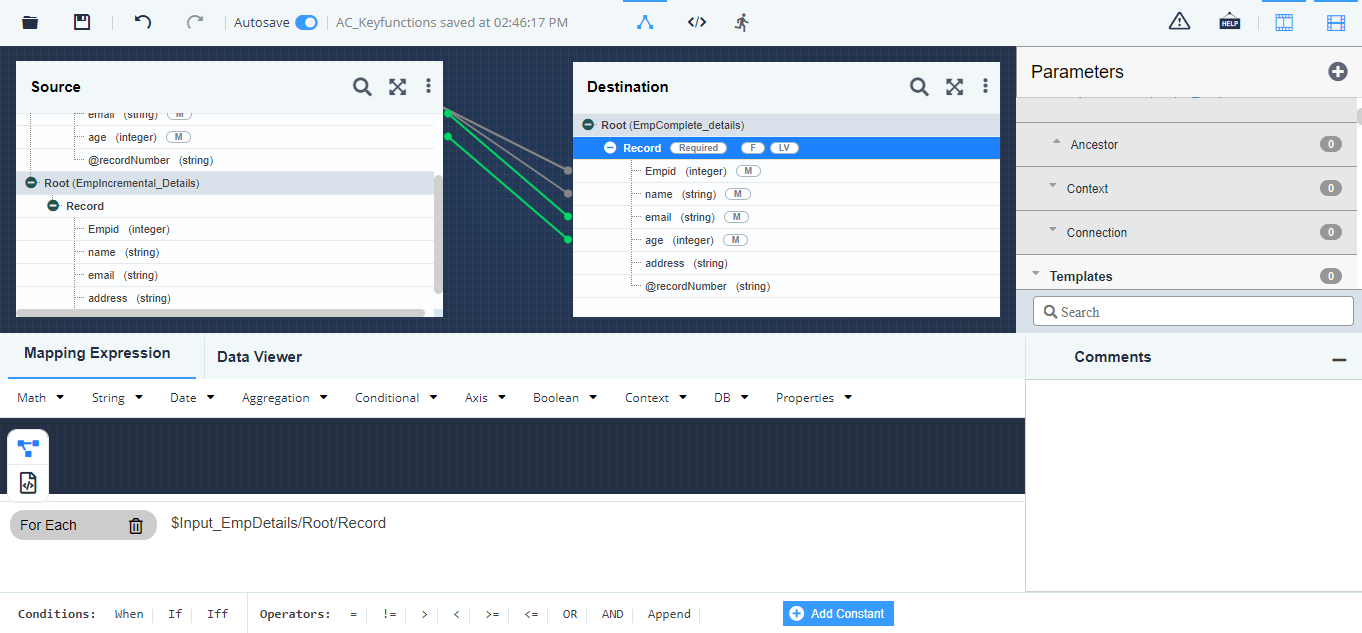
Click the parent node (e.g. Record) of the target element and apply the For Each for parent node (e.g. Record) of Layout Source1***.
-
Create a local variable at Record level of the Destination Layout. For e.g, Select id element of Source1 layout as the value of the variable. For more details refer to this page.
-
Click target element (e.g. address) on which you want to apply the key.
-
Click Mapping Expression to expand the Mapping Functional Panel.
-
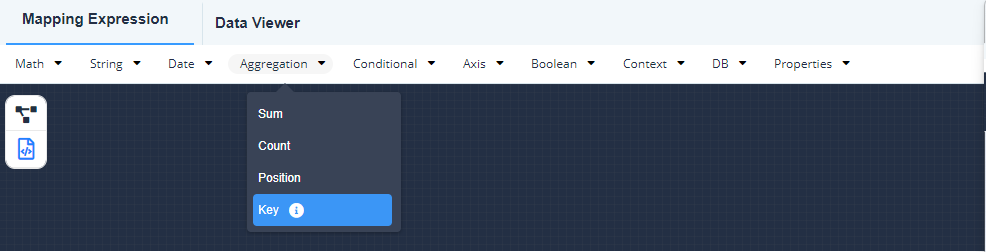
Click the Aggregation mapping function and select the Key sub-function.
The syntax of the key function in the textual rules pane will be displayed as: key ( , )
-
Place the cursor, at the first argument of key function and double-click the required key that you want to apply, from Keys in the Parameters Panel. This is the first argument for the key function.
-
Place the cursor at the second argument of key function and double click the required local variable (under Local/Ancestor Variables) in the Parameters Panel. This is the second argument for the key function.
-
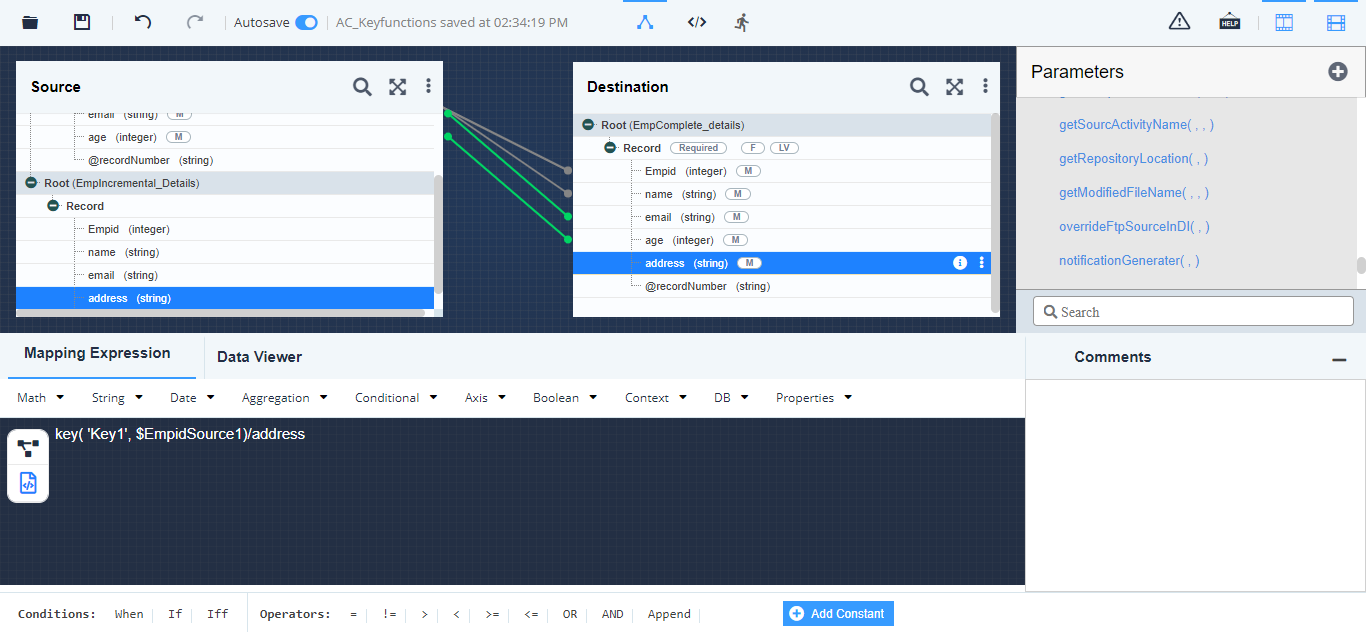
Append the name of the element (address), of the Source2 schema, which needs to be mapped to the target element (address).
Now the syntax of the mapping will be displayed as:
key ('Key1'*, $*idSource1)/address
-
Apply For Each on element address of target schema from Root level of Source2 schema. This will execute key in the context of second source schema (i.e. Source2).
-
Save the mapping activity and exit the Data Mapper.