Using Custom Methods
A custom method is used to call a function from a custom Java class in a package. It is declared and used globally for all destination elements.
To use a custom method in a mapping activity, you need to map it to a destination element. This will successfully execute the custom method when you execute the mapping activity in the process flow.
Prerequisites
- The package containing the custom java class must be copied in the folder /shared/customClasses/<JAR name>.
Declaring a Custom Method
-
Ensure that the source and destination layouts are loaded and all their elements are listed under their respective nodes.
-
Click the Add Parameters icon and select Custom Methods to display Create Custom Method window.
-
To add a Custom Method, enter the details in the fields.
- Class
- Method
- Params

-
Enter the fully qualified name of the Java class in the Class field and press Tab key to activate the Method field.
-
Enter the name of the custom method in the Method column and press Tab key to activate the Params field.
-
Enter the number of arguments taken by Method in the Params column. A custom method can take any number of arguments.
-
Click Save. This saves the custom method and displays it under Methods node in the Parameters Panel.
To remove a custom method, select the custom method and click the Remove.
Map Custom Method to Destination Element
Once you have created a custom method, you can map it to a destination element.
-
Ensure that the source and destination layouts are loaded and all their elements are listed under their respective nodes.
-
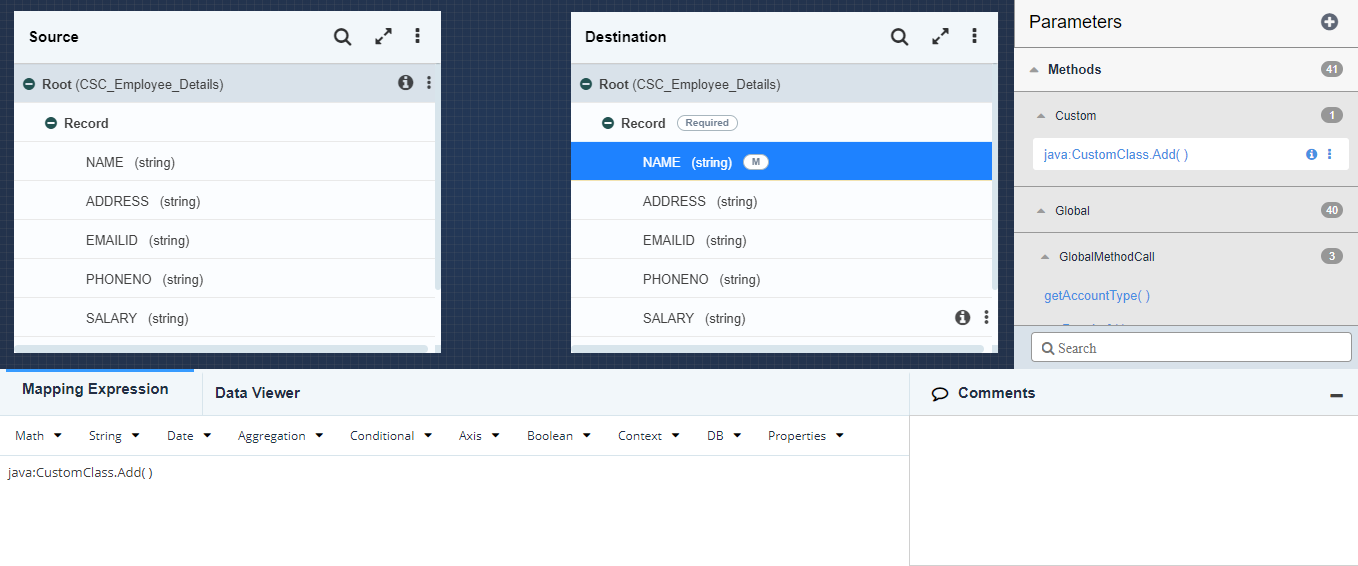
Select a destination element and click Mapping Expression tab from Mapping Functional panel.
-
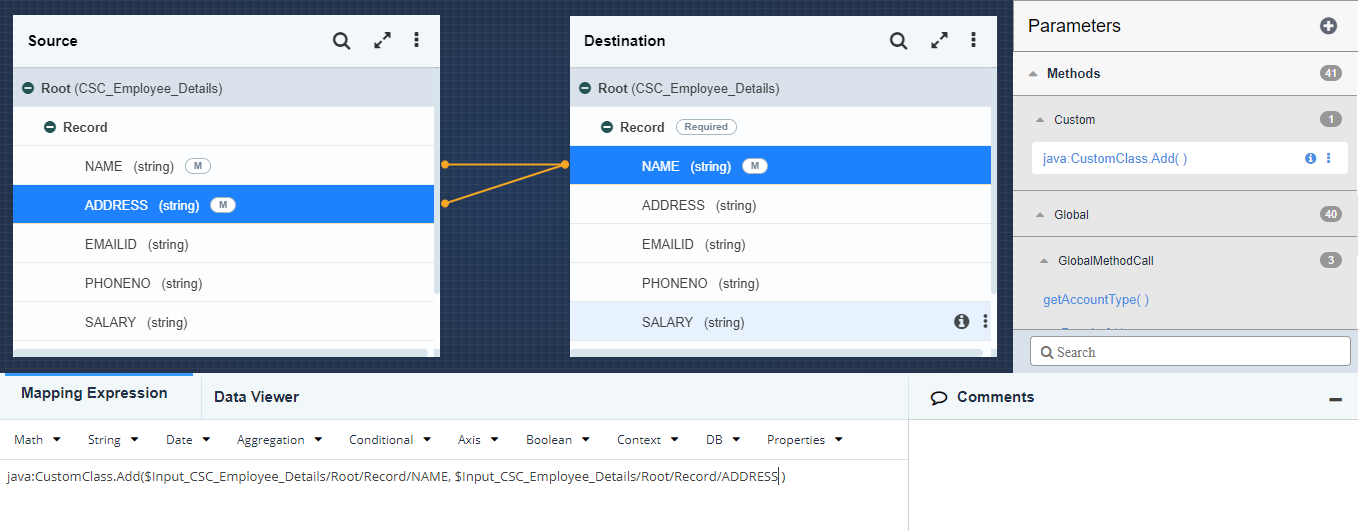
Double-click the required custom method under Custom node in the Parameters Panel. The selected method node is displayed in the Mapping Expression Area.
-
Double-click the source element to define the custom method and map it to destination element.
-
This maps the custom method to the target element.
-
Save the mapping activity and exit the Web Mapper.