Configuring AIMap
By default, AIMap is enabled. However, if you want to update the properties of AIMap or enable it (if disabled), follow the steps given below.
-
Click Account > Settings.
-
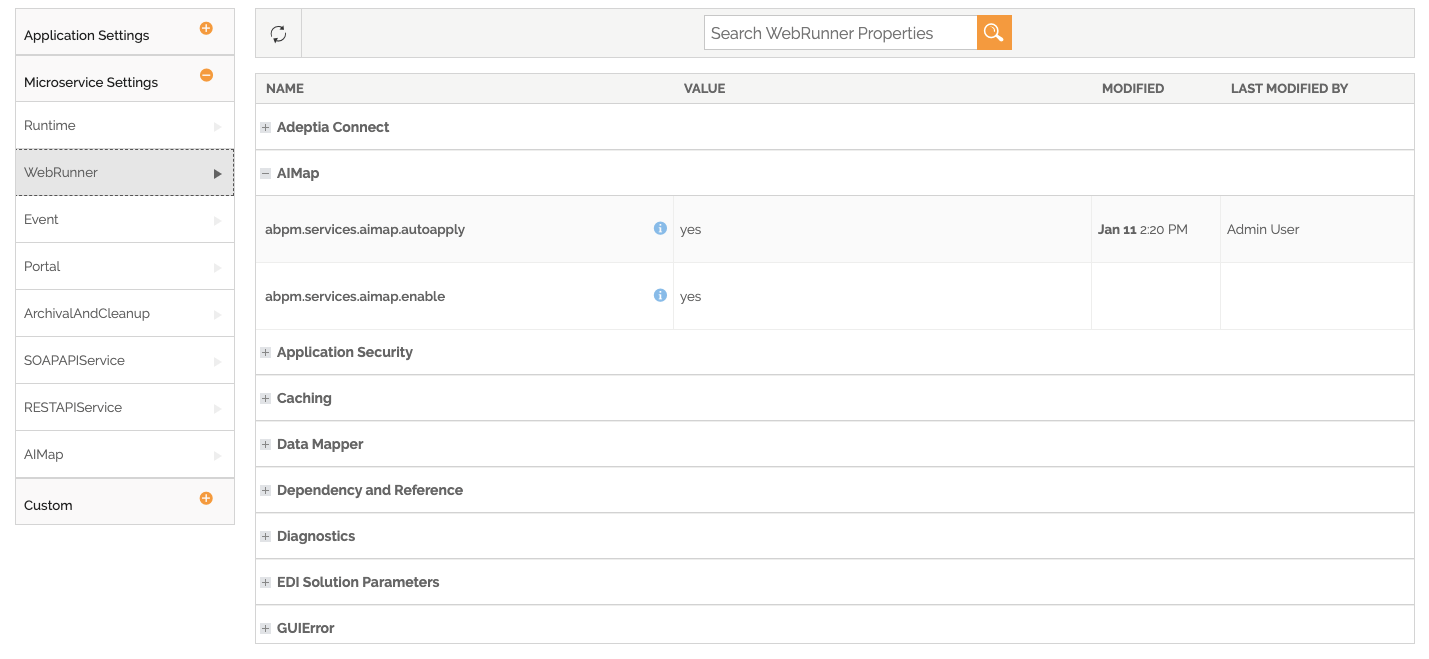
Expand the Microservice Settings, and then select WebRunner in the left panel.
-
Expand the category, AIMap.
-
Set the value for the properties as mentioned in the following table: abpm.services.aimap.enable to yes to enable the AIMap.
-
Set the value for the property abpm.services.aimap.autoapply as per your requirement.
Property Description Default Value Possible Value abpm.services.aimap.autoapply This property governs the working of AIMap. This property can be set 'yes, no, or ask'.
- When set to yes, AIMap will apply best possible mapping rules after schema load.
- When set to ask, AIMap will show you options to apply rules if you want to after schemas are loaded.
- When set to no, AIMap will not do anything after schemas are loaded and you will have to click on AIMap button to use the feature.
yes yes/no/ask -
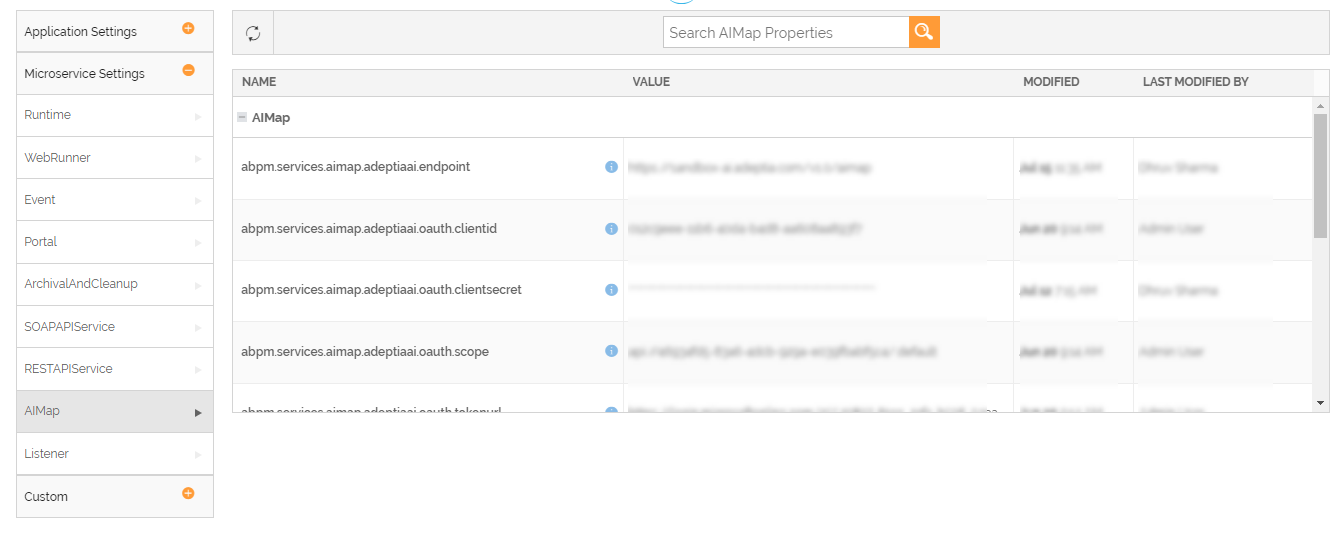
Click AIMap under Microservice Settings in the left panel.
-
Expand the category AIMap in the right panel to configure the other AIMap properties.
-
Enter the values for following properties as per your requirement.
AIMap Properties Property Description abpm.services.aimap.confidenceLevelCutOff Write the cut-off percentage of confidence level you want to view in AIMap suggestions. For example, if you write 30, the AIMap will show all the suggestion matching from 100-30% confidence level. abpm.services.aimap.confidenceWeightageToMetadata This property determines weightage of metadata in confidence calculation. abpm.services.aimap.enableDebugLogs When this property is set to yes, AIMap will run in debug logging mode. 
This property should be set to yes only if AIMap is facing an issue in providing suggestions. abpm.services.aimap.freeze Setting this property to yes prevents AIMap from learning from mappings that are added to AIMap Library. abpm.services.aimap.topSchemas Write the number of most similar schemas you want AIMap to consider when looking for suggestions. Setting this to a high number will make AIMap consider more mappings as suggestions, but will also increase the time taken to fetch suggestions. abpm.services.aimap.similaritysuggestions.threshold AIMap gives suggestions based on the match between a source and target field name. Set a match value between 0 (zero) and 1 (one) at or beyond which the AIMap provides mapping suggestions for source and target fields. abpm.services.aimap.lowexactsuggestions.level Set this property to control the level up to which the application matches XPath values between the source and target schemas for Confirmed matches in AIMap.
For example, setting the property to 5 limits the matching to the last five elements in the XPath hierarchy in both the source and target schemas. If exact match is not found, the application gradually traverses through the next four elements (counted from the last) to find the match.
Generative AI properties for AIMap - Though the properties defined below are configurable, it is recommended that you do not change their values as they are specific to the Adeptia's AI Engine being used for providing the suggestions. To configure the properties, please contact your Adeptia application admin or support@adeptia.com for assistance.
- These properties become relevant when you enable Generative AI for providing mapping suggestions by setting the property abpm.services.aimap.adeptiaai.enable (Settings > Application Settings > Common > AIMap) to true.
Property Description abpm.services.aimap.adeptiaai.endpoint The API endpoint for the external AIMap library. abpm.services.aimap.adeptiaai.oauth.clientid The client identifier provided by the third-party application used for authentication. abpm.services.aimap.adeptiaai.oauth.clientsecret The client secret provided by the third-party application for authentication. abpm.services.aimap.adeptiaai.oauth.scope The scope of the access request. The application's access token will be limited to the granted scopes. abpm.services.aimap.adeptiaai.oauth.tokenurl The token URL issued by the third-party application for authentication. -
Click Update to save the changes.
-
To tailor how the AI assists with mapping in the Data Mapper, you can optionally configure the following properties based on your requirements.
Property name Description Default value abpm.services.aimap.adeptiaai.usingdescriptions Set this property to either true or false. If set to true, the application uses the descriptions of Layout fields to provide generative AI mapping suggestions. false abpm.services.aimap.xsltRuleSuggestions Set this property to true to enable the XSL Rule Editor in the Data Mapper. false To do so, follow the steps given below:
- Expand the ApplicationSettings, and select Common.
- Expand AIMap.
- Double-click the corresponding value field for a property.
- Change the value for the property, and click Update.