Configuring a Security Policy for OAuth Profile
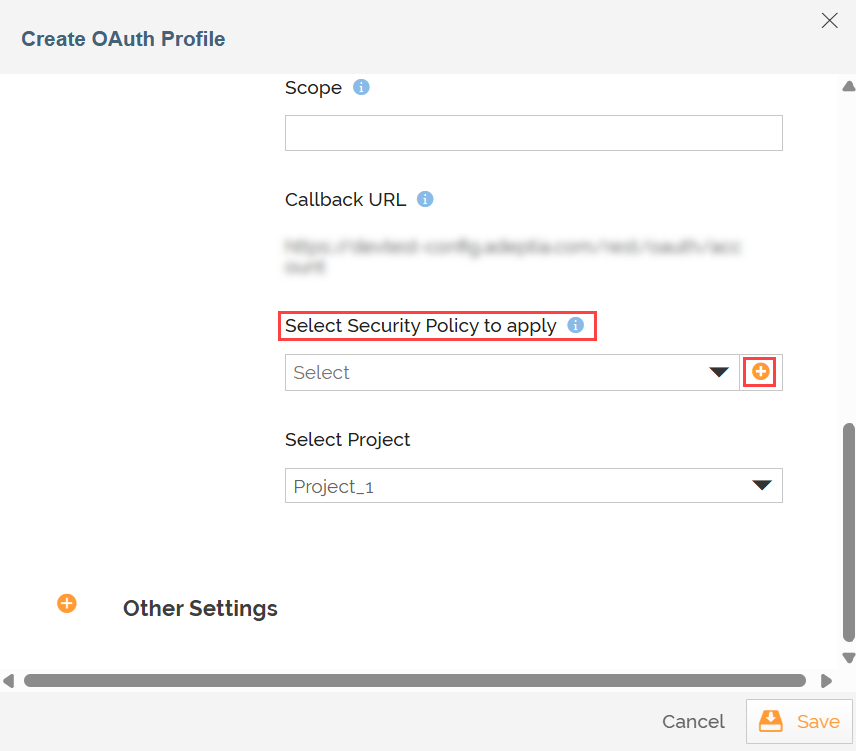
While you create an OAuth Profile, you can select an existing security policy in the Select Security Policy to apply field, or create a new one by following the steps given below:
-
On the Create OAuth Profile screen, in the Select Security Policy to apply field click
 .
.
-
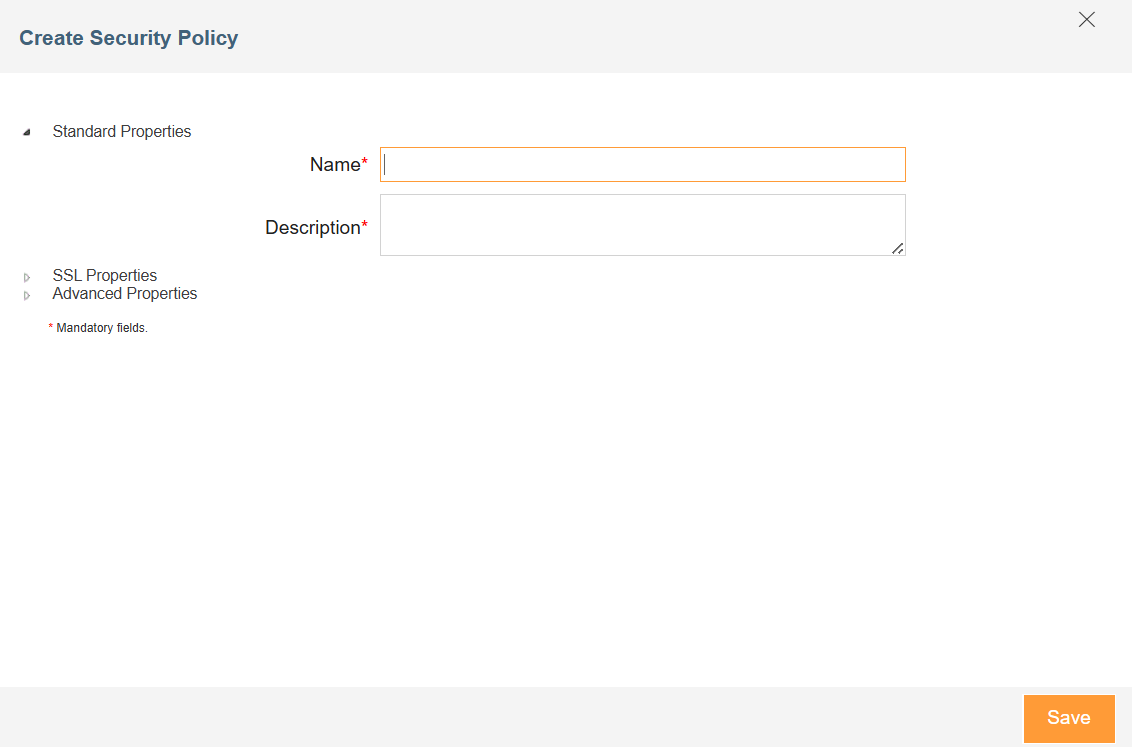
On the Create Security Policy screen, enter the name and description of the new Security Policy in the Name and Description fields respectively.
-
Expand SSL Properties, and do the following:
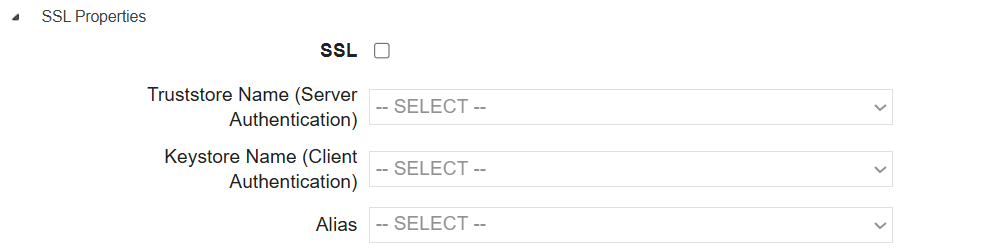
- Select SSL checkbox.
- In the Truststore Name drop-down list box, select the truststore activity in which you have imported the certificate of the server.
- In the Keystore Name drop-down list box, select the Keystore activity that contains your certificate.
- Select the alias name of the keystore which you want to pass to the server for authentication from the Alias drop-down list box.
-
Expand Advanced Properties and select the project from Project drop-down list.

-
Click Save.
.