Using Stream Consumer
Stream consumer activity is used to consume the stream. Sometimes there could be a possibility that some streams are not being consumed by another activity. In that case, the unconsumed stream can cause a problem. You can use Stream Consumer activity to consume a stream that is not being consumed by another activity.
Follow the steps to use Stream Consumer activity:
-
In Web Process Designer, click the Repository View icon. All the items in the Activities list are displayed.
-
Expand Target > StreamConsumer.
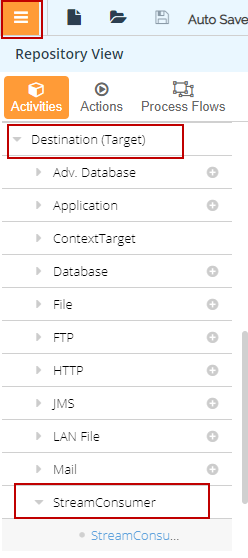
-
Drag the StreamConsumer activity to the Canvas area.
-
Connect the unconsumed stream to this activity.