Searching Activity in Process Flow
You can search the activities of a Process Flow which are listed in the Canvas Area. You can also search the Activities and Process Flow from the Repository View panel.
Steps to search the activity in the Canvas Area:
-
Open the process flow and click on Search
 icon of the toolbar.
 -
A search box is displayed in the Canvas area.

-
Type the text in the Canvas Search box and a list of activities is displayed. The related activity is highlighted in the canvas area.
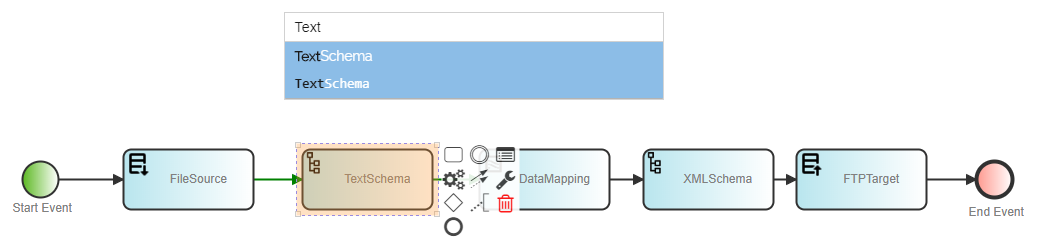

Canvas search can be made on the Activity label, Activity Name, or Activity ID.
Steps to search the activity in the Repository View panel:
In the Repository View panel, search feature is available for Activities and Process Flows options.
-
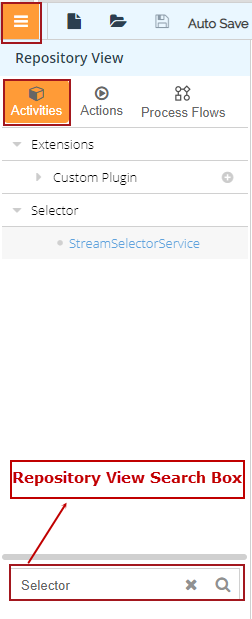
In Web Process Designer, click the Repository View icon. All the items in the Activities are displayed.
-
You can search the activity using Repository View Search.
-
Type the text in the Repository View Search box and click search
icon.
-
The list of activities are displayed.
Follow the same steps to search the Process Flow. Repository View search can be made on the Activity label and Activity Name.