Overriding Process Flow Description at Runtime
You can override (change) the description of the process flow during the execution. This can be done using the put-context-var action.
Steps to override the description at Runtime:
-
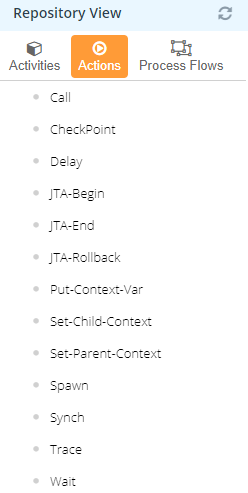
In the Process Designer, in the Repository View panel, Select Actions.
-
Select the Put-Context-Var action and drag it to the Graph Canvas area anywhere within the process flow.
-
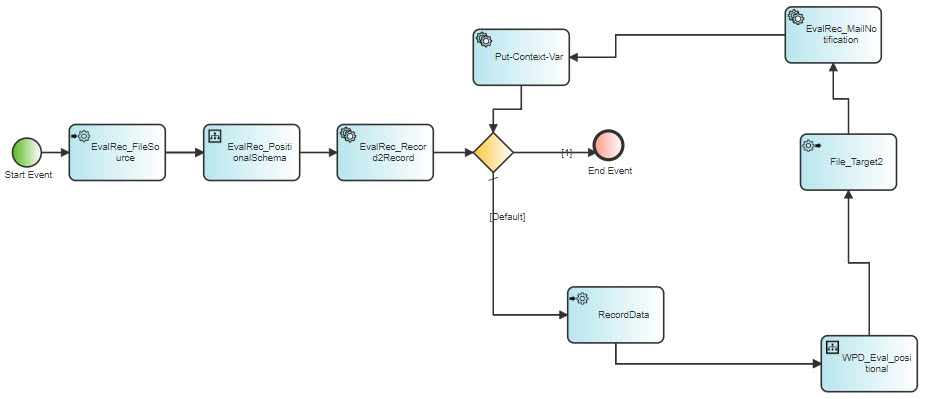
Connect the Put-Context-Var action as shown below.
-
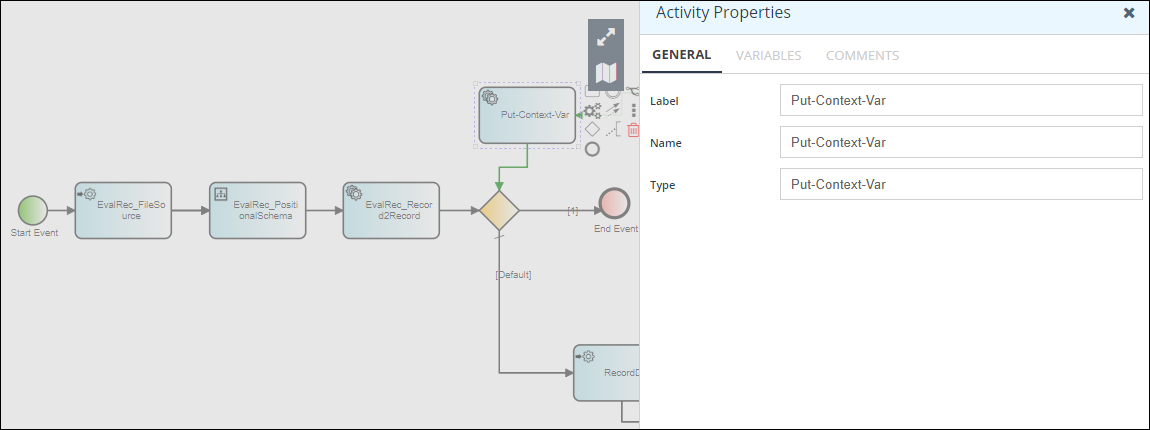
Double-click Put-Context-Var and the Activity Properties panel is displayed.
-
In the Context Variable Information window, do the following:
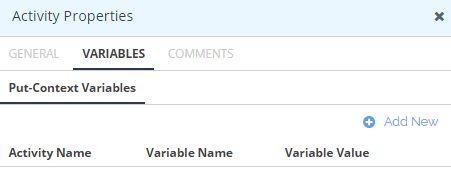
- Select VARIABLES and click Add New.

- Leave the Activity Name field blank.
- Select Process Flow Description from the Variable Name.
- Type the new description of the process flow in the Variable Value.
- Click Add to close the Context Variable Information window.
This creates a variable and is added to the list of existing context variables.
- Select VARIABLES and click Add New.
-
Click on the Graphic Canvas Area to close the Activity Properties panel and return to the Process Designer.
-
Save the process flow and exit from the Process Designer.