Attaching Mail Notification to a Process Flow
You can attach a mail notification activity with the end event of a process flow. Mail notification is used to send an email to appropriate users at a certain point in the process flow.
To attach mail notification activity at the end of the process flow:
-
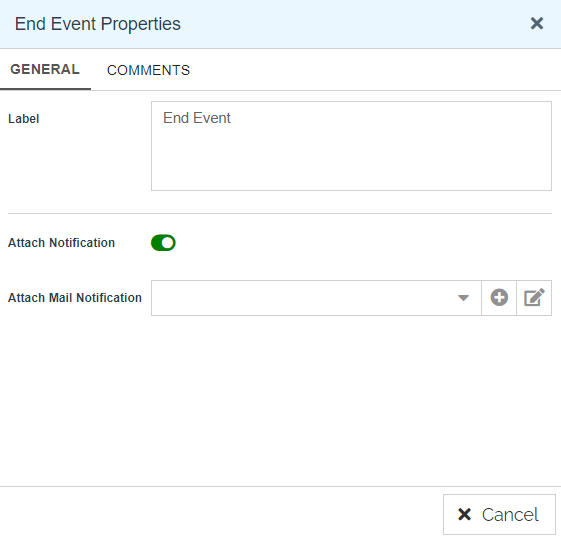
In the Canvas Area of the Process Designer, double-click the End Event to open the End Event Properties panel. Alternatively, you can click the End Event and select the View Properties option from the Context Pad.
-
Select the Attach Notification toggle button to On
 from the End Event Properties panel.
 -
Select Mail Notification activity from the drop-down list of Attach Mail Notification. This attaches the selected mail notification activity at the end of the process flow.

You can edit the attached mail notification. Click  to edit Mail Notification
You can add a Mail Notification from the End Event Properties panel. Click  to add Mail Notification.