Magento
Magento is an e-commerce platform where you can create your own online shopping store. This allows you as an online merchant to control the look and feel, content, and functionality of your online store.
Field (Account) Information
While configuring the Source or Destination of a Template or Transaction, you need to create an account to connect Magento with Adeptia Connect. While creating an account, you need to specify the location from where Adeptia Connect will access the data.
Click  to add an account.

Specify the following information for Magento:
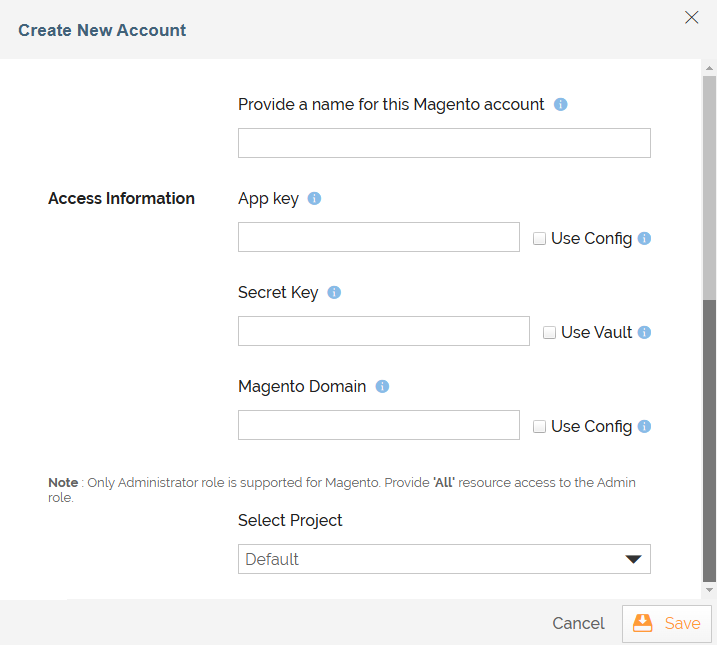
Field | Description | ||
|---|---|---|---|
Account Name | A short, descriptive name that helps you reuse this account in future. | ||
| App Key | Follow the steps below to get the App Key from your Magento account. To dynamically fetch the App Key from a Git repository at runtime using a variable, select the Use Config checkbox next to this field. | ||
| Secret Key | The App Secret provided by Magento. Follow the steps below to get the App Secret from your Magento account. 1) Login to your admin Magento account. 2) Go to the Systems tab. 3) Go to the Web Services option. 4) Click Rest OAuth Consumers link. 5) Click on desired Consumer Name to reveal App Secret.
| ||
| Magento Domain | Your Magento REST API domain. To dynamically fetch the Magento Domain from a Git repository at runtime using a variable, select the Use Config checkbox next to this field. | ||
| Select Project | Name of the Project. |

Triggers
A Trigger specifies when a particular Transaction will start executing. While configuring the Source of a Template, you need to choose an event.
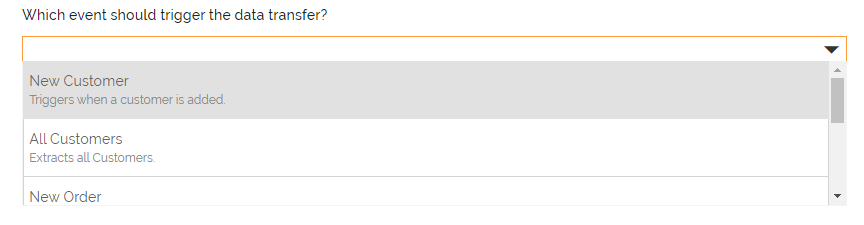
Following triggers are available for Magento at Source.
New Customer | Triggers when a customer is created. | ||
| All Customers | Extracts the details of all customers. | ||
| New Order | Triggers when an order is created. | ||
| All Orders | Extracts all orders. | ||
| All Products | Extracts all products. | ||
| All Stock Items | Extracts all stock items. Trigger Name Description |
Actions
An Action specifies how the data will be transferred at the destination location. While configuring the Destination (Target) of a Template, you need to choose an action.
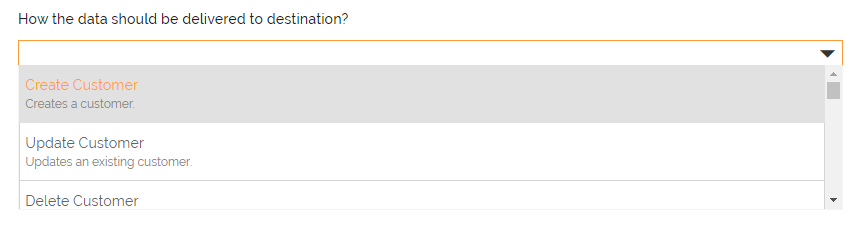
Following actions are available for Magento at Destination.
Action Name | Description |
|---|---|
Create Customer | Creates a customer. |
Update Customer | Updates an existing customer. |
| Delete Customer | Deletes an existing customer. |
| Create Customer Address | Creates a customer address. |
| Update Customer Address | Updates an existing customer address. |
| Delete Customer Address | Deletes an existing customer address. |
| Create Product | Creates product. |
| Update Product | Updates an existing product. |
| Delete Product | Deletes an existing product. |
| Assign Category To Product | Assigns a category to the product. |
| Unassign Category From Product | Unassigns a category from the product. |
| Add Image To Product | Adds an image to the product for all store views. |
| Add Image To Product | Adds an image to the product for particular store view. |
| Update Image of Product | Updates an image of the product for all store views. |
| Update Image of Product | Updates an image of the product for particular store view. |
| Remove Image From Product | Removes an image from the product for all store views. |
| Remove Image From Product | Removes an image from the product for particular store view. |
| Assign Website To Product | Assigns a website to the product. |
| Assign Website To Product | Assigns a website to the product with copying data from one store to another. |
| Unassign Website From Product | Unassigns a website from the product. |
| Update Stock Item | Updates the stock item. |