Defining an action in specification file
Actions are used for sending data to a target application. An action can be defined in the specification file under paths > action endpoint > post > x-adeptia-action.
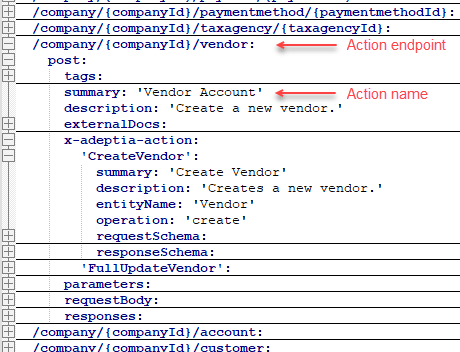
The actions you define here renders in Adeptia Connect UI as shown in the screenshot below.
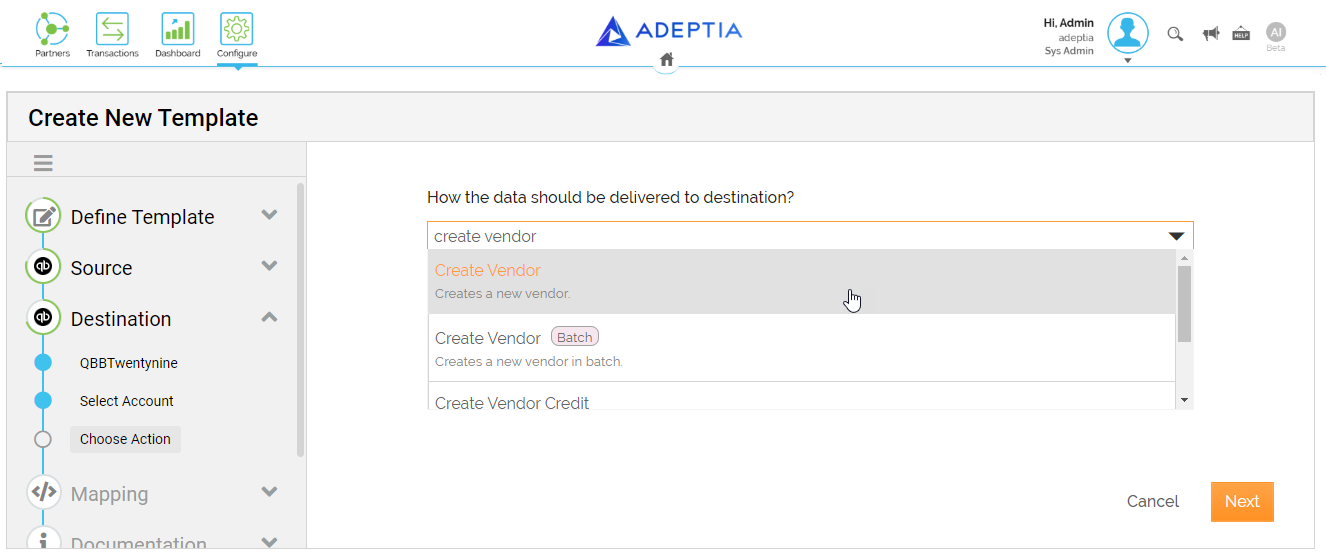
Adeptia Connect supports the implementation of the following key features of an action.
Batch Processing
Batch processing refers to a method of efficiently handling and processing a large volume of data or API requests in a structured and automated manner. It involves grouping multiple API requests or data operations into batches, which are then executed as a single unit. This approach offers several advantages, such as reducing the number of individual API calls, improving performance, and ensuring consistency.
You can configure an action such that it can send multiple requests in a set of batches. You need to define the actions inside the API (Batch Endpoint) /company/{companyId}/batch to enable batch operation for them.
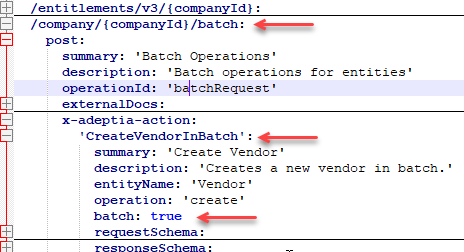
After you have decided upon the batch actions, you need to define appropriate batch sizes to balance performance and efficiency.
You need to take the rate limits imposed by the API (Batch endpoint) into consideration before you set the size for the batches to stay within these limits.
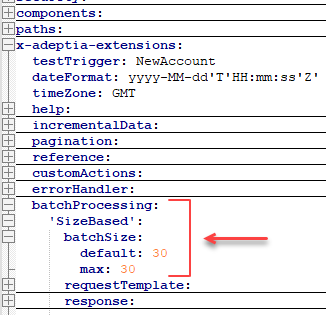
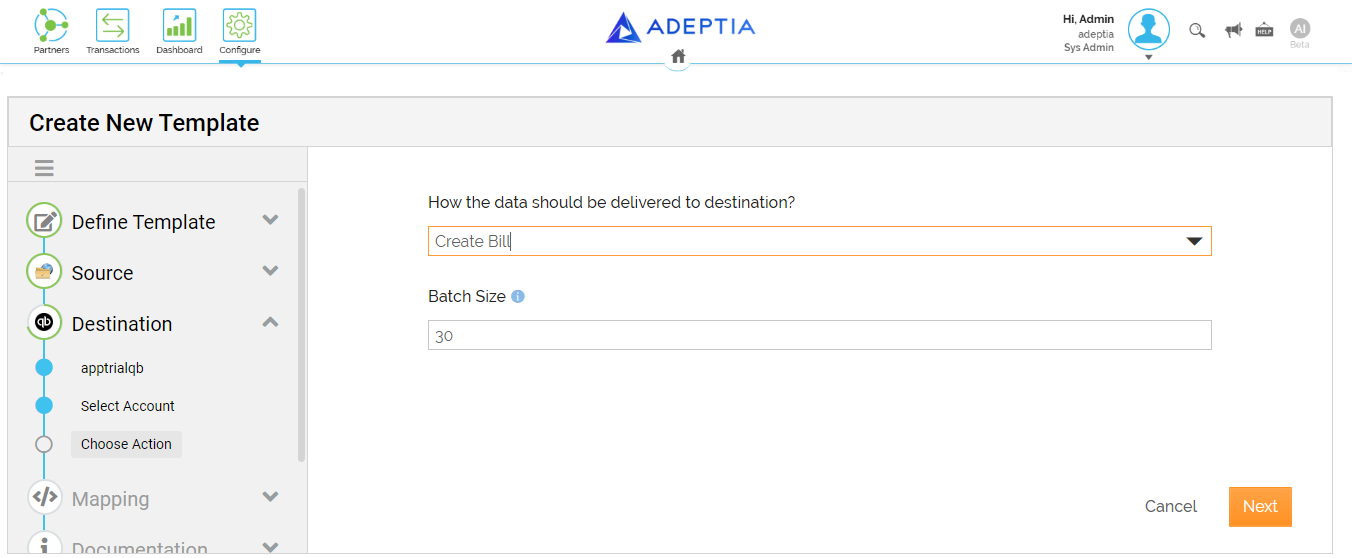
The batch action and the batch size you define in the specification file render in Adeptia Connect UI as shown in the screenshot below.
Reference
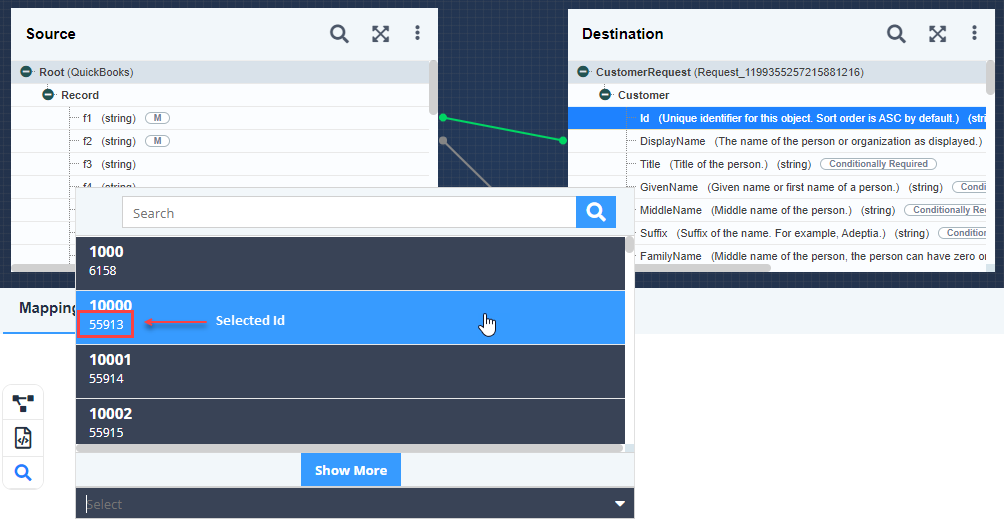
A field (For example, Id) of an entity (For example, vendor) at the destination can be defined as a reference field in the specification file. The reference field you define can be used as a reference to set or update the value for any other field of the entity dynamically.
To define a field reference you need to provide the details about what field you want to configure as reference field and for which entity. You can provide these definitions under the following sections:
You can define what field you want to configure as a reference field under the section components > schemas > entity > properties as shown in the following screenshot.

 | This definition also includes reference to the section where you define the entity to which the reference field belongs. |
To define the entity to which the reference field belongs, provide the required details in the section x-adeptia-extensions > reference as shown in the following screenshot.

Here's how you can use a reference field.
Consider a destination field Id (defined as the reference field in OAS file) of an entity Customer in a Mapping. To use this reference field for updating the Display Name of a specific customer, you can select it and then select the required customer Id in the Mapping Expression. The Display Name for the customer whose Id you have selected will be updated dynamically based on the value coming from the source field f1 as shown in the screenshot as an example.