Defining a trigger in specification file
A trigger to be used in a Template/Transaction is defined under paths > endpoint > get > x-adeptia-trigger.
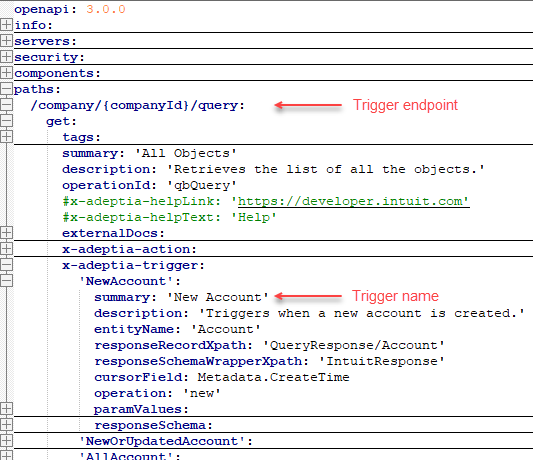
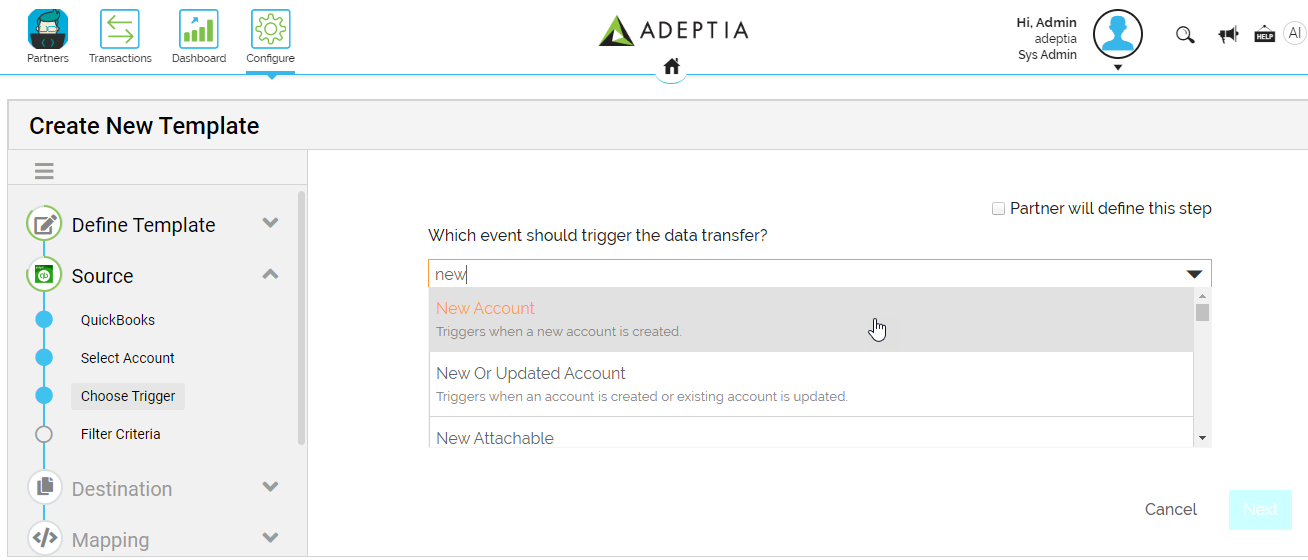
The trigger you define here appears in Adeptia Connect UI as shown in the screenshot below.
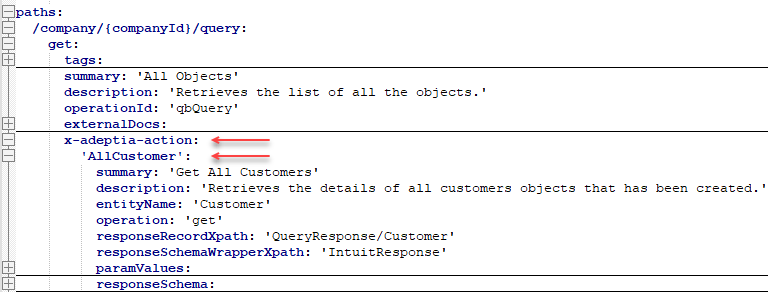
If you want a Process Flow to fetch data from an API, you need to define a fetch action for example, All under paths > endpoint > get > x-adeptia-action as shown in the following screenshot.
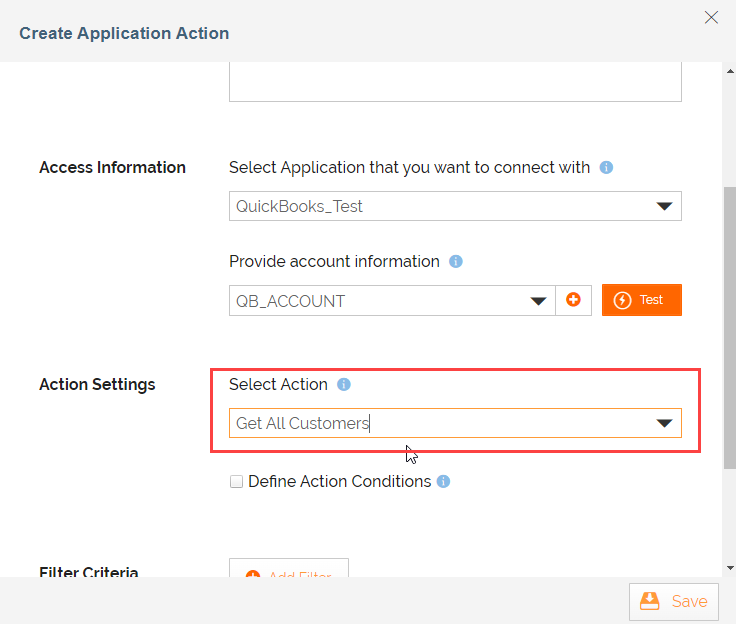
The following screenshot depicts how a fetch action you define here appears in Adeptia Connect UI.
Adeptia Connect supports the implementation of the following key features of a trigger.
Pagination
Pagination in a custom app connector using the OpenAPI Specification (OAS) involves managing and retrieving large sets of data from a remote API in smaller, manageable chunks or pages. This approach is essential when working with APIs that return a large number of results, as retrieving all data in a single request could be inefficient and resource-intensive. Pagination improves performance and reduces the strain on both the client and server.
You can define the following types of paginations that under x-adeptia-extensions section in the specification file.
- OffsetIncrement - Offset increment based pagination is a pagination technique that uses parameters to specify the number of items to retrieve per page (limit) and the starting point in the dataset (offset). The "Offset Increment" refers to how much you increase the offset for each subsequent page.
- PageIncrement - Page increment based pagination is a pagination technique that uses parameters to specify which particular page to retrieve. Instead of using an offset, it relies on the concept of page number, where each request specifies the page number to retrieve.
- CursorPagination - Cursor-based pagination is an alternative pagination strategy often used in REST APIs, particularly for large datasets. Instead of relying on page numbers or offsets, cursor pagination uses a "cursor" that points to a specific item in the dataset. This approach is useful for scenarios where the dataset can change frequently, and using offsets or page numbers may result in inconsistent or missing data.
- NoPagination - Define the type as NoPagination if you do not want to use pagination.
 | Before defining pagination in your custom app connector, you need to understand how the API you're integrating with supports pagination. This information can typically be found in the API's OpenAPI Specification. Look for details such as the query parameters used for pagination, the maximum number of items per page, and how the API returns the next page of results. |
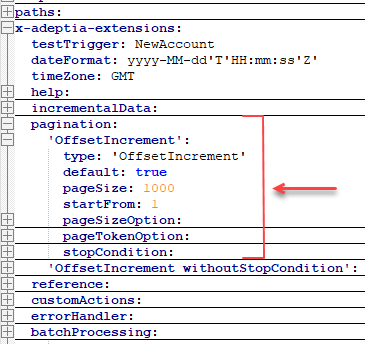
The screenshot given below shows the type of pagination and its parameters that you need to set to use it in a fetch action.
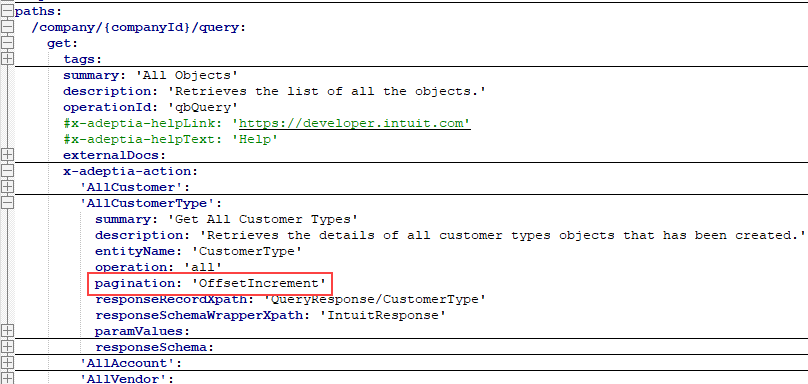
Once you have defined the pagination, you can set it in the pagination parameter as shown in the following screenshot.
Incremental Data Strategy
An incremental data strategy in a custom app connector is a method to efficiently retrieve and synchronize only the data that has changed or been added since the last synchronization. This approach is particularly useful when working with large datasets or when you need to keep your data up-to-date without repeatedly fetching and processing all the data from the API.
You can define the following types of Incremental Data Strategies under x-adeptia-extensions section in the specification file.
- ModifiedSince - The ModifiedSince strategy, often referred to as conditional requests, is a mechanism used in REST APIs to efficiently check whether a resource has been modified since a certain timestamp. This can help reduce unnecessary data transfer and improve performance. The strategy typically involves using the If-Modified-Since header in HTTP requests.
- FromTo - A FromTo timestamp-based strategy for checking modifications involves using timestamps to track the last modification time of a resource. This approach is similar to the ModifiedSince strategy, but instead of relying on the HTTP headers (Last-Modified and If-Modified-Since), clients and servers exchange timestamps directly in the API-specific Headers or Query Parameters.
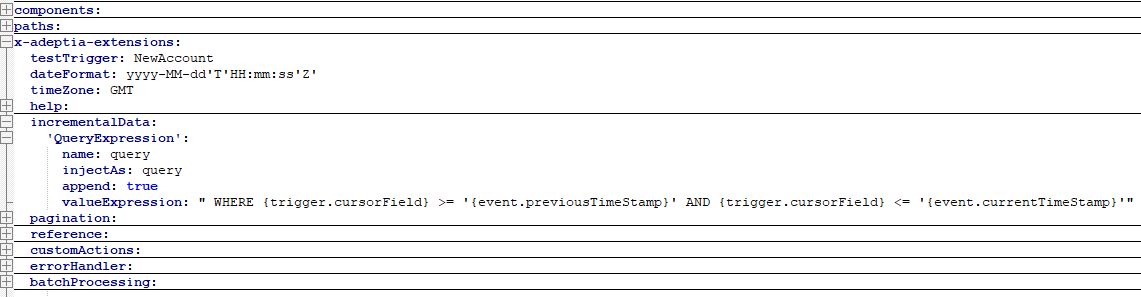
- QueryExpression - A QueryExpression strategy for checking modifications involves using SQL like queries to express conditions related to modifications. This approach allows clients to send specific criteria for fetching modified resources based on certain conditions or expressions.
- ChangeId - The ChangeId strategy for checking modifications involves using a unique identifier associated with a specific version or change of a resource. Clients can use this identifier to check whether the resource has been modified since a certain change by including the ChangeId in their requests.
The following screenshot depicts the QueryExpression Incremental Data Strategy and the parameters you need to define for it.
| Ensure that the third-party application you are integrating with supports the Incremental Data Strategy and the associated parameters you are going to define here. |
 | The strategy you define here applies to all the triggers that fetch the new or updated data only. |
API-based filter condition
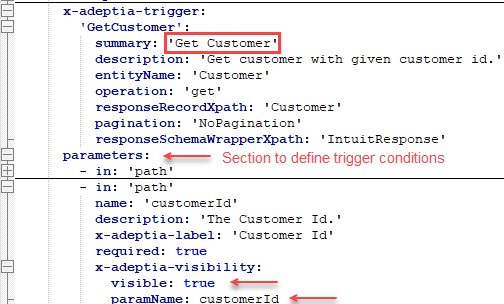
The APIs you connect to provide API-based filters that you can apply to the data you want to fetch using a trigger to optimize the request and response. To apply such API-based filters, you need to define them in the paths > endpoint > get > parameters section as shown in the screenshot below.
| To make a filter visible in the UI, you need to set the visible parameter to true. |
**
**
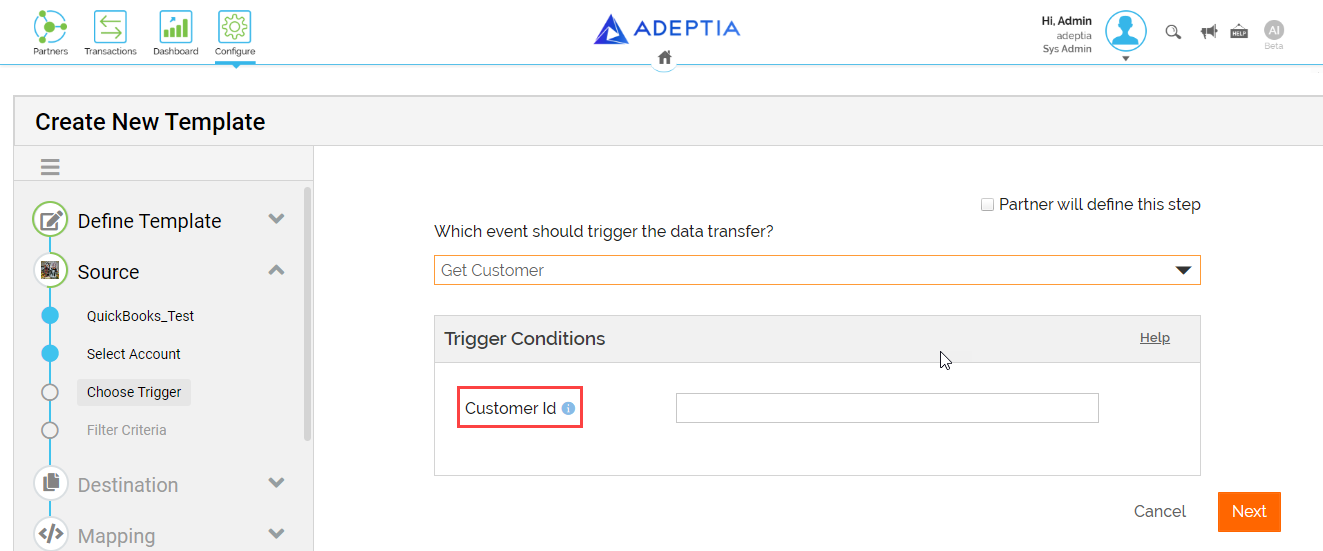
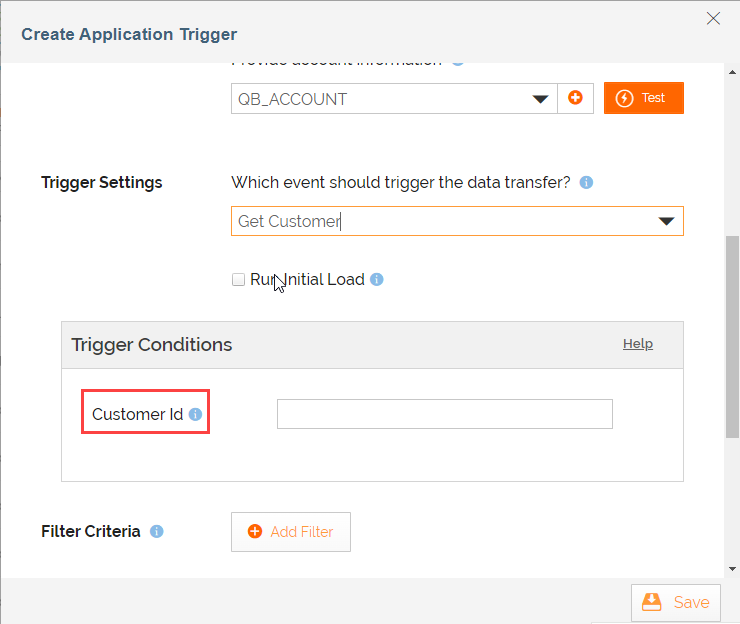
The filters you define here appear on the Template/Transaction wizard and Create Application Trigger screen as shown in the following screenshots.
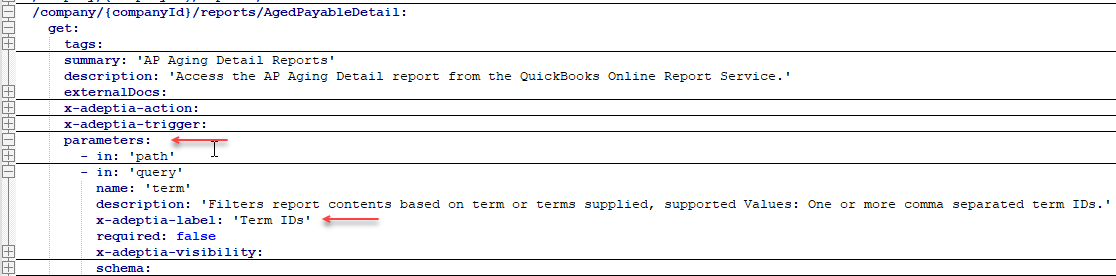
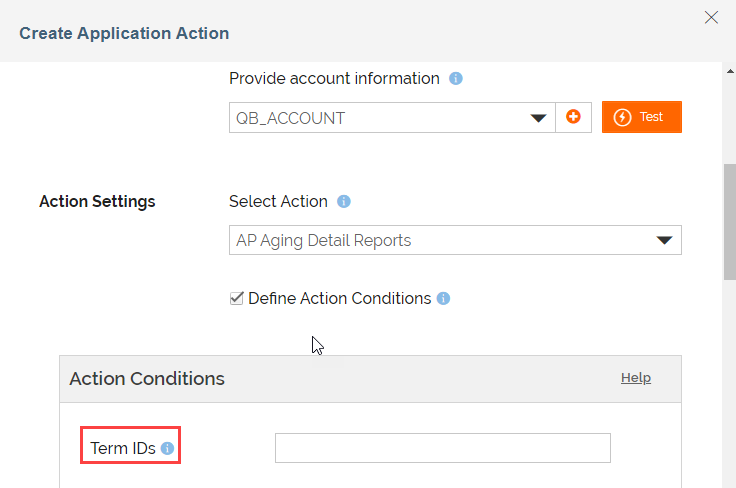
You can also define the filter conditions to get an option for applying a filter on data while you create an Application Action.
The following screenshots depict the filter conditions defined in the specification file and the corresponding UI impacts on the Create Application Action screen.