Exposing IdP metadata to Adeptia Connect
One of the steps to facilitate Single Sign On through SAML is exposing the IdP metadata. Exposing IdP metadata to Adeptia Connect allows the Service Provider to read the details of IdP Server.
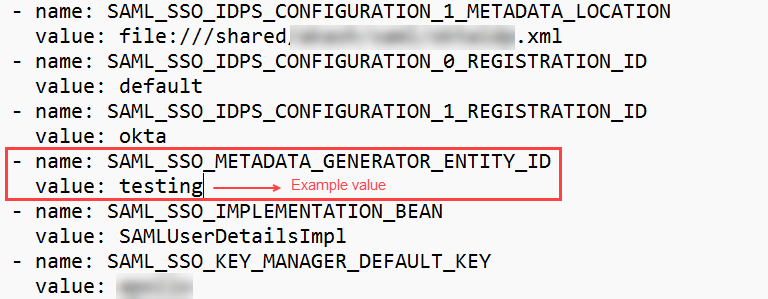
To expose the IdP metadata you need to set the value for the environment variable SAML_SSO_IDPS_CONFIGURATION_0_METADATA_LOCATION by using any of the following options given in the table below.
You can find this variable in the portal section of the global values.yaml file.
 | If you have deployed Adeptia Connect using the Adeptia Connect Rancher package, refer to the Additional configurations section to configure the variables discussed on this page. |
| Variable: SAML_SSO_IDPS_CONFIGURATION_0_METADATA_LOCATION | ||
|---|---|---|
| Possible values | Example | Description |
| Complete the path of the IdP metadata file including its name. | file:///shared/subfolder/IdP.xml | The IdP metadata file can lie in any folder in the PVC. |
| classpath:<name of the IdP metadata file> | classath:IdP.xml | The IdP metadata file must lie within any classpath folder, for example, ext. |
| Metadata URL. | https://ssocircle.com/metadata | metadata URL of the IdP server. |
 | In case you are using OKTA as the IdP, you need to do the following:
|