Configuring Usage Report
Usage report is useful when it comes to calculating the cost of licenses and product usage. You can configure Adeptia Connect application to send the usage report to the license server automatically on monthly or quarterly basis. You can achieve this by updating the value for the following two properties in Adeptia Connect:
- abpm.usage.report.send.adeptia
- abpm.usage.report.send.adeptia.interval
Follow the steps below to update the value for these properties:
 | For quick understanding, you can take a look at this video explaining the concept discussed herein. |
|---|
- Click Account > Settings.
- Expand Server Node Settings on the left panel.
- Click the primary node.
- Click Edit located on the top right of the screen.
- Expand Usage Report Configuration.
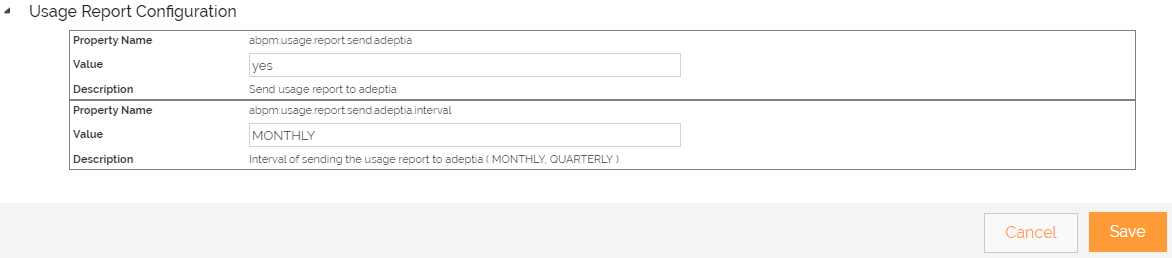 6. Set the value to yesfor the property abpm.usage.report.send.adeptia.
 | By default, the value of this property is set to no. |
|---|
-
Set the value to monthly or **** quarterly****for the property abpm.usage.report.send.adeptia.interval.

The default value for this property is quarterly. -
Click Save.
-
Click Reload configurationto commit the change.
-
Restart the Connect Server.
You may be interested in...