Generating a Personal Access Token for GitHub authentication
To ensure that an Adeptia Connect user accesses the resources on the GitHub in a comparatively secured manner, you may like to authenticate the user using a token that is invulnerable. GitHub allows you to generate a Personal Access Token (PAT) that you can use to integrate with Adeptia Connect for token-based authentication. Here's how you can generate the PAT.
-
Log in to GitHub.
-
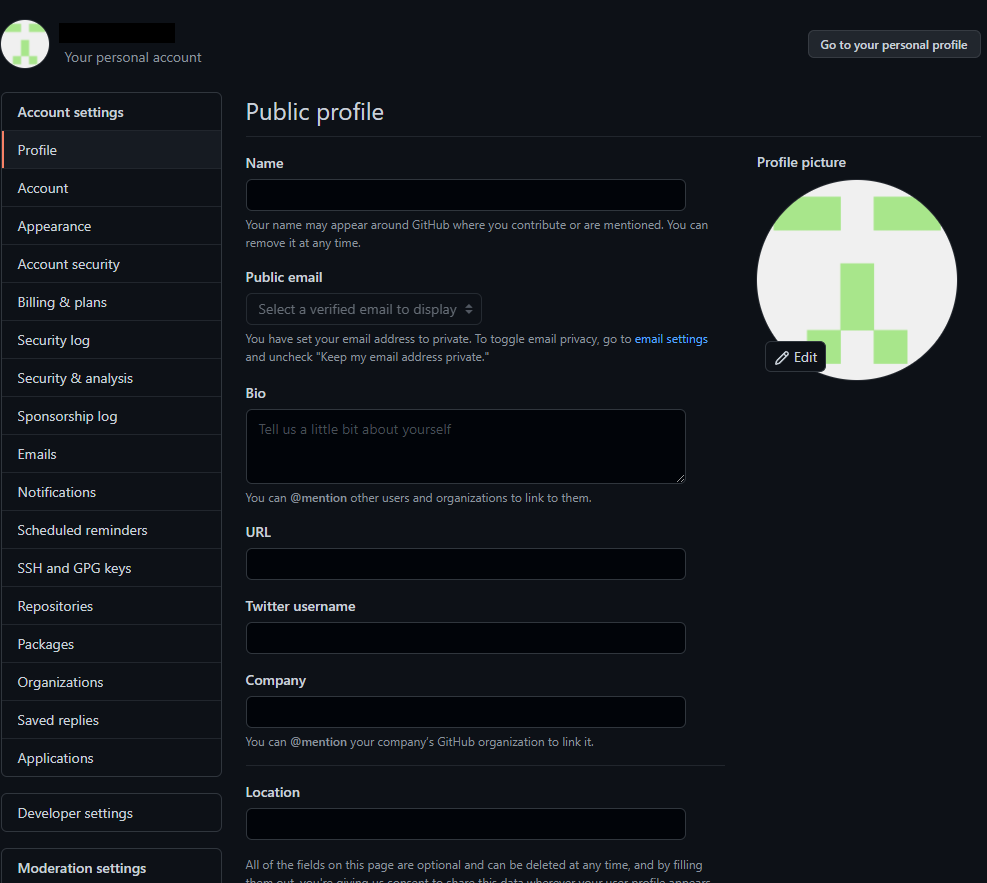
On the top-right corner click your profile photo, then click Settings.

-
On Your personal account page, in the left panel, click Developer settings.
-
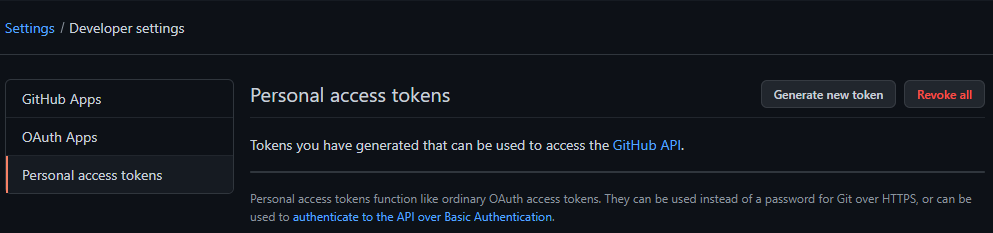
Click Personal access tokens.

-
Click Generate new token.
-
On the New personal access token screen, do the followings:
-
In the Note field, describe in brief what’s this token for.
-
In the Expiration field, select the expiration period for the token.

You can define a custom expiry period for the token by selecting Custom and then picking up the date from the calendar. -
Select the scopes, or permissions you'd like to grant to this token.
-
Click Generate token.
-