Viewing a Web Form
You can view the details of a Web Form specified while creating a Web Form. To view Web Form details:
- Click Configure > Web Forms.
- On the Web Forms screen, do one of the following:
- Click
 > View.
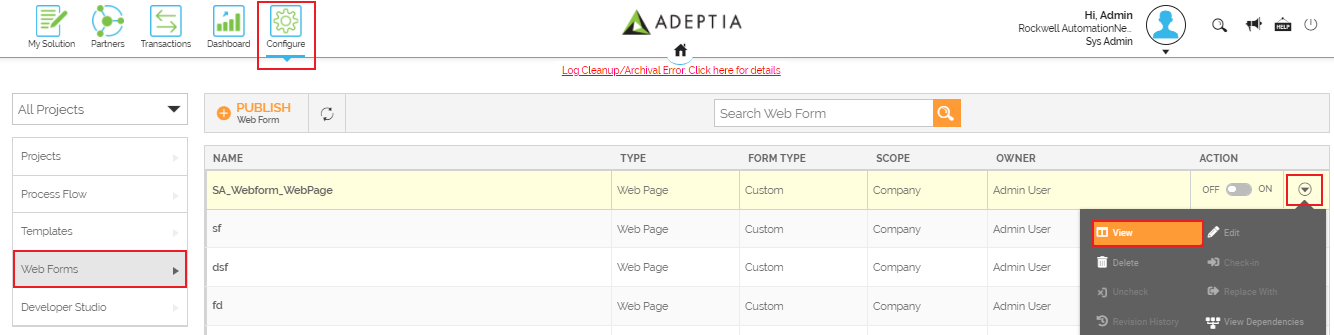
- Click the name of a Web Form to view details.
- Click
This displays the View Web Form screen.
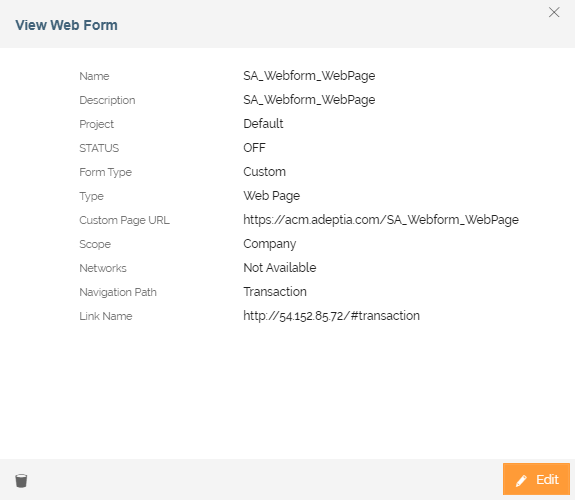 You can also edit and delete the Web Form from the View Web Form window by clicking
  and
and  buttons respectively.
You may be interested in...