Editing Contact User
You can update the Contact User (email address) of any Template/Transaction from Adeptia Connect without deactivating it.
To update the Contact User of a Template:
-
Click Configure> Templates.
-
On the Templates screen, click
 > Edit Contact User.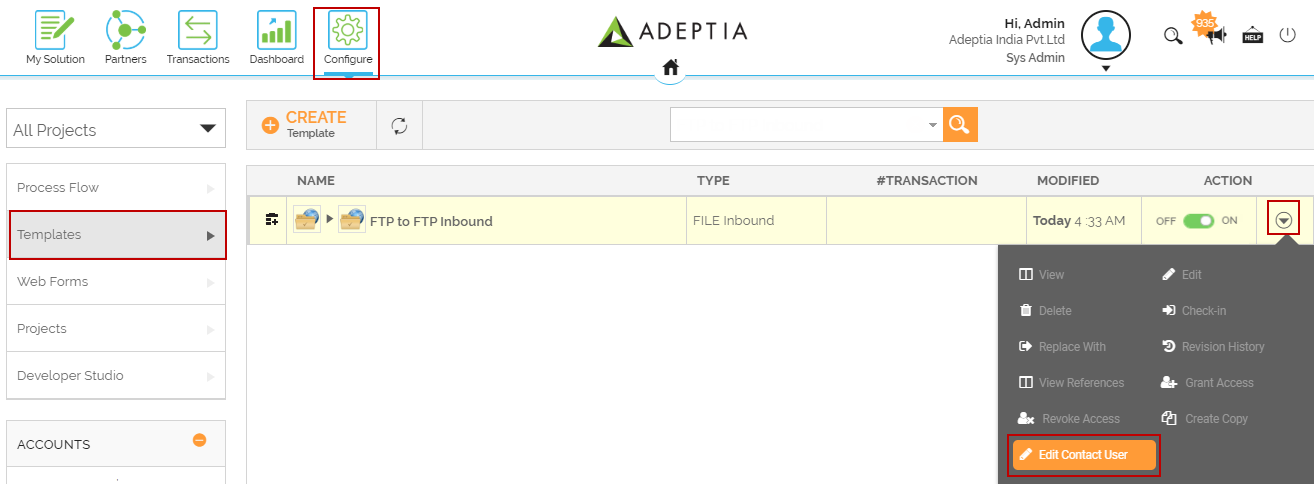
-
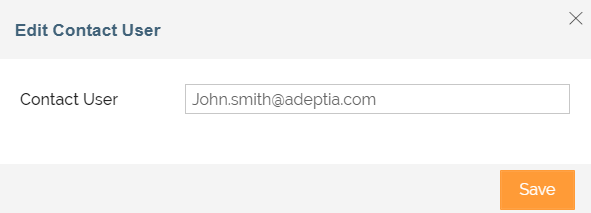
Enter the email address that you want to update in Contact User field.
-
Click Save.
This updates the Contact User of the Template.
You may be interested in...