Using API Documentation for REST Webhook Transaction
Adeptia Connect creates the OAS 3.0 standards API documentation for a Transaction based on a Template having REST Webhook as a Source.
Editing the API documentation
You can edit the API documentation by clicking the respective Template’s More ( ) > Edit Documentation on the template manage page.
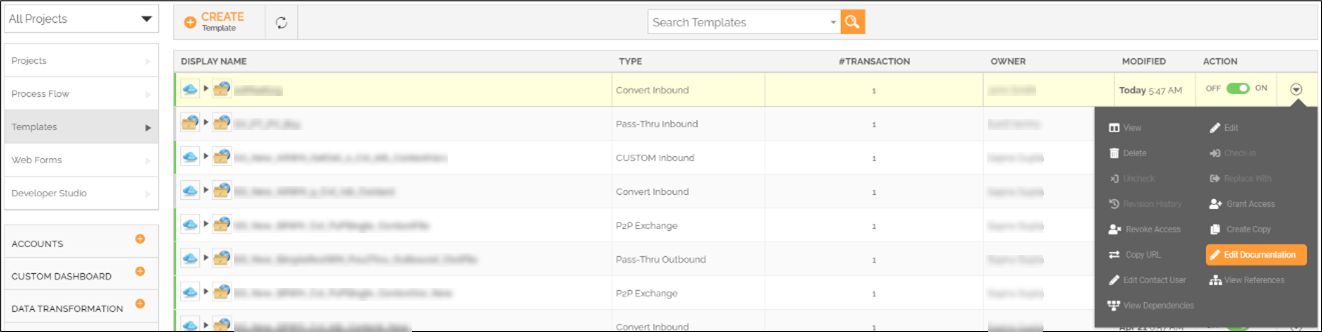
Executing the Transaction from API Documentation
You can execute the Transaction (REST Webhook) using its API documentation by following the steps given below.
 | You must activate the Transaction before you execute it using its API documentation. |
|---|
- Go to manage transactions page by selecting Transactions and then clicking Transactions on the left panel.
- Click More () on the Transaction that you want to execute.
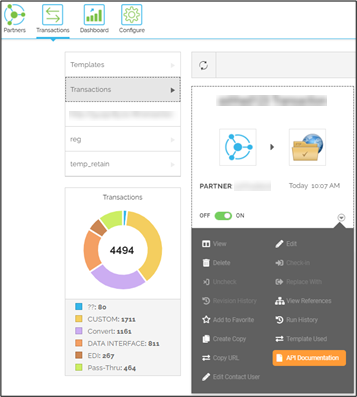
- Click API Documentation.
- On the API Documentation page, click Try it out, and then Execute.
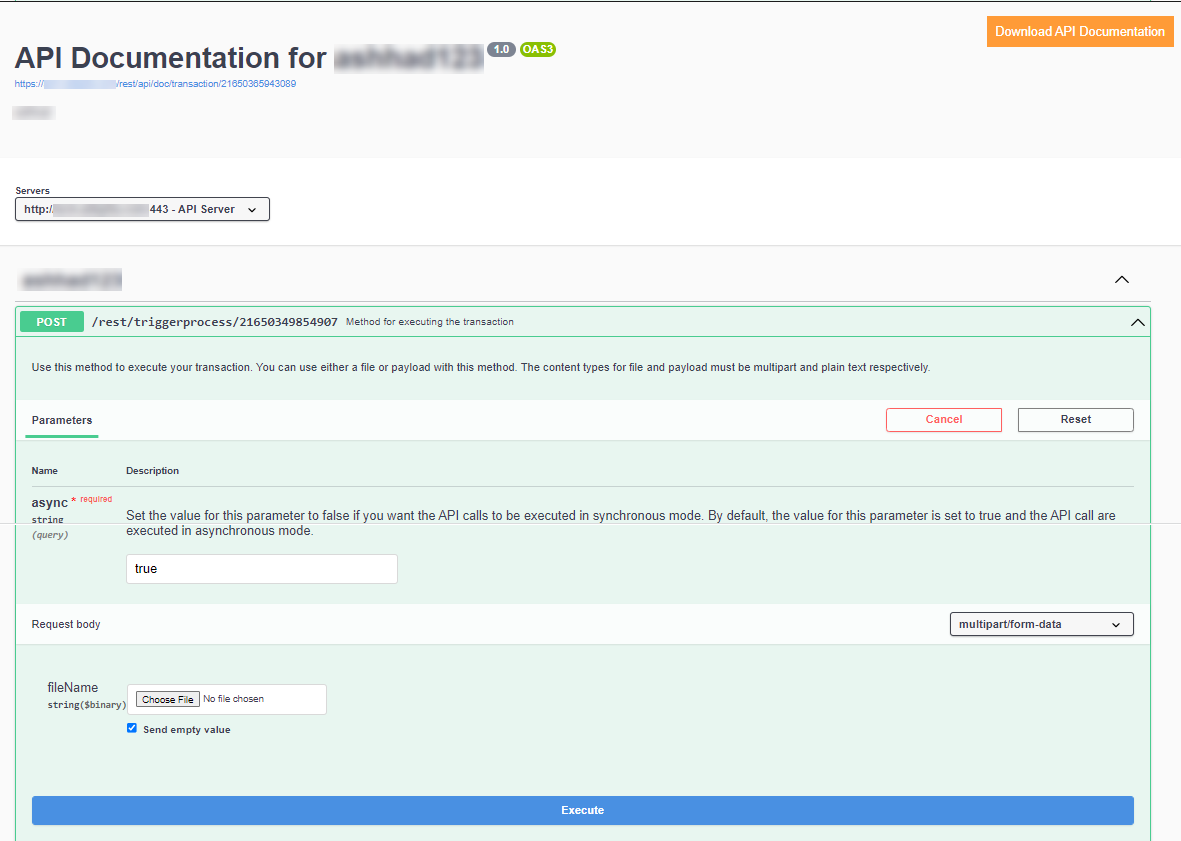
You can also download the API Documentation by clicking Download API Documentation on the API Documentation page.
 | • In case you are using Simple REST Webhook and Context File Based Routing, you need to select the media type as multipart/form-data on the API documentation. • In case you are using Simple REST Webhook and Content Routing, you need to select the media type as application/text on the API documentation. • You cannot execute Simple REST Webhook with Context Variable Based Routing from API documentation. • For an existing or a newly created Advanced REST Webhook Template wherein the Context File Based Routing has been used, you need to change the media type for REQUEST to multipart/form-data in the associated REST provider to execute the transaction from the API documentation. • To execute a Transaction – based on Advanced REST Webhook Template with Context Variable Based Routing – from the API documentation, the name of the Resource/Method parameters in the associated REST provider must match the variable names defined in the Routing Criteria of the Template. |
|---|