Steps to configure login module
You may provide the login module details for your server or client in any of the following ways:
- Using KeyTab
- Using Ticket Cache (Logged in User)")
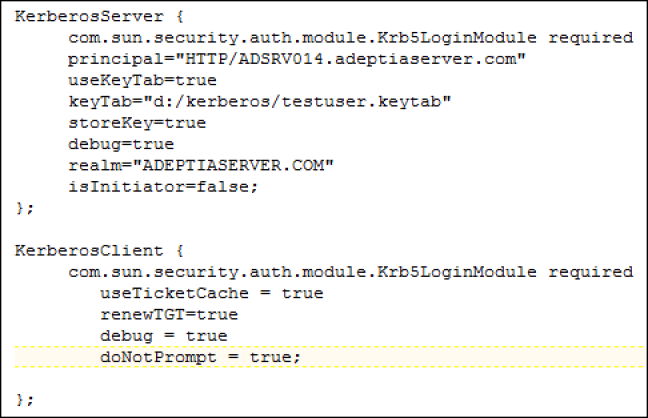
Some dummy values are provided in the configuration file that you must replace with your own values. To configure login module:
- Navigate to <Adeptia-Installation-Folder >/AdeptiaServer/ServerKernel/etc folder.
- Open the jaas.config file.
- Enter the details of Login Module.
You may be interested in...