Salesforce
Salesforce game-changing technology and Customer Relationship Management cloud software address all your customer interface concerns.
With Salesforce CRM, you can collect customer support requests from different channels, assign cases to the appropriate team or agent, easily recall the best solutions to customer problems, escalate support cases when necessary, direct customers towards web-based solutions, conform to service-level agreements, and identify areas where service can be improved.
For more information, click here.
Field (Account) Information
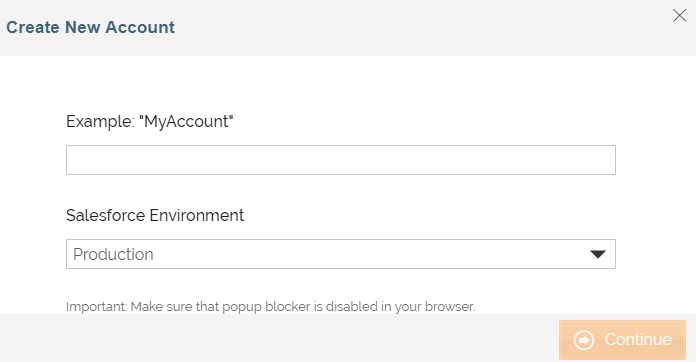
While configuring the Source or Destination of a Template or Transaction, you need to create an account to connect Salesforce with Adeptia Connect. While creating an account, you need to specify the location from where Adeptia Connect will access the data.
Click  to add an account.

Specify the following information for Salesforce:
| Field Name | Description |
|---|---|
| Account Name | A short, descriptive name that helps you re-use this account in future. |
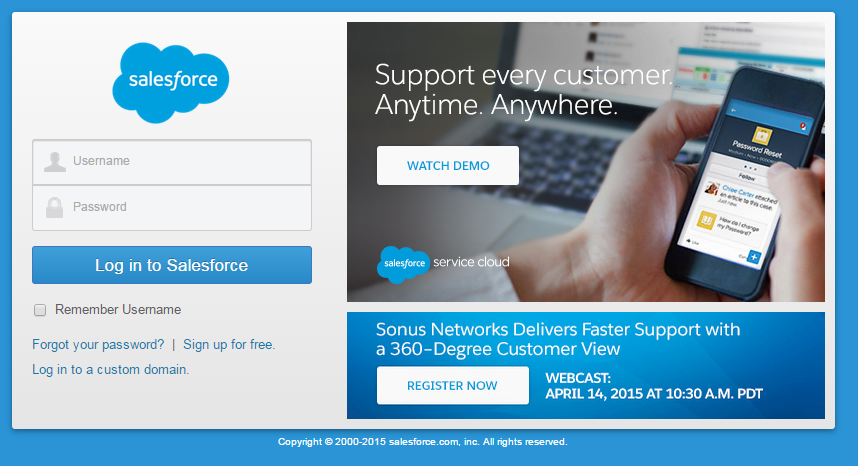
Enter a name and select the Salesforce environment. Click Continue. The Salesforce login screen appears
| Field Name | Description |
|---|---|
| Username | User ID to log in to your Salesforce account. |
| Password | Password to log in to your Salesforce account. |
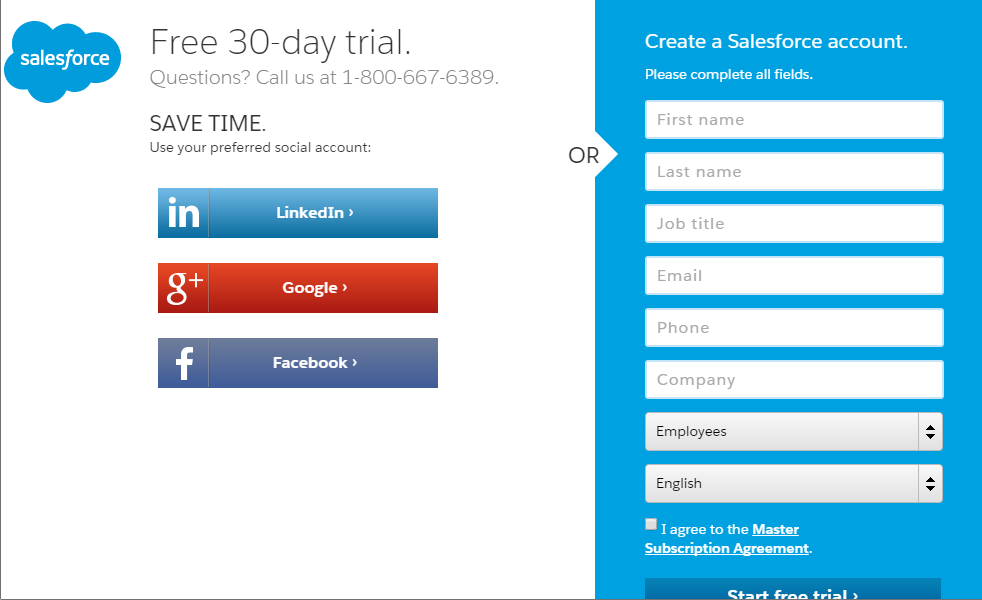
If you do not have a Salesforce account, click Sign up now. The registration screen appears:
Triggers
A Trigger specifies when a particular Transaction will start executing. While configuring the Source of a Template, you need to choose an event.
Following triggers are available for Salesforce at Source.
| Trigger Name | Description |
|---|---|
| New Opportunity | Triggers when an opportunity is created. An opportunity is a sale or pending deal. |
| New Opportunity Or Updated Opportunity | Triggers when an opportunity is created or an existing opportunity is modified. |
| New Event | Triggers when an event is created. Represents an event in the calendar. |
| New Event Or Updated Event | Triggers when an event is created or an existing event is modified. |
| New Case | Triggers when a case is created. A case is a customer issue or problem. |
| New Case Or Updated Case | Triggers when a case is created or an existing case is modified. |
| New Account | Triggers when an account is created. An account is an organization or person involved with your business (such as customers, competitors, and partners). |
| New Account Or Updated Account | Triggers when an account is created or an existing account is modified. |
| New Task | Triggers when a task is created. A task represents a business activity such as making a phone call or other to-do items. Task and Event records are collectively referred to as activities. |
| New Task Or Updated Task | Triggers when a task is created or an existing task is modified |
| New Lead | Triggers when a lead is created. A lead is a prospect or potential Opportunity. |
| New Lead Or Updated Lead | Triggers when a lead is created or an existing lead is modified. |
| New Note | Triggers when a note is created. A note is a text associated with a custom object or a standard object, such as a Contact, Contract, or Opportunity. |
| New Note Or Updated Note | Triggers when a note is created or an existing note is modified. |
| New Contact | Triggers when a contact is created. A contact is an individual associated with an account. |
| New Contact Or Updated Contact | Triggers when a contact is created or an existing contact is modified. |
| New Campaign | Triggers when a campaign is created. A campaign is an outbound marketing project that you want to plan, manage, and track within Salesforce. It can be a direct mail program, seminar, print advertisement, email, or another type of marketing initiative. |
| New Campaign Or Updated Campaign | Triggers when a campaign is created or an existing campaign is modified. |
| New Product | Triggers when a product is added. Products are the individual items or services that you sell to customers through your opportunities and quotes. You can create a product and associate it with a price in a price book. Each product can exist in many different price books with many different prices. |
| New Product Or Updated Product | Triggers when a product is added or an existing product is modified. |
| New Price Book | Triggers when a price book is created. A price book is a list of products and their associated prices. Each product and its price is called a price book entry. |
| New Price Book Or Updated Price Book | Triggers when a price book is created or an existing price book is modified. |
| New Question | Triggers when a question is created. |
| New Question Or Updated Question | Triggers when a question is created or an existing question is modified. |
| New Solution | Triggers when a solution is created. A solution is a detailed description of a customer issue and the resolution of that issue. |
| New Solution Or Updated Solution | Triggers when a solution is created or an existing solution is modified. |
| New User | Triggers when a user is created. |
| New User Or Updated User | Triggers when a user is created or an existing user is modified. |
Actions
An Action specifies how the data will be transferred at the destination location. While configuring the Destination (Target) of a Template, you need to choose an action.
Following actions are available for Salesforce at Destination.
| Action Name | Description |
|---|---|
| Create Note | Creates a note. A note is a text associated with a custom object or a standard object, such as a Contact, Contract, or Opportunity. See: https://www.salesforce.com/developer/docs/api/Content/sforce_api_objects_note.htm |
| Create Case | Creates a case. A case is a customer issue or problem. See: https://www.salesforce.com/developer/docs/api/Content/sforce_api_objects_case.htm |
| Create Account | Creates an account. An account is an organization or person involved with your business (such as customers, competitors, and partners). See: https://www.salesforce.com/developer/docs/api/index_Left.htm#CSHID=sforce_api_objects_ case.htm |
| Create Contact | Creates a contact. A contact is an individual associated with an account. See: https://www.salesforce.com/developer/docs/api/index_Left.htm#CSHID=sforce_api_objects_ case.htm |
| Create Lead | Creates a lead. A lead is a prospect or potential Opportunity. See https://www.salesforce.com/developer/docs/api/index_Left.htm#CSHID=sforce_api_objects_ case.htm |
| Create Document | Creates a document. A document is a file that a user has uploaded. See https://www.salesforce.com/developer/docs/api/index_Left.htm#CSHID=sforce_api_objects_ case.htm |
| Create Opportunity | Creates an opportunity. An opportunity is a sale or a pending deal. See https://www.salesforce.com/developer/docs/api/index_Left.htm#CSHID=sforce_api_objects_ case.htm |
| Create Event | Creates an event. Represents an event in the calendar. See https://www.salesforce.com/developer/docs/api/index_Left.htm#CSHID=sforce_api_objects_ case.htm |
| Create Campaign | Creates a campaign. A campaign is an outbound marketing project that you want to plan, manage, and track within Salesforce. It can be a direct mail program, seminar, print advertisement, email, or another type of marketing initiative. |
| Create Question | Creates a question. |
| Create Solution | Creates a solution. A solution is a detailed description of a customer issue and the resolution of that issue. |
| Create Task | Creates a task. A task represents a business activity such as making a phone call or other to-do items. Task and Event records are collectively referred to as activities. |
| Create Product | Creates a product. Products are the individual items or services that you sell to customers through your opportunities and quotes. You can create a product and associate it with a price in a price book. Each product can exist in many different price books with many different prices. |
| Create Price Book | Creates a price book. A price book is a list of products and their associated prices. Each product and its price is called a price book entry. |
| Create User | Creates a user. |
| Create or Update Campaign | Creates or updates a campaign. |
| Create or Update Question | Creates or updates a question. |
| Create or Update Solution | Creates or updates a solution. |
| Create or Update Task | Creates or updates a task. |
| Create or Update Product | Creates or updates a product. |
| Create or Update Price Book | Creates or updates a price book. |
| Create or Update User | Creates or updates a user. |
| Update Note | Updates a note. |
| Update Case | Updates a case. |
| Update Account | Updates an account. |
| Update Contact | Updates a contact. |
| Update Lead | Updates a lead. |
| Update Document | Updates a document. |
| Update Opportunity | Updates an opportunity. |
| Update Event | Updates an event. |
| Update Campaign | Updates a campaign. |
| Update Question | Updates a question. |
| Update Solution | Updates a solution. |
| Update Task | Updates a task. |
| Update Product | Updates a product. |
| Update Price Book | Updates a price book. |
| Update User | Updates a user. |
| Delete Note | Deletes a note. |
| Delete Case | Deletes a case. |
| Delete Account | Deletes an account. |
| Delete Contact | Deletes a contact. |
| Delete Lead | Deletes a lead. |
| Delete Document | Deletes a document. |
| Delete Opportunity | Deletes an opportunity. |
| Delete Event | Deletes an event. |
| Delete Campaign | Deletes a campaign. |
| Delete Question | Deletes a question. |
| Delete Solution | Deletes a solution. |
| Delete Task | Deletes a task. |
| Delete Product | Deletes a product. |
| Delete Price Book | Deletes a price book. |
Mapping
While creating a mapping, a Reference field can be mapped to an expression. It can also mapped to a value from the Lookup.