Sage One
Sage One is an online accounting software solution company designed to help start-up and small business owners spend less time on administrative and financial tasks. Sage One covers multiple areas of client needs namely invoicing, bank reconciliation, reporting, and more. Sage One Accountant Edition allows the users to stay connected to the clients' finances.
For more information, click here.
Field (Account) Information
While configuring the Source or Destination of a Template or Transaction, you need to create an account to connect Sage One with Adeptia Connect. While creating the account, you need to specify the location from where Adeptia Connect will access the data.
Click  to add an account.

Specify the following information for Sage One:
| Field Name | Description |
|---|---|
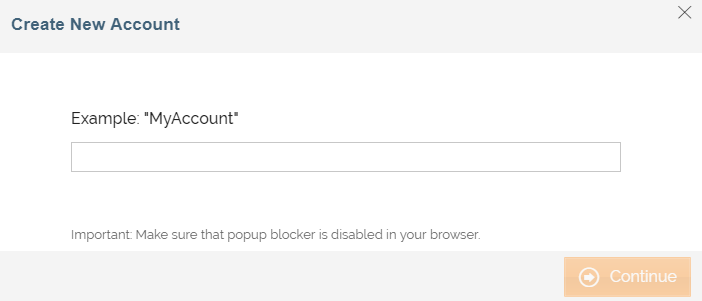
| Account Name | A short, descriptive name that helps you re-use this account in future. |
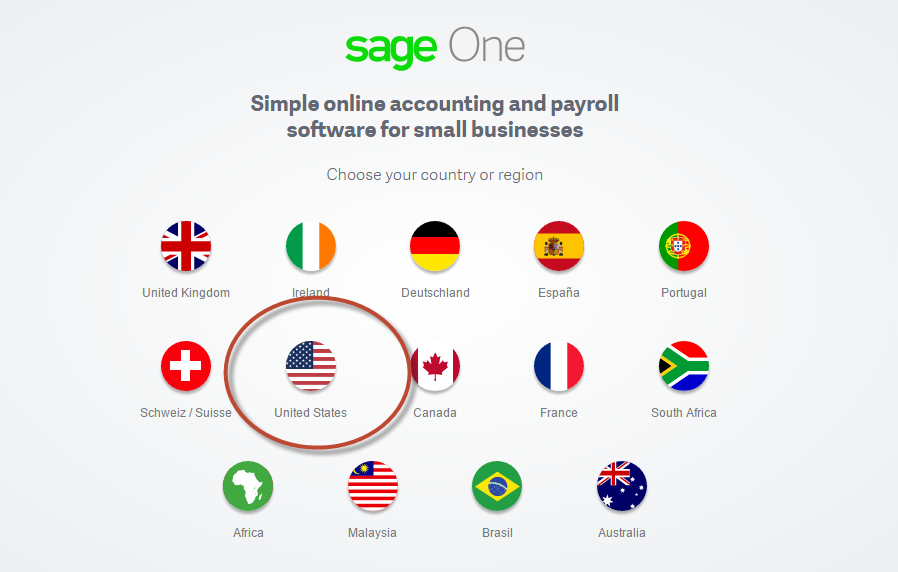
Enter a name and click Continue. You will be directed to choose the country. Adeptia Connect only supports the United States and United Kingdom for Sage One.
Triggers
A Trigger specifies when a particular Transaction will start executing. While configuring the Source of a Template, you need to choose an event.
Following triggers are available for Sage One at Source.
| Trigger Name | Description |
|---|---|
| All Bank Accounts | Extracts all bank accounts. |
| New or Updated Contact | Triggers when a new contact is added or an existing contact is updated. |
| All Contacts | Extracts all contacts. |
| All Ledger Accounts | Extracts all ledger accounts. |
| New or Updated Product | Triggers when a new product is created or an existing product is updated. |
| All Products | Extracts all products. |
| New or Updated Purchase Invoice | Triggers when a new purchase invoice is created or an existing purchase invoice is updated. |
| All Purchase Invoices | Extracts all purchase invoices. |
| All Purchase Credit Notes | Extracts all purchase credit notes. |
| New or Updated Sales Invoice | Triggers when a new sales invoice is created or an existing sales invoice is updated. |
| All Sales Invoices | Extracts all sales invoices. |
| All Services | Extracts all services. |
| All Tax Rates | Extracts all tax rates. |
Actions
An Action specifies how the data will be transferred to the destination location. While configuring the Destination (Target) of a Template, you need to choose an action.
Following actions are available for Sage One at Destination.
| Action Name | Description |
|---|---|
| Create Bank Account | Creates a new Bank Account. |
| Update Bank Account | Updates an existing bank account. |
| Delete Bank Account | Delete an existing account. |
| Create Contact | Creates a new contact. |
| Update Contact | Updates an existing contact. |
| Delete Contact | Deletes an existing contact. |
| Create Product | Creates a new product. |
| Update Product | Updates an existing product. |
| Delete Product | Deletes an existing product. |
| Create Purchase Credit Note | Creates a new purchase credit note. This action is restricted for GB countries. |
| Delete Purchase Credit Note | Deletes an existing purchase credit note. This action is restricted for GB countries. |
| Create Purchase Invoice | Creates a new purchase invoice. |
| Update Purchase Invoice | Updates an existing purchase invoice. |
| Delete Purchase Invoice | Deletes an existing purchase invoice. |
| Create Sales Invoice | Creates a new sales invoice. |
| Update Sales Invoice | Updates an existing sales invoice. |
| Delete Sales Invoice | Deletes an existing sales invoice. |
| Create Service | Creates a new service. |
| Update Service | Updates an existing service. |
| Deletes Service | Deletes an existing service. |
| Create Tax Rate | Creates a new tax rate. This action is restricted for GB countries. |
| Update Tax Rate | Creates an existing tax rate. This action is restricted for GB countries. |
| Delete Tax Rate | Deletes an existing tax rate. This action is restricted for GB countries. |
| Create Sales Quote | Creates a new sales quote. This action is restricted for GB countries. |
| Update Sales Quote | Updates an existing sales quote. This action is restricted for GB countries. |
| Delete Sales Quote | Deletes an existing sales quote. This action is restricted for GB countries. |