Downloading Drivers
Download the drivers for the following applications to use either at Source or Destination in Adeptia Connect. You can deploy these drivers as Accelerators by using the Migration utility as described in the sections For Windows and For Linux.
 | If you are a Business User, contact your admin user to deploy the drivers. |
|---|
Accelerators for AC v3.7.1
| Application Name | Drivers |
|---|---|
| Active Directory | ActiveDirectory.zip |
| Amazon Redshift | Amazonredshift.zip |
| Apache Cassandra | ApacheCassandra.zip |
| Dynamics CRM | DynamicsCRM.zip |
| Dynamics GP | DynamicsGP.zip |
Accelerators for AC v3.7
| Application Name | Drivers |
|---|---|
| Active Directory | ActiveDirectory.zip |
| Amazon Redshift | AmazonRedshift.zip |
| Apache Cassandra | ApacheCassandra.zip |
| Dynamics CRM | DynamicsCRM.zip |
| Dynamics GP | DynamicsGP.zip |
Steps to deploy the drivers as accelerators based on your operating system
For Windows
-
Go to .../<AdeptiaInstallFolder>/AdeptiaSuite-x.x/bin folder.
-
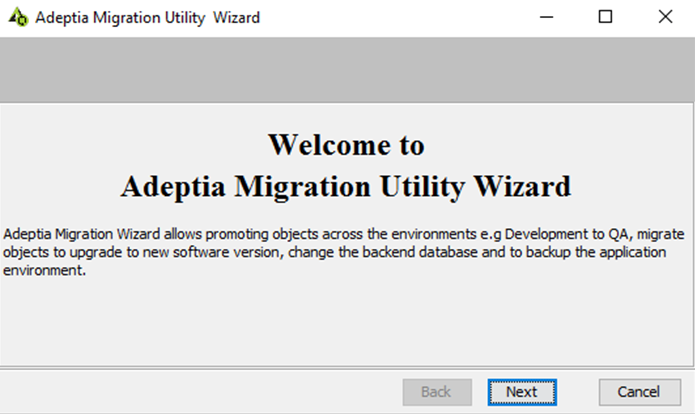
Double-click MigrationUtility.exeto run the Migration utility.
-
Click Next.
-
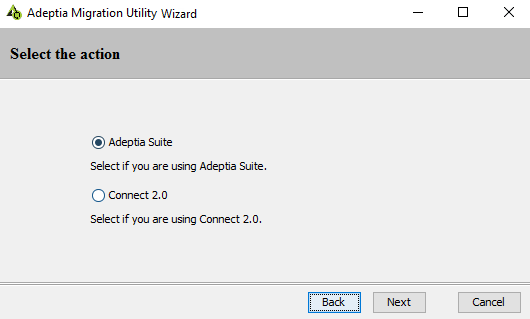
Click Adeptia Suite.
-
Click Next.
-
Click Install Accelerators.
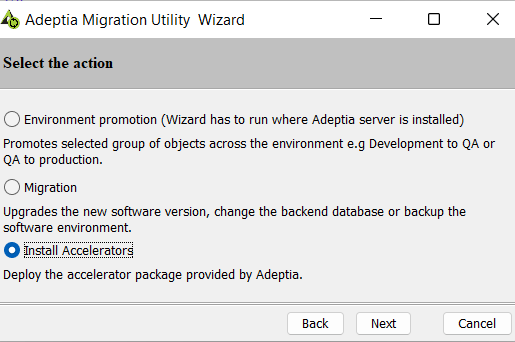 7. Click Next.
8. Browse to and select the accelerator zip file.
7. Click Next.
8. Browse to and select the accelerator zip file.
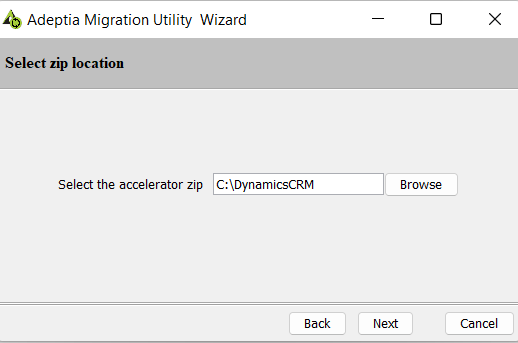 9. Click Next.
10. Browse to and select the Adeptia Suite location (till AdeptiaServer folder) on which the zip is to be deployed, for example, C:\Program Files\AdeptiaSuite\AdeptiaSuite-<version>\AdeptiaServer.
9. Click Next.
10. Browse to and select the Adeptia Suite location (till AdeptiaServer folder) on which the zip is to be deployed, for example, C:\Program Files\AdeptiaSuite\AdeptiaSuite-<version>\AdeptiaServer.
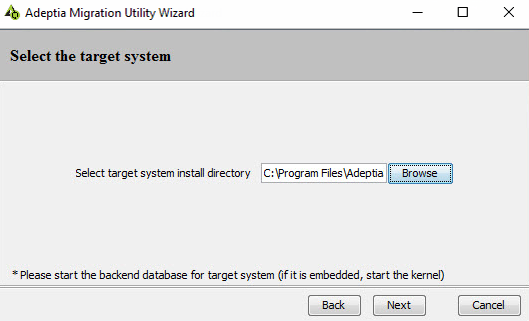 11. Click Next.
A dialog box appears confirming that the accelerator has been deployed successfully.
11. Click Next.
A dialog box appears confirming that the accelerator has been deployed successfully.
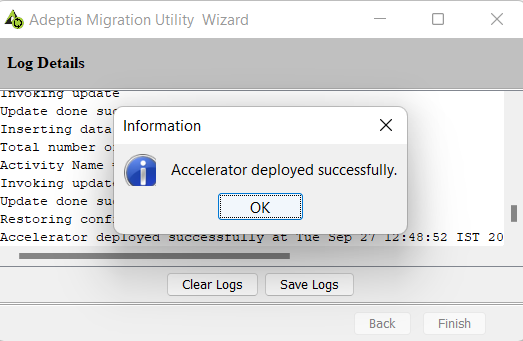 12. Click OK.
13. Click Finish to complete the deploy process and exit the Migration utility.
12. Click OK.
13. Click Finish to complete the deploy process and exit the Migration utility.
For Linux
- Open theTerminaland go to the ServerKernel directory.
- Run the following command to start the Migration utility.
./migrationutility.sh –console
- Type 1 and press Enter.
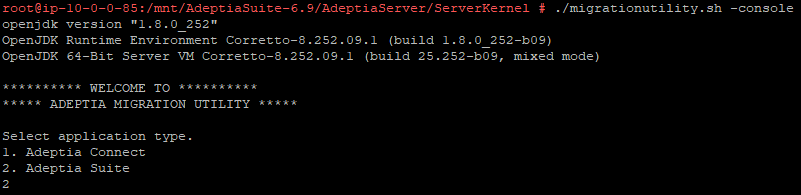 4. Type 3 and press Enter.
 5. Type the accelerator zip file location and press Enter.
6. Type the Adeptia Suite location (till AdeptiaServer directory) on which the zip is to be deployed and press Enter.
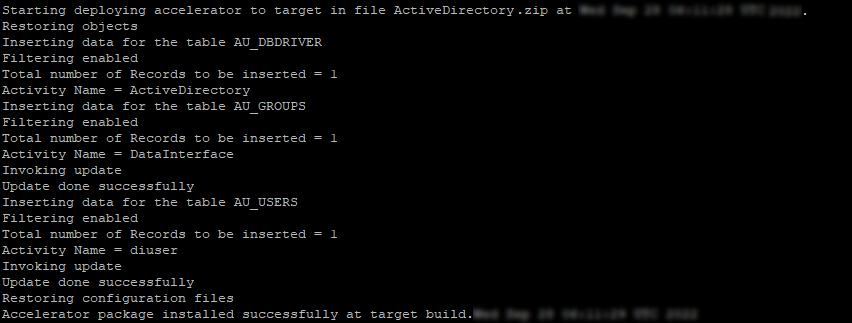
7. The utility starts deploying the objects.
A dialog box appears confirming that the accelerator has been deployed successfully.
5. Type the accelerator zip file location and press Enter.
6. Type the Adeptia Suite location (till AdeptiaServer directory) on which the zip is to be deployed and press Enter.
7. The utility starts deploying the objects.
A dialog box appears confirming that the accelerator has been deployed successfully.