Login to Adeptia Connect with SAML
Perform the following steps to log in to Adeptia Connect:
- Open the browser and hit the URL in the format:
<protocol_name>://<ip_address>:<port_number>/control
where, <protocol_name> is the name of the protocol, for example, HTTP or HTTPS. <ip_address> is the IP address of the computer hosting Adeptia Connect. <port_number> is the port number of the computer hosting Adeptia Connect.
For example, http://192.168.1.10:8080 2. Depending upon the IdP server you have configured, the login page appears.
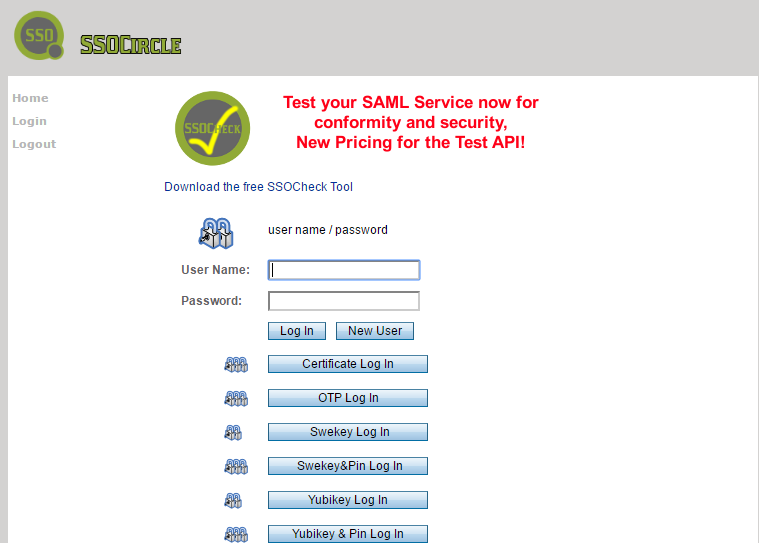 3. Type the username and password in the respective fields.
4. Click Log In.
5. After the successful authentication, you will be redirected to Adeptia Connect home page.
3. Type the username and password in the respective fields.
4. Click Log In.
5. After the successful authentication, you will be redirected to Adeptia Connect home page.
 | There are two types of logouts available using Adeptia Connect with SAML: • Local logout • Global logout Local logout terminates user session from Adeptia Suite, and redirects the user to Adeptia Suite Login screen. Global logout terminates the user session from Adeptia Suite and IdP server you are using, and redirects the user to IdP server login screen. |
|---|
.
You may be interested in...