Adeptia Connect now supports GAC in Custom Solutions pages. This feature helps to provide role-based access to the users based on the defined permission in custom solution pages.
 | Custom Entity tab is only visible to System Admin User. |
|---|
This page contains the following information:
- Creating Custom Entity
- Viewing Custom Entity
- Editing Custom Entity
- Deleting Custom Entity
- Viewing Roles
Creating Custom Entity
- Click Account > Custom Entities.
- ClickCREATE Custom Entity.
- On Create Custom Entity screen, enter the name and description of the new Custom Entity in the Nameand Descriptiontextboxes respectively.
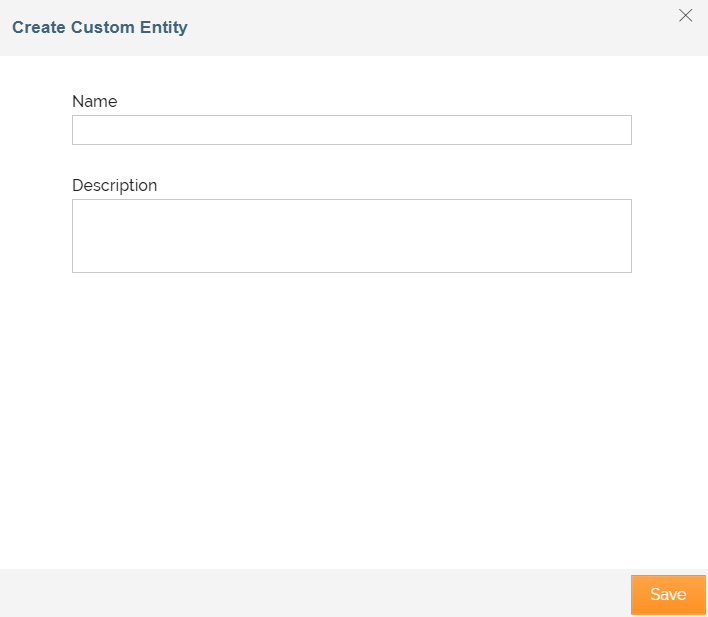
| The name should be a unique name and can be up to 48 characters long. The description of the Custom Entity can be up to 300 characters long. |
|---|
- Click Save.
- Once the custom entity is created, you can create custom roleto define permission for custom entity.
Viewing Custom Entity
Once custom entity is created, you can view role details.
Steps to view custom entity details:
-
ClickAccount > Custom Entities.
-
On Custom Entities screen, do one of the following:
- Click the name of the custom entity to view details.
- Click
 > View.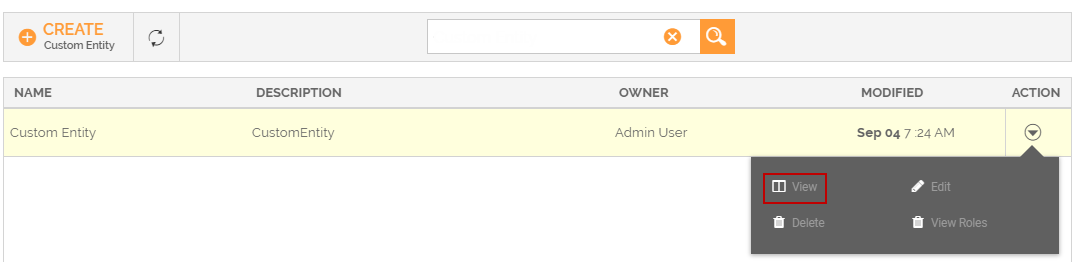
-
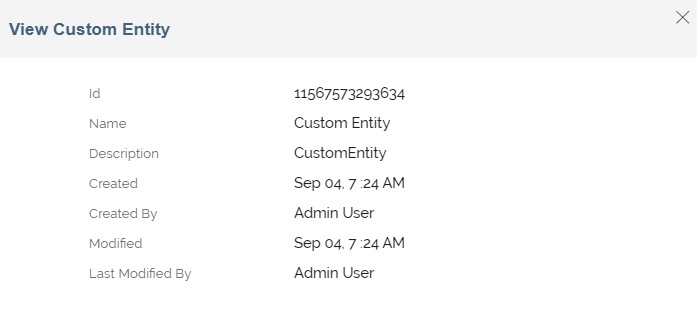
On View Custom Entity window, view the details of the Role.
Editing Custom Entity
You can modify the details of custom entity specified while creating. Only a System Admin User can edit custom entity details.
To edit custom entity details:
- ClickAccount > Custom Entities.
- On Custom Entitiesscreen, click > Edit.
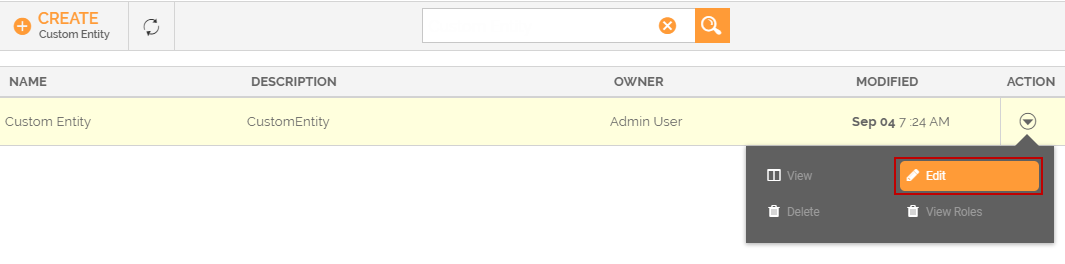 3. On Edit Custom Entity screen, edit the details.
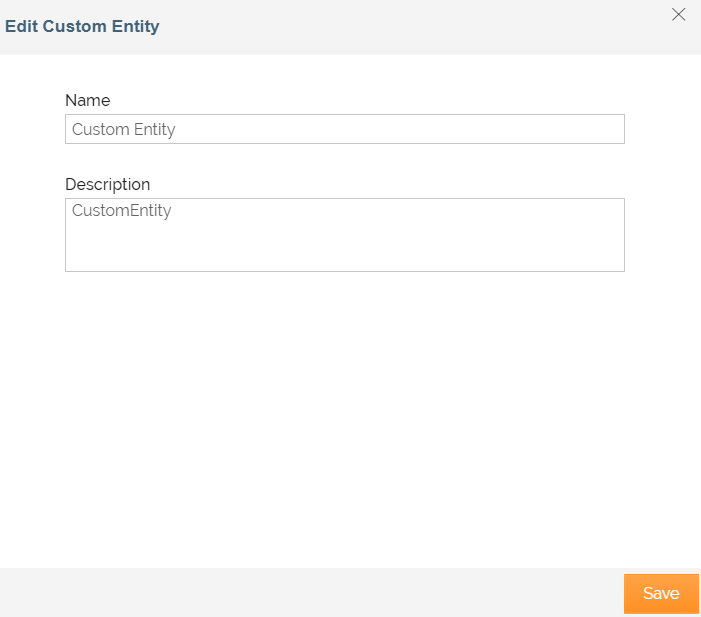 4. Click Save.
A message is displayed confirming that the Custom Entity has been saved successfully.
4. Click Save.
A message is displayed confirming that the Custom Entity has been saved successfully.
Deleting Custom Entity
You can delete Custom Entity if a role is not assigned to it. Therefore, before deleting a custom entity, ensure that no role is associated with custom entity.
To delete a Custom Entity:
-
ClickAccount > Custom Entities.
-
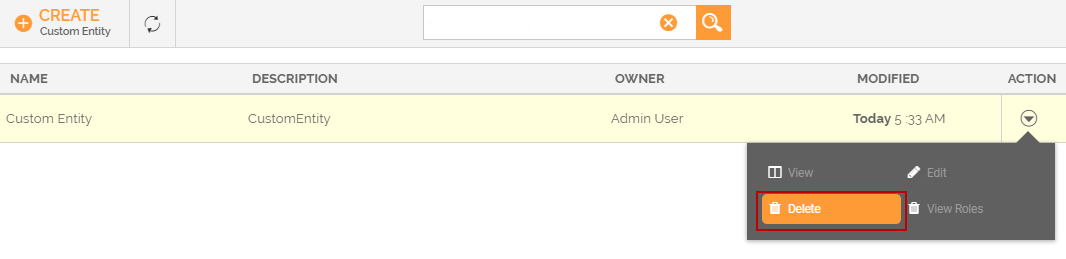
On Custom Entities screen, click
> Delete.
-
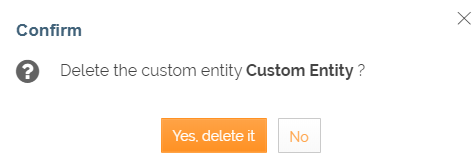
ClickYes, delete it, when prompted to confirm.
If you attempt to delete a Custom Entity which is assigned to a role, an alert message is displayed. 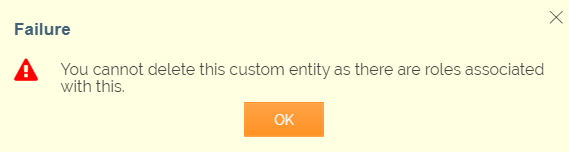
A message is displayed confirming that the custom entity has been deleted successfully.
Viewing Roles
You can view the roles that are associated with custom entity.
To view roles of Custom Entity:
- ClickAccount > Custom Entities.
- On Custom Entitiesscreen, click > View Roles.
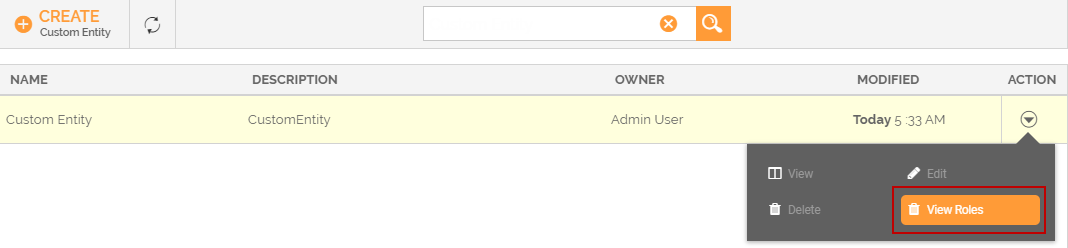
- It displays the list of roles associated with this custom entity.

You may be interested in...